AutoSurvey

Live demos. No login.

Take a real survey. Then see the record it creates.

Every demo below is a real AutoSurvey survey, running on a Salesforce site in our demo org. Use imaginary details: the answers go to our demo org, and nobody contacts you.

In your org, the same answer becomes a Salesforce record your team can report on. The screenshot on each card is that record, from our demo org.

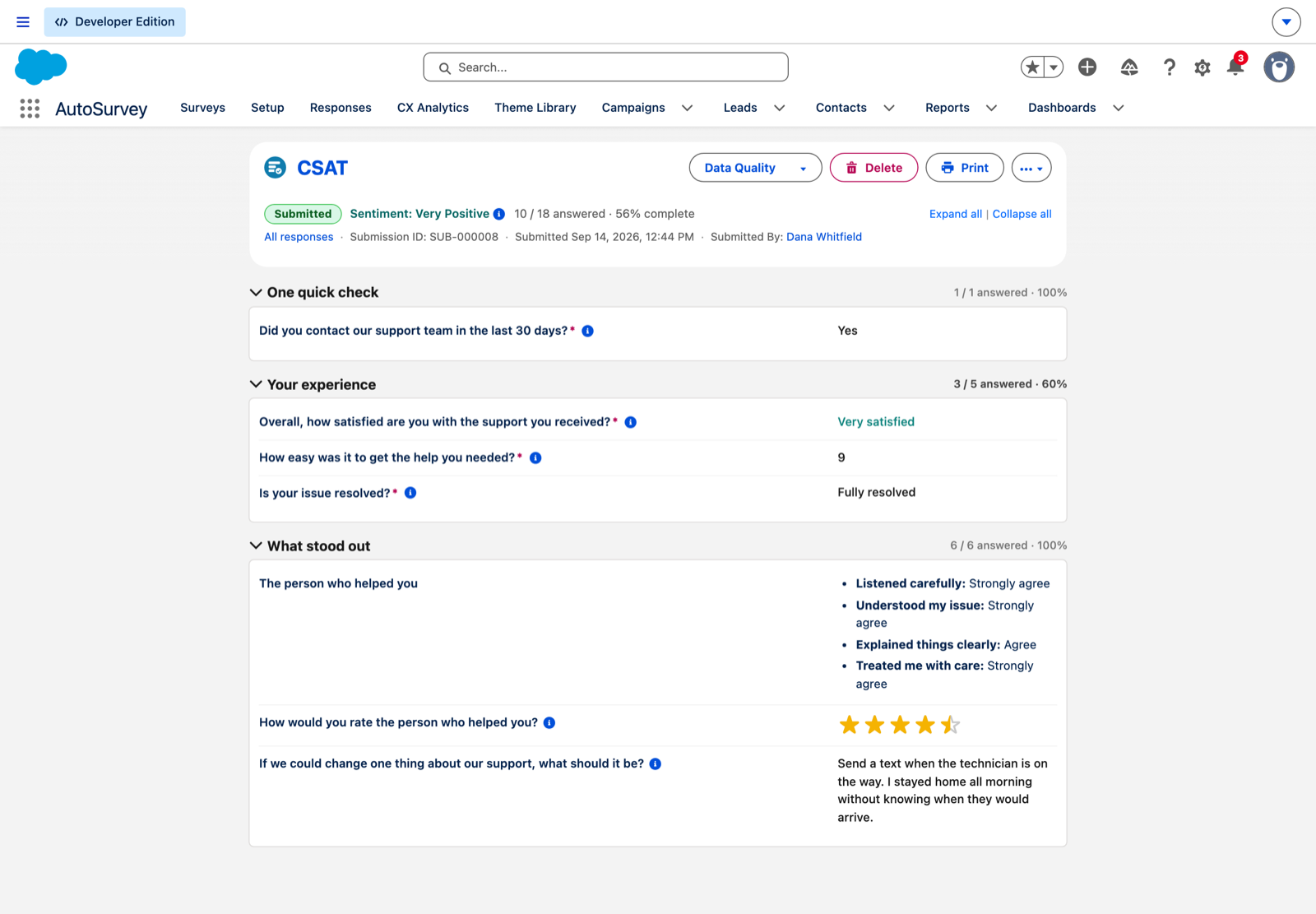
A Survey Submission record in Salesforce for the CSAT demo: Submitted, sentiment Very Positive, 10 of 18 answered, with the answers Yes, Very satisfied, 9, Fully resolved, a rating grid and a free-text suggestion.

Support follow-up · CSAT

Northwind Home Energy: how did our support do?

The survey a customer gets when their case closes: 3 short screens, and one more screen for the reason if they are unhappy.

Where the answer lands: a Survey Submission record with the score and sentiment. Sent from a case, the same answer lands on the case and the contact.

Take it → Opens in a new tab
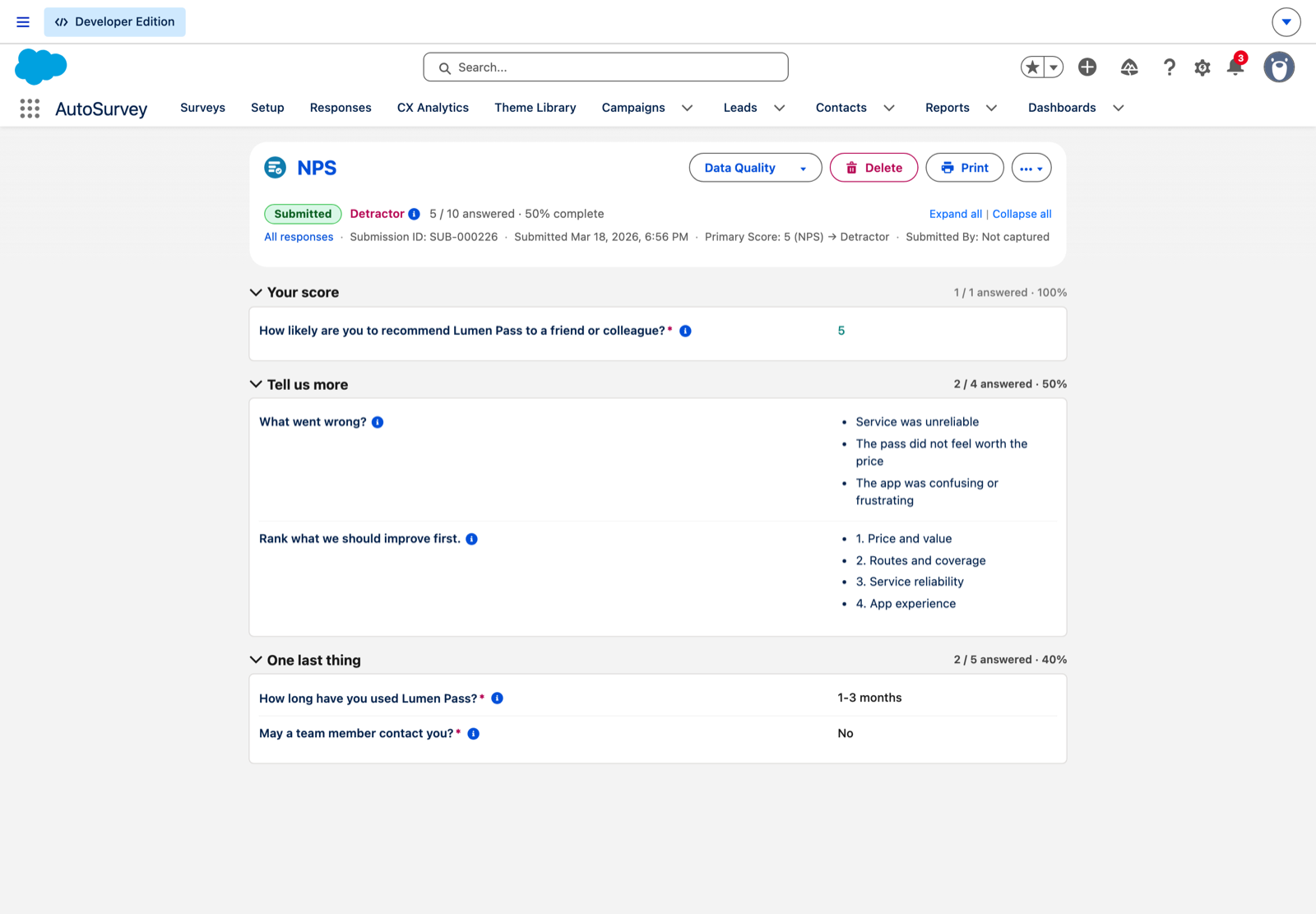
A Survey Submission record in Salesforce for the NPS demo: Submitted, Detractor, primary score 5, with the reasons the customer chose and the improvements they ranked.

Relationship survey · NPS

Lumen Pass: how likely are you to recommend us?

One score, then the reason. A low score opens the follow-up questions; a high score skips them.

Where the answer lands: a Survey Submission record stamped Promoter, Passive or Detractor, with the reasons and the ranked improvements next to the score.

Take it → Opens in a new tab
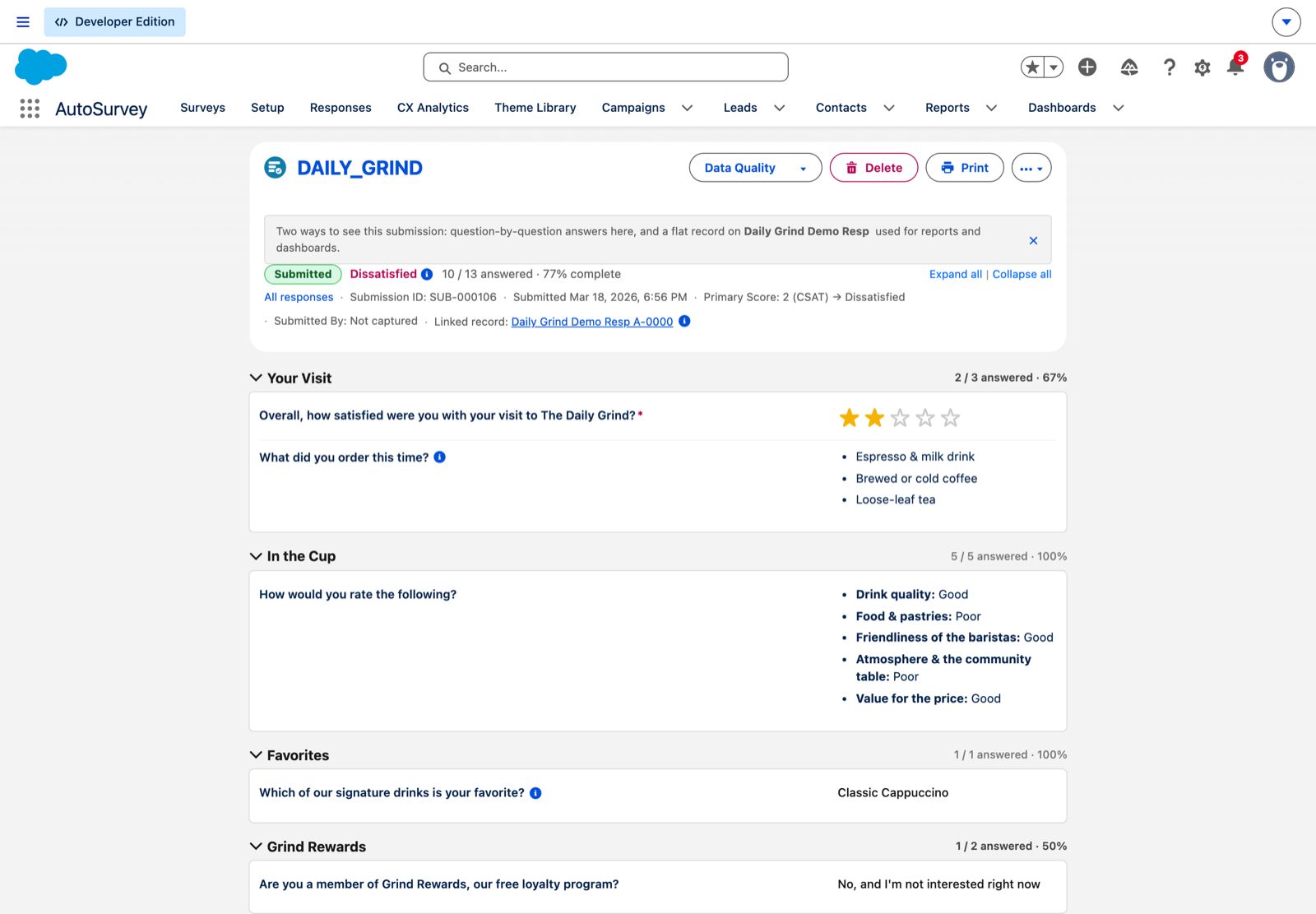
A Survey Submission record in Salesforce for the Daily Grind demo: Submitted, Dissatisfied, 2 of 5 stars, what the customer ordered, a rating grid, and a link to the flat Daily Grind Demo Resp record used for reports.

Walk-in feedback · QR code

The Daily Grind: how was your visit?

A coffee shop survey a customer opens from a QR code at the counter: stars for the visit, what they ordered, and a rating grid for the cup.

Where the answer lands: a Survey Submission record, plus a flat record on a custom object for reports and dashboards.

Take it → Opens in a new tab
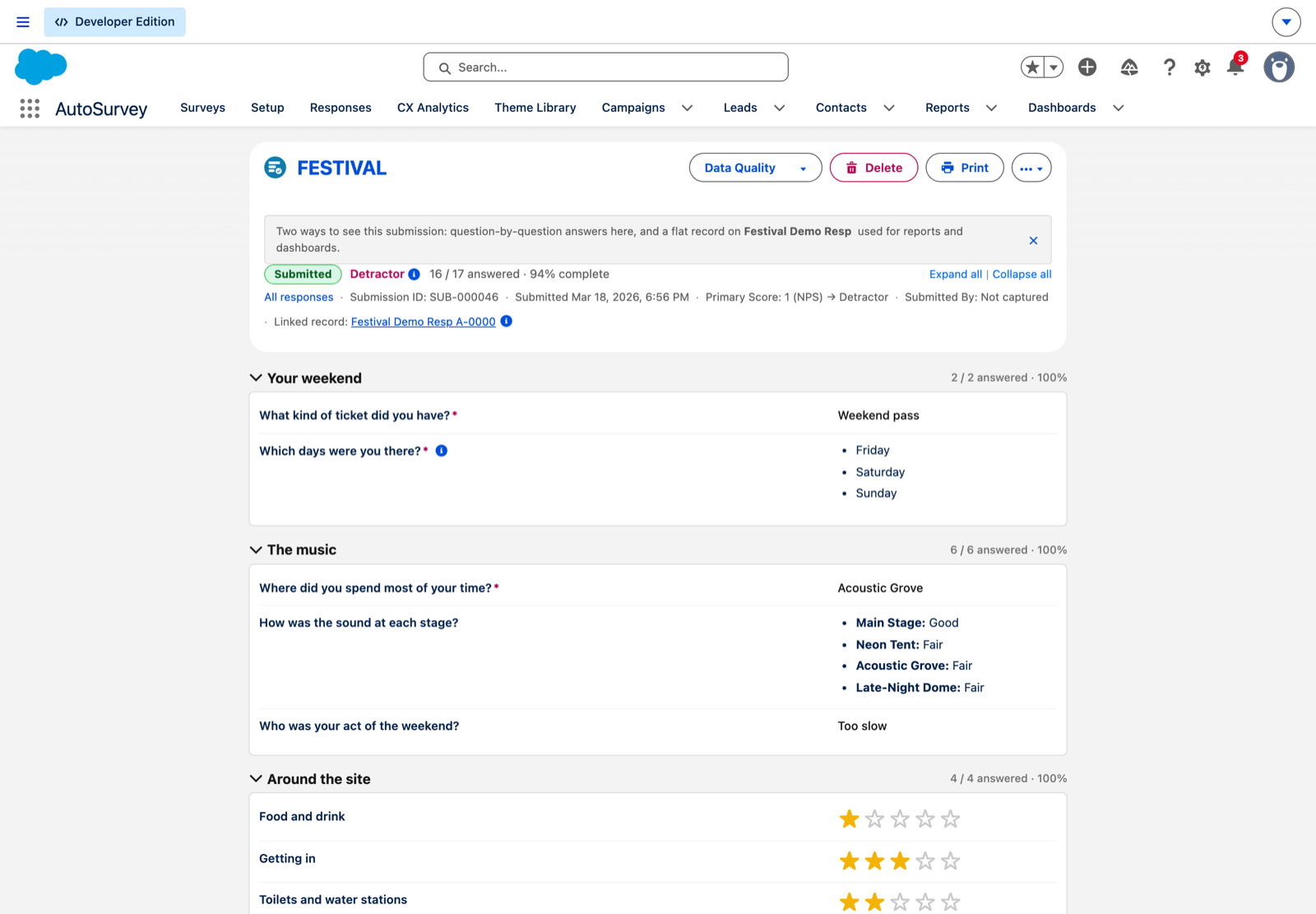
A Survey Submission record in Salesforce for the festival demo: Submitted, Detractor, 16 of 17 answered, with the ticket type, the days attended, the sound at each stage, and star ratings around the site.

Event feedback · NPS

Kestrel Bay Sound Festival: how was your weekend?

An after-event survey: which days you came, the sound at each stage, and star ratings for food, getting in, and the site.

Where the answer lands: a Survey Submission record, plus a flat record on a custom object for the crew's reports.

Take it → Opens in a new tab
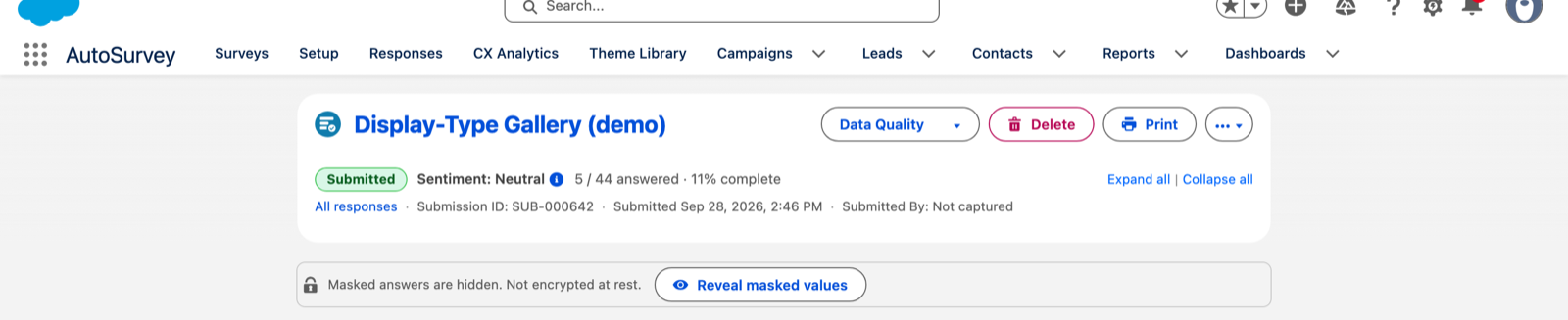
The header of a Survey Submission record in Salesforce for the display-type gallery: Submitted, sentiment Neutral, 5 of 44 answered, and a banner that says masked answers are hidden.

For evaluators · every question type

Display-type gallery

One question of every display type this product offers, each with a note on what it is and when to use it. It is a reference, not a survey with an audience.

Where the answer lands: a Survey Submission record. Answers to masked fields stay hidden on the record until a user with the right to see them reveals them.

Take it → Opens in a new tab

More samples ship inside the package: onboarding, a logic demo, a members programme, and the rest of the sample library. They join this page when they run live on the demo org.

Want the demo that matches your process? Support leads start here →