Under development
Under development. Scope and pricing may change.
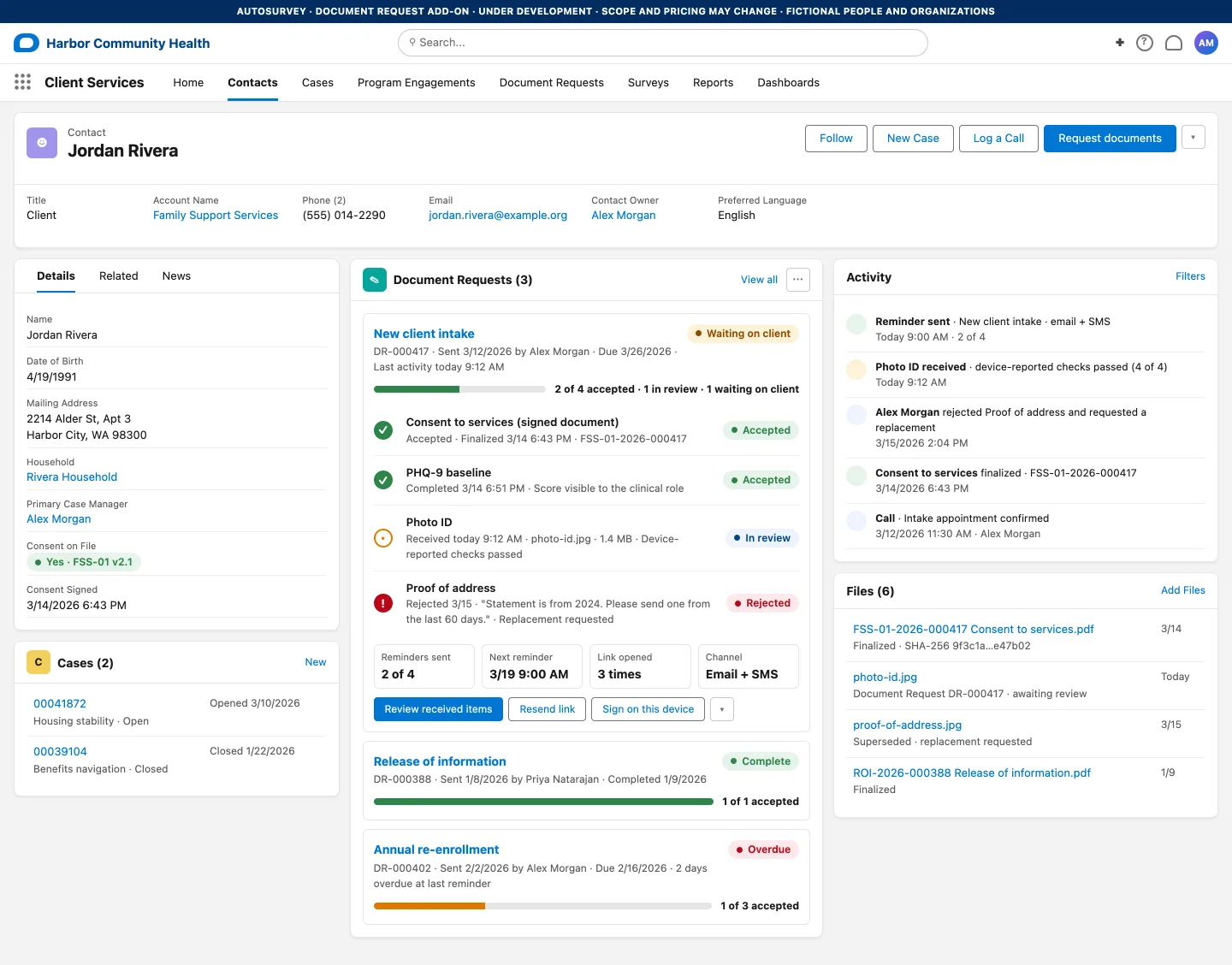
A case manager asks a client for a photo ID, a proof of address and a signed consent. Today that is four emails, two blurry photos and a paper form. Document Request is a planned AutoSurvey add-on that puts the whole checklist behind one link the client opens on a phone, and puts the review inside Salesforce.
Requires AutoSurvey. Add-on pricing is not final.
For the client
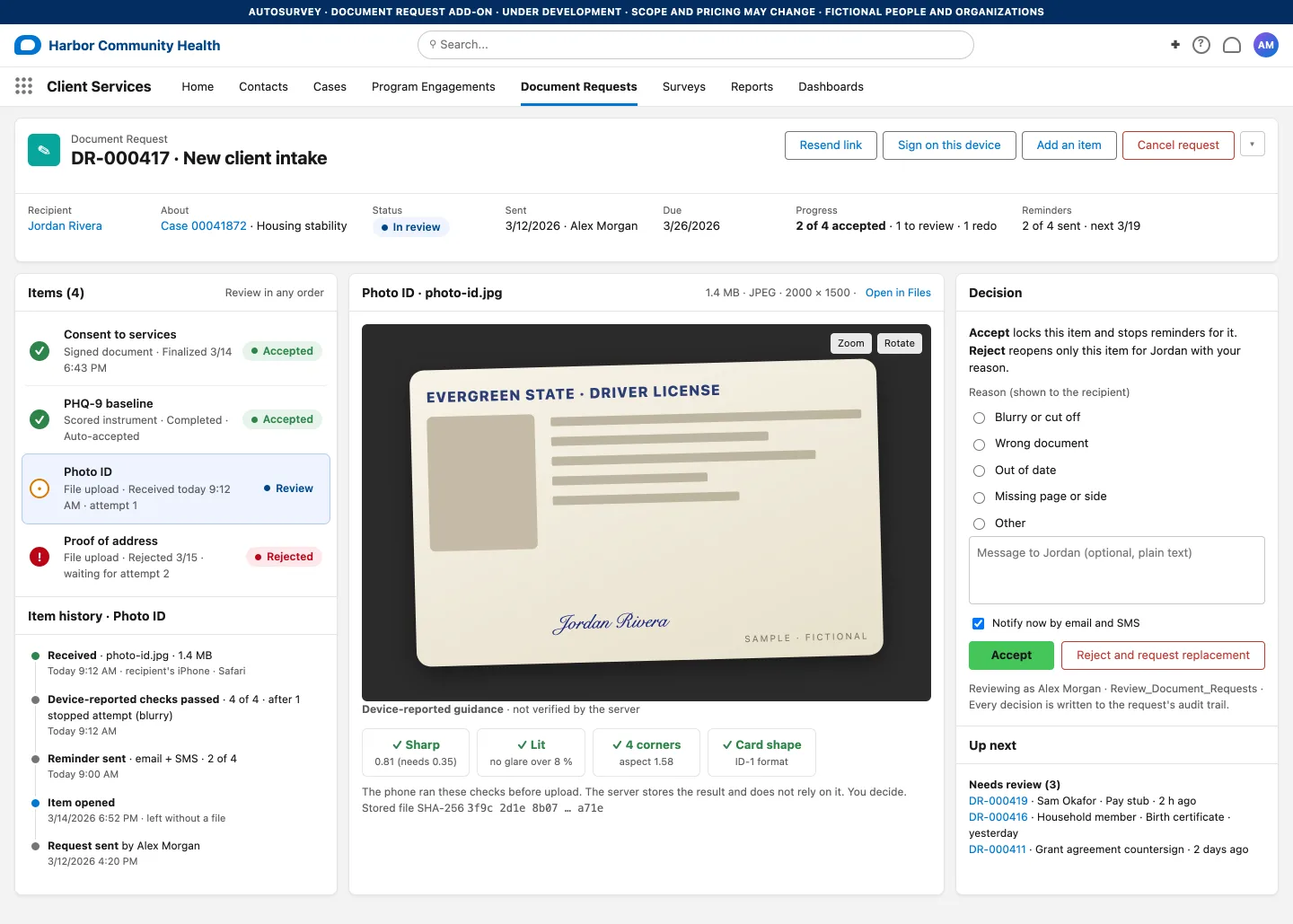
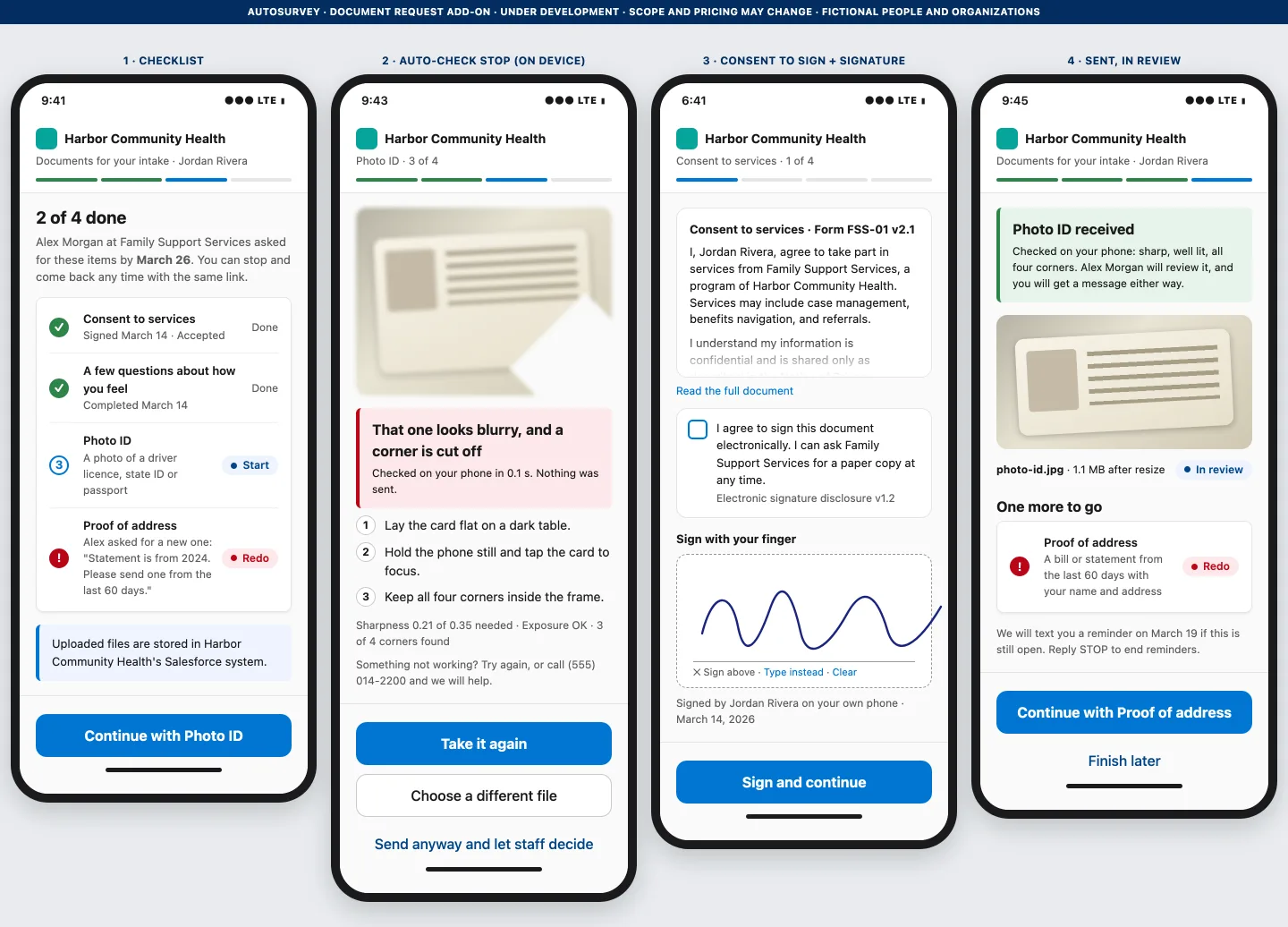
The client gets one text or email with one link. The page shows what is still needed and what is done. Each item is a short step: take a photo, answer a few questions, or sign. Before a photo leaves the phone, the page checks whether it is blurry, dark, or cut off, and says so in plain words. The client can retake it, or send it anyway and let staff decide. A large phone photo is shrunk on the device before it is sent, so the client never sees a "file too large" error for a photo.
For the case manager
Staff pick a checklist template, pick the recipient, and send. The record then shows each item and its state: accepted, in review, or waiting on the client. Reminders go out until every required item is accepted, and stop at that moment. Files are stored as Salesforce Files on the record, in your org.
For the reviewer
Staff open each received file next to the checklist. The panel shows what the phone reported about the photo, labelled as guidance, because the server does not rely on it. Accept locks the item and stops its reminders. Reject reopens only that item for the client, with your reason, and leaves the rest of the checklist alone.
Under investigation: AI-assisted review. We are looking at an AI step that reads the received file and tells the reviewer whether it looks like the item that was asked for, for example a statement dated within the last 60 days that shows the client's name. It would use Einstein in an org that has it, or the AI path AutoSurvey already includes. It would not verify identity or authenticity, and staff would still decide.
Planned, second milestone
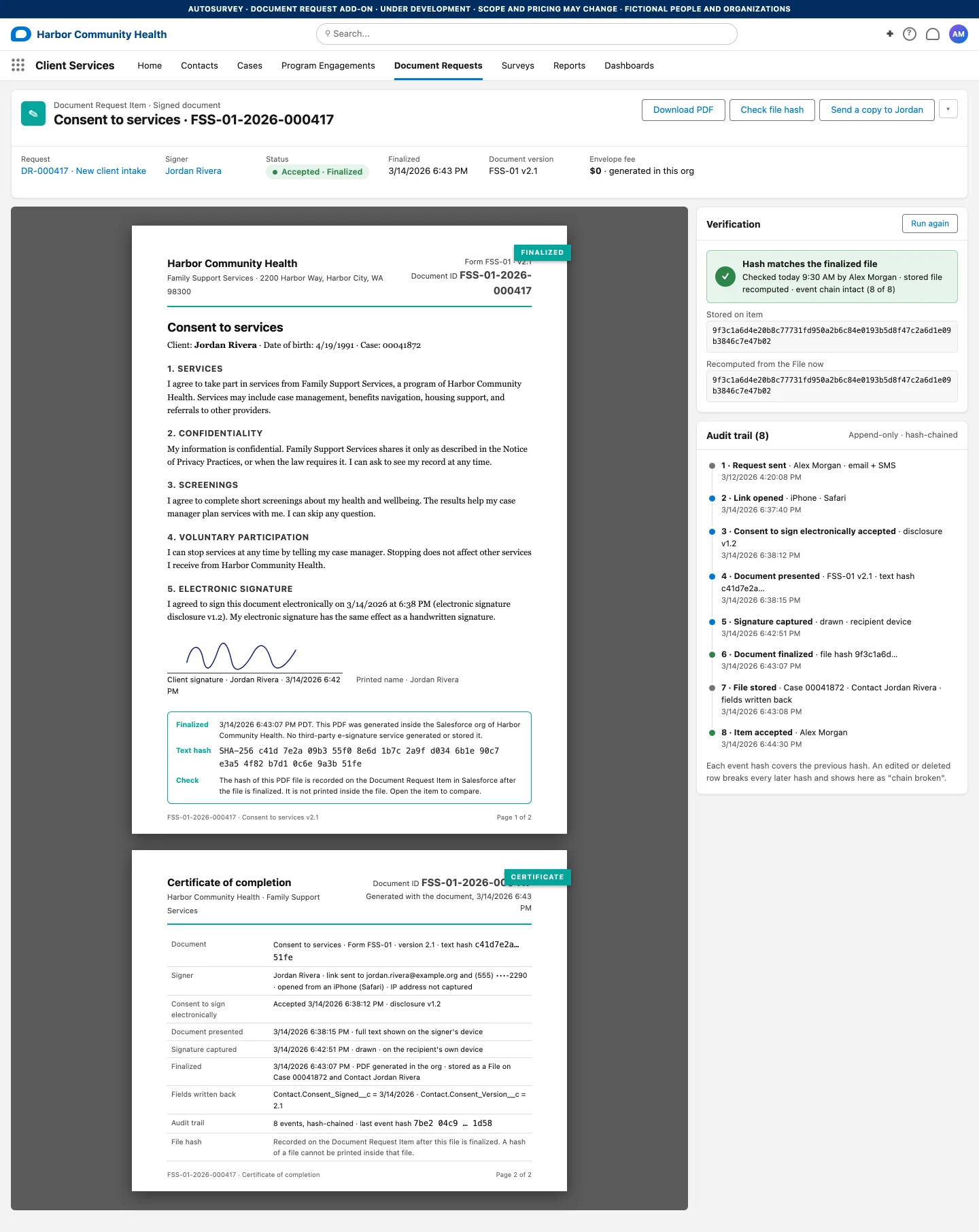
Planned: capture electronic consent and a typed or drawn signature, then save a PDF and signing activity in your Salesforce org. File-hash comparison checks consistency, not signer identity or legal validity.
The PDF is generated inside your org. A certificate page lists the consent-to-sign step, the document version, and the time of each step. A hash of the finished file is recorded on the Salesforce record, and a staff view recomputes it on demand. The signing activity is kept in an append-only log. There is no per-envelope fee: you pay for AutoSurvey and your Salesforce storage, not per document.
In the office
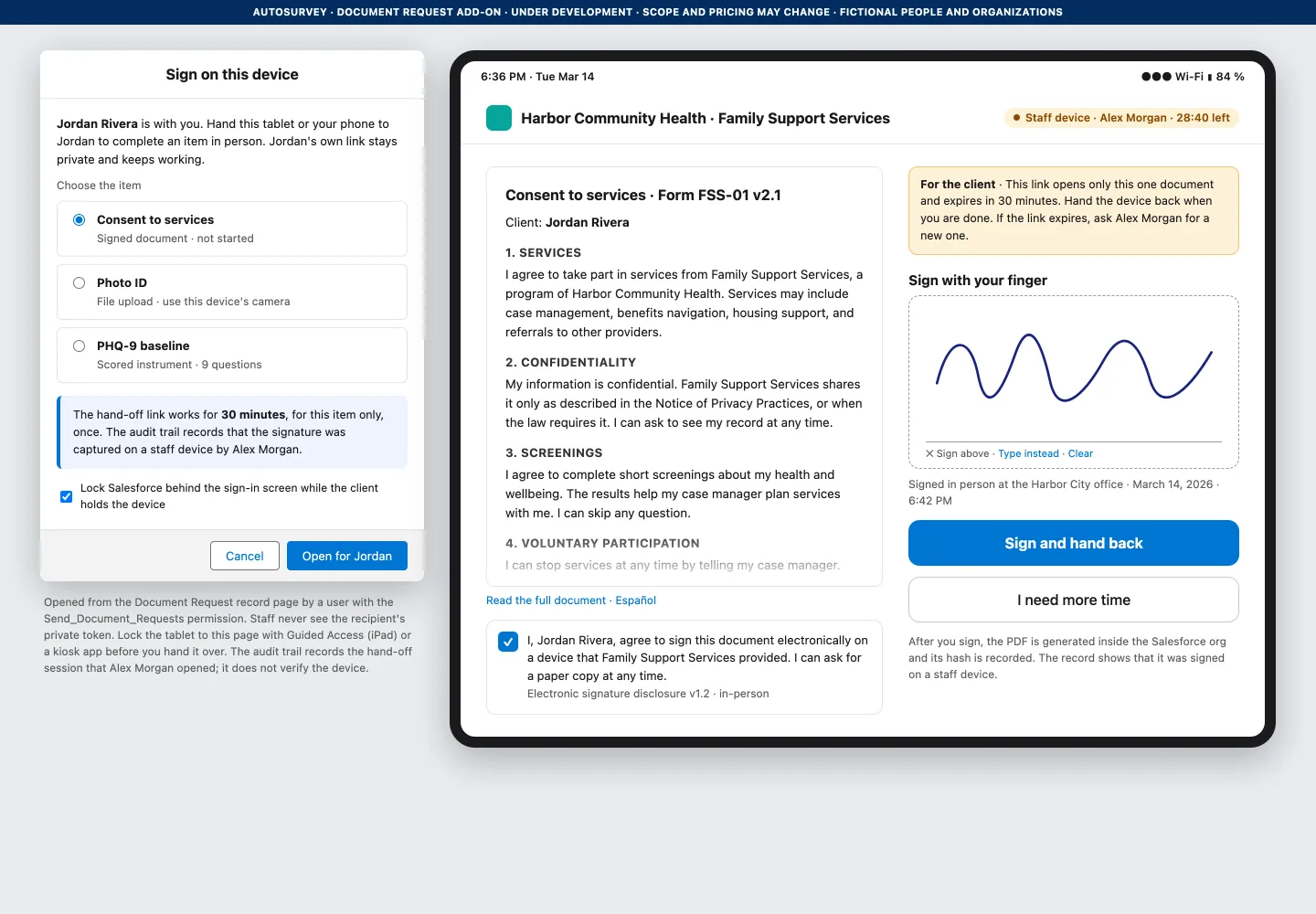
Many consents are signed across a desk. From the request, staff open a link that is limited to one item and expires in 30 minutes, lock the tablet to that page, and hand it over. The log records that the item was signed in a hand-off session that this staff user opened. The client's own private link is never shown on the staff device.
For the program director
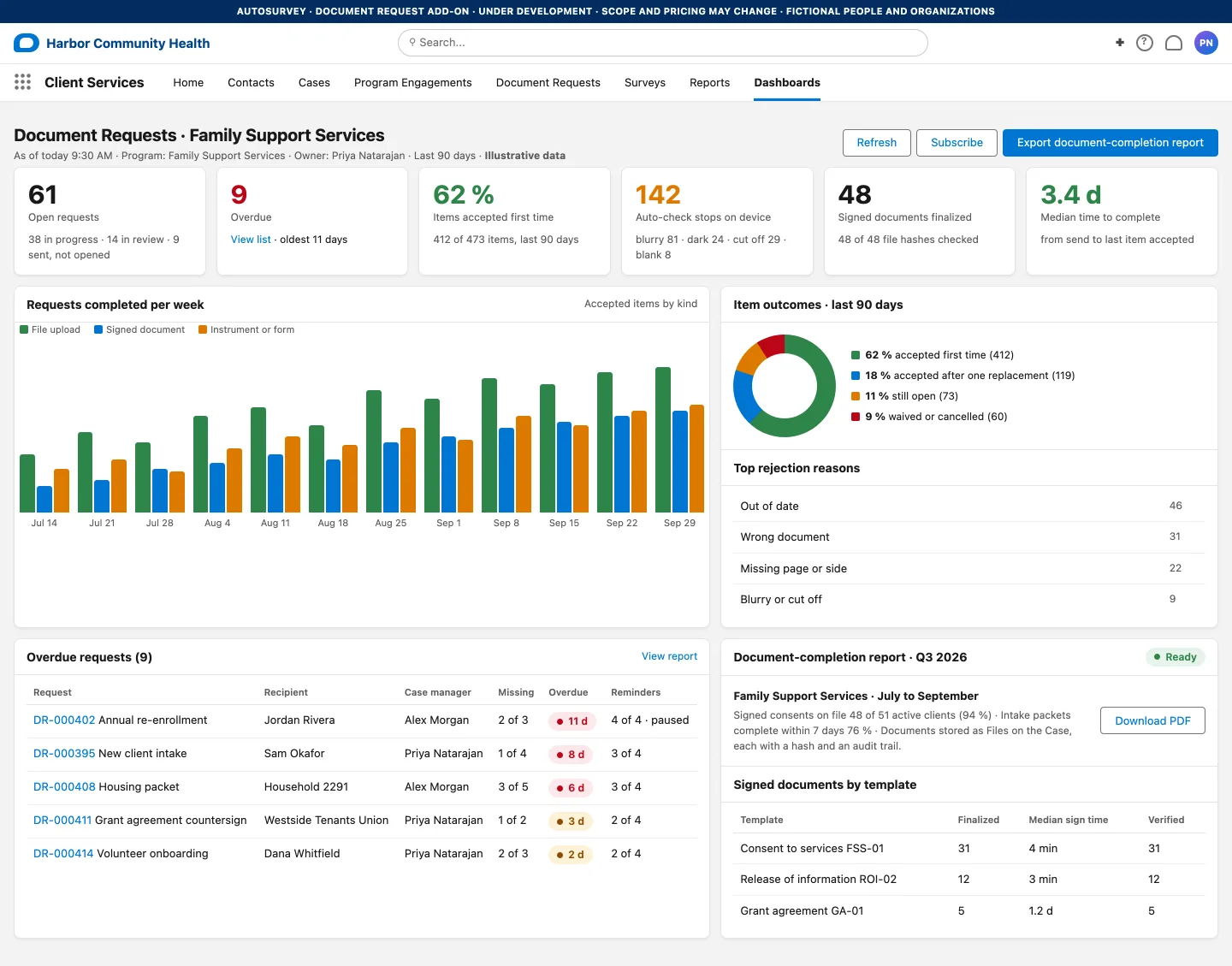
Open and overdue requests, how often an item is accepted the first time, how often the phone flagged a photo, and a document-completion report you can export. The numbers on this screen are illustrative. They come from no org.
We build this with a small number of organizations that collect documents and consents from clients today. If that is you, tell us what your intake packet looks like and where it breaks. A design partner gets the first year of AutoSurvey free, and a say in what ships first.
Every person and organization on these screens is fictional. Document Request is under development and is not available to install today.