Intake to Record · part of AutoSurvey
Turn each form response into a new Salesforce record.
What it is
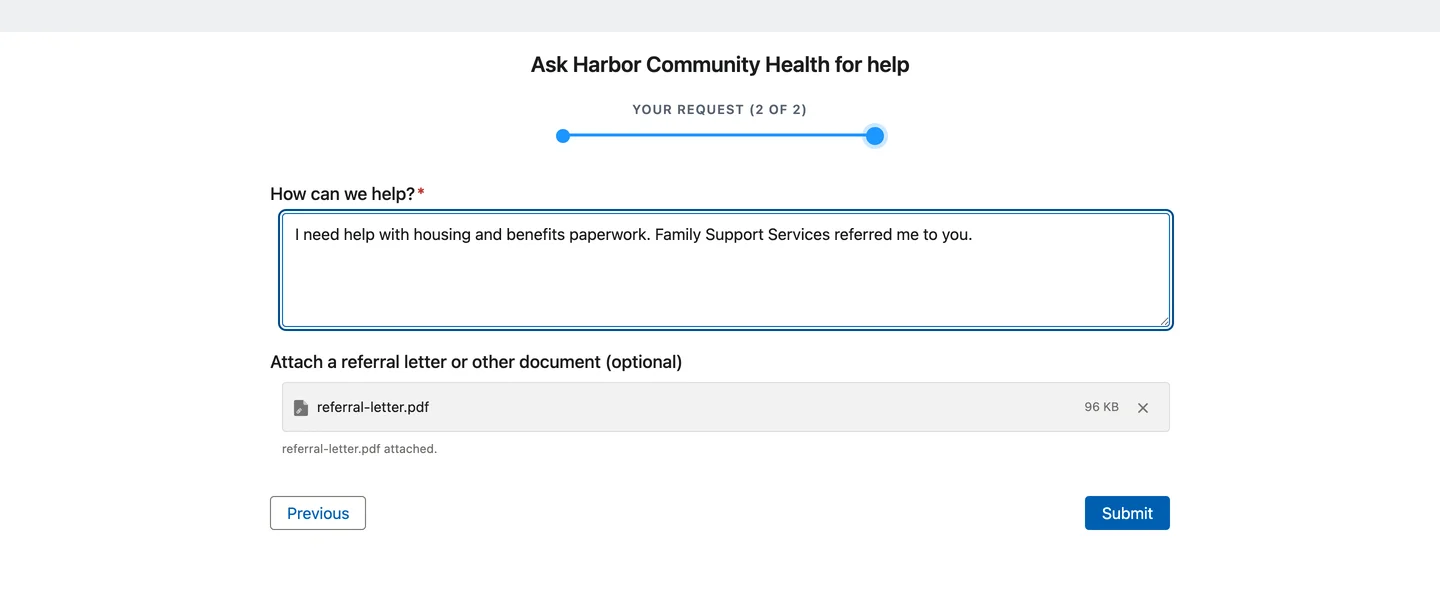
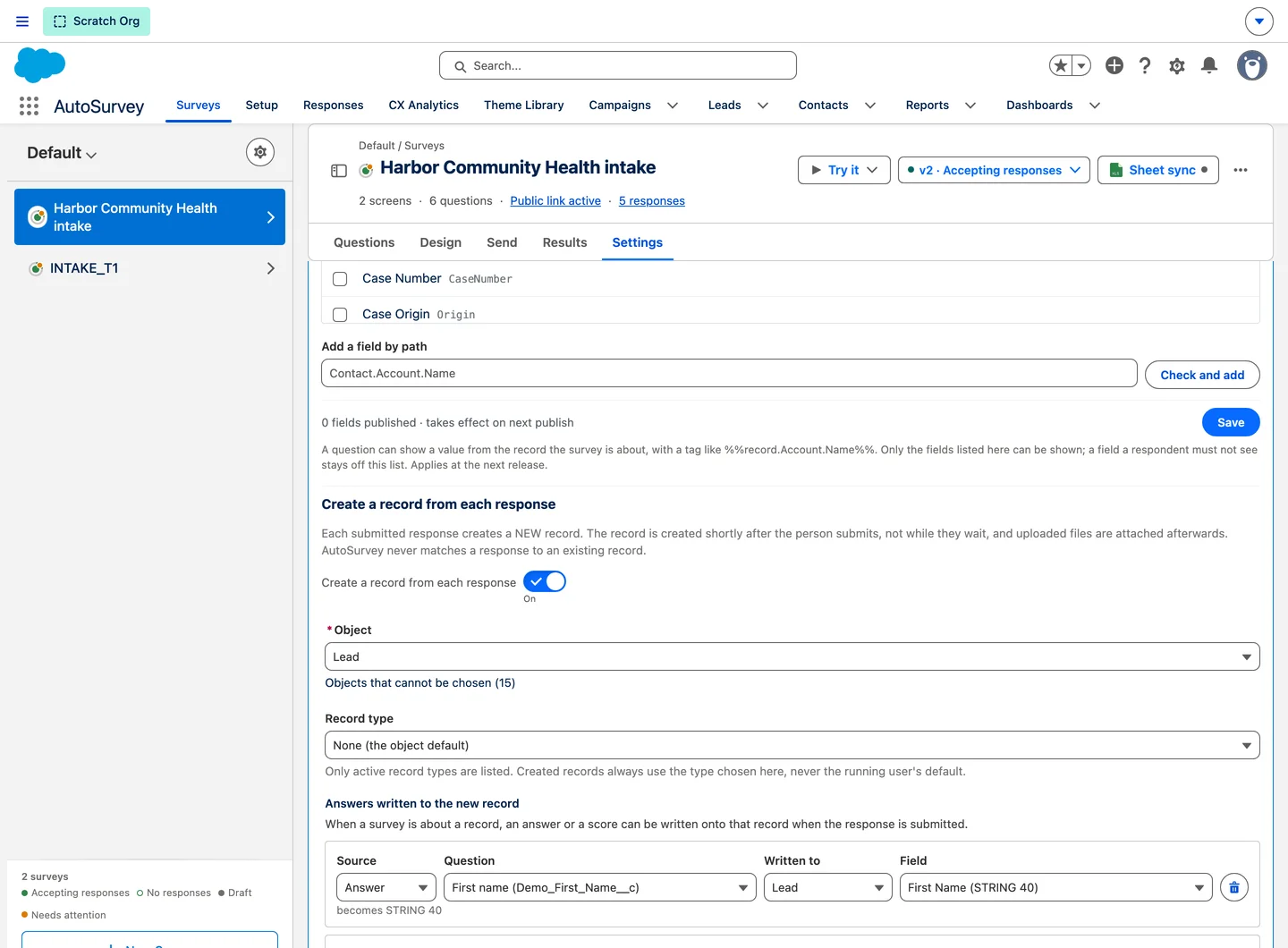
A person asks your organization for help through a form on your website. Intake to Record creates a new Lead, Case, Contact or custom-object record from each response, shortly after the person submits. The answers fill the fields you map, fixed values fill the rest, and the user you choose owns the record. Documents the person uploads go onto the new record, visible to staff only. Your own duplicate rules decide what counts as a duplicate.
No copying answers by hand
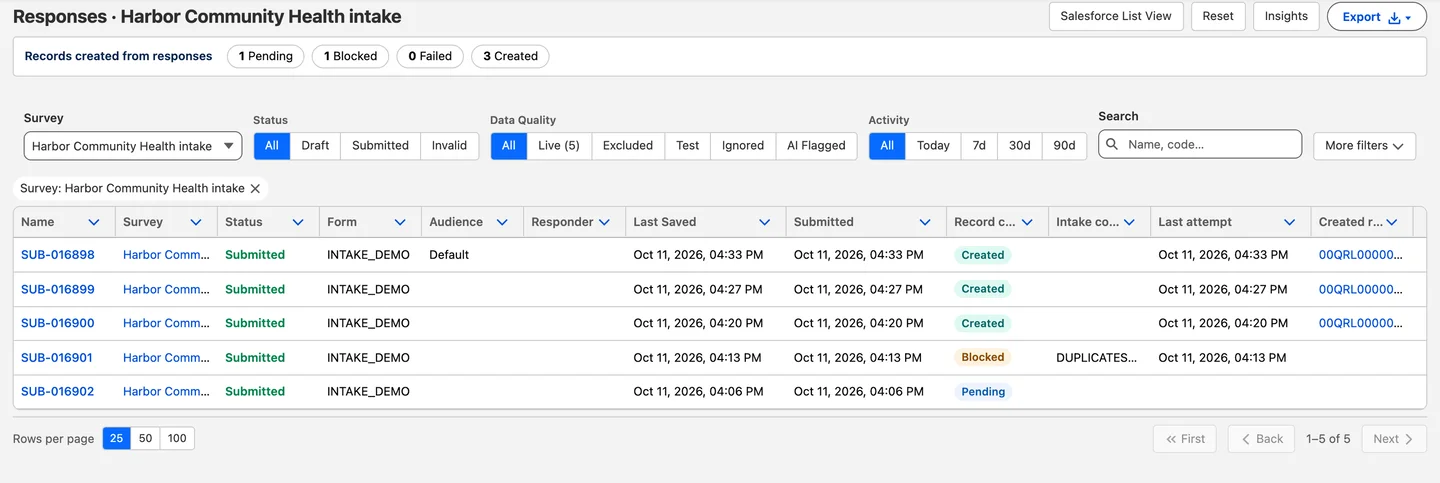
Each submitted response becomes one new record, with the answers in the fields you chose. The response stays linked to the record, so staff see it in the survey history of the record. The person who filled in the form sees only your thank-you message.
Your duplicate rules decide
The duplicate rules of your org run on every new record. When an alert rule matches, the response is kept and no record is made until a permitted staff member clicks Create anyway. A rule set to Block is never overridden.
Documents on the record
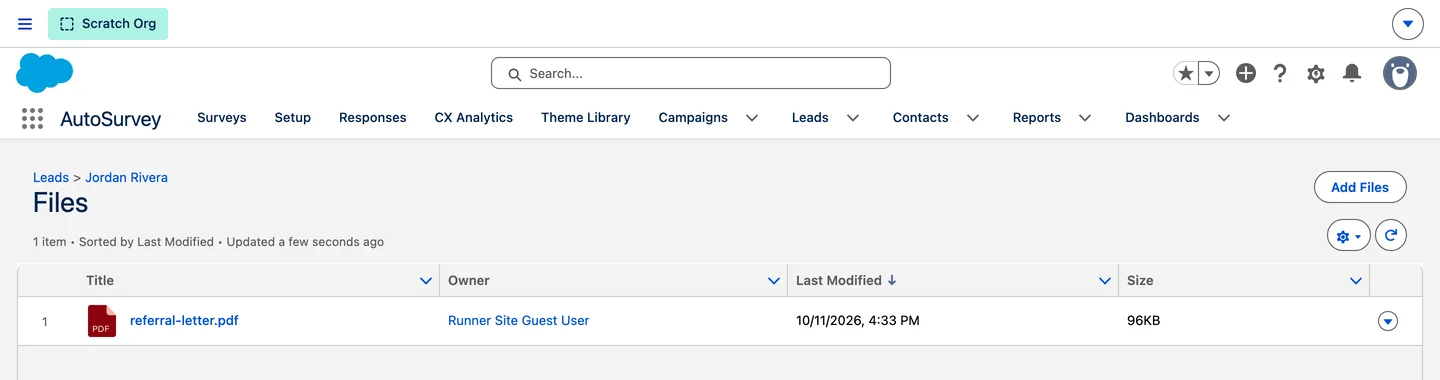
Files that the person uploads in the form are linked to the new record, with internal visibility. Staff open them from the Files of the record. The public site never shows them. If a link is missing, Re-link files adds it again.
The screens
Every organization, person and number on these screens is fictional.
For the person who asks for help
For the intake team
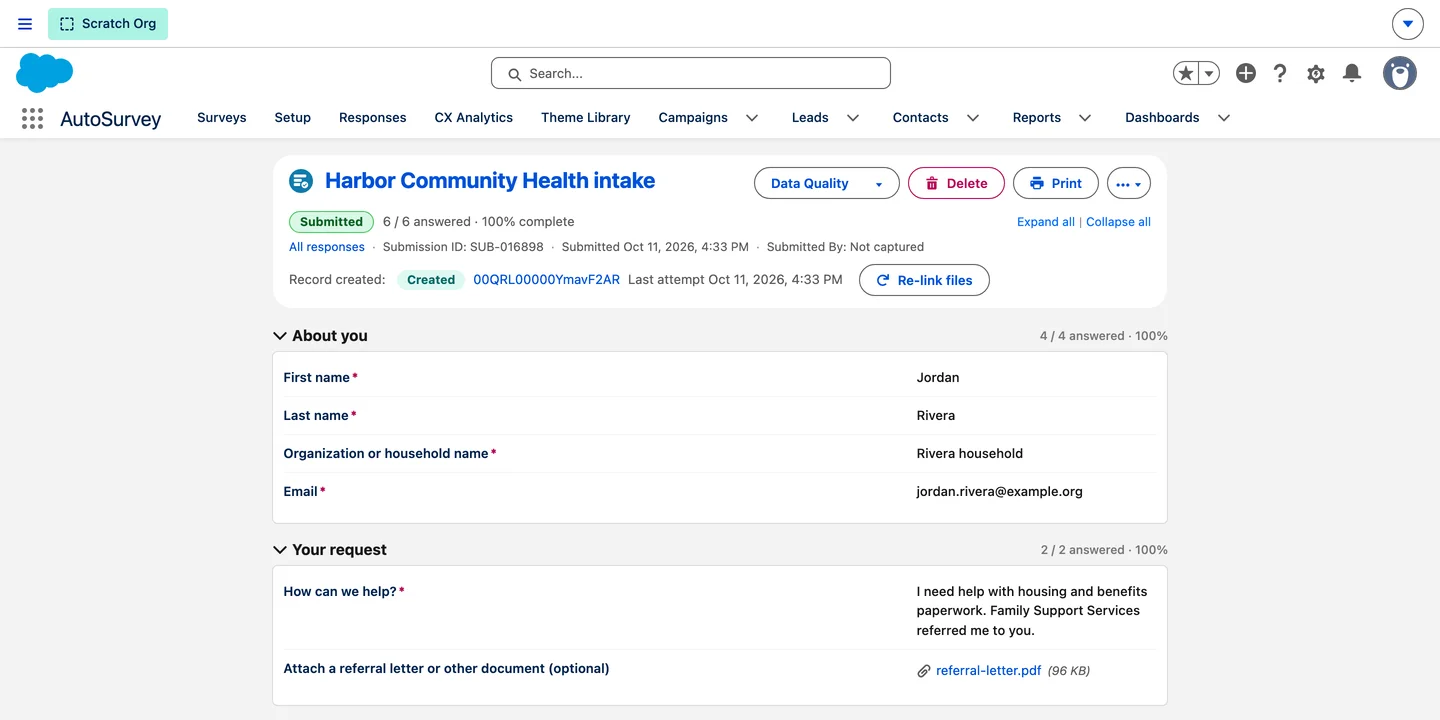
On the new record
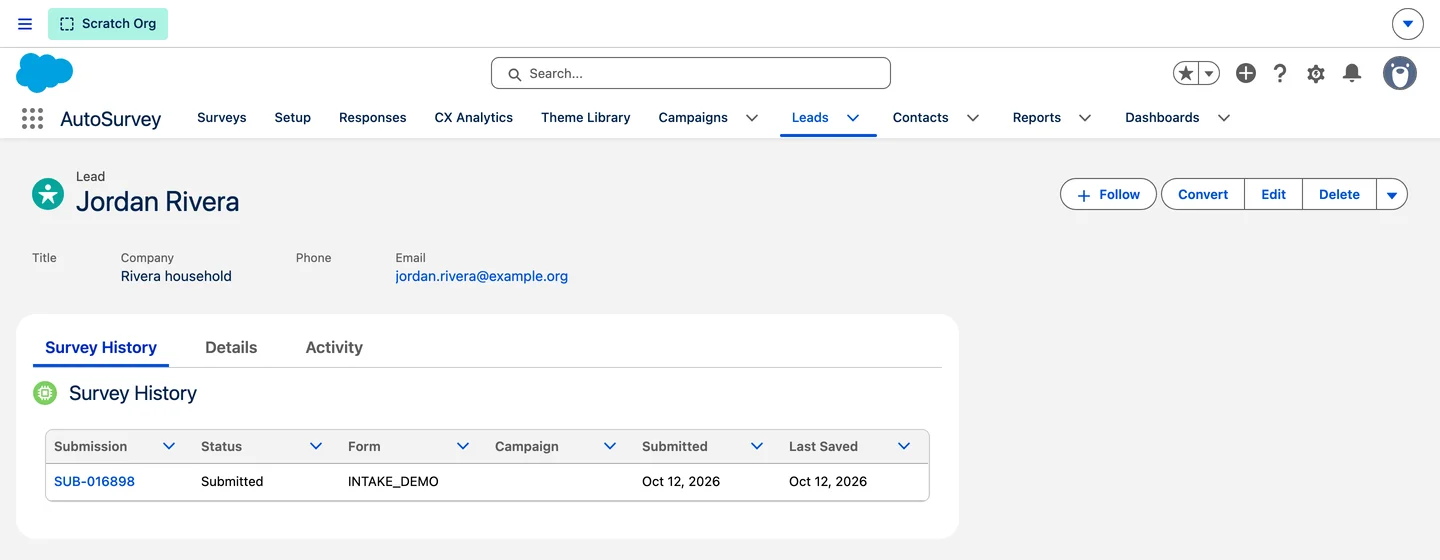
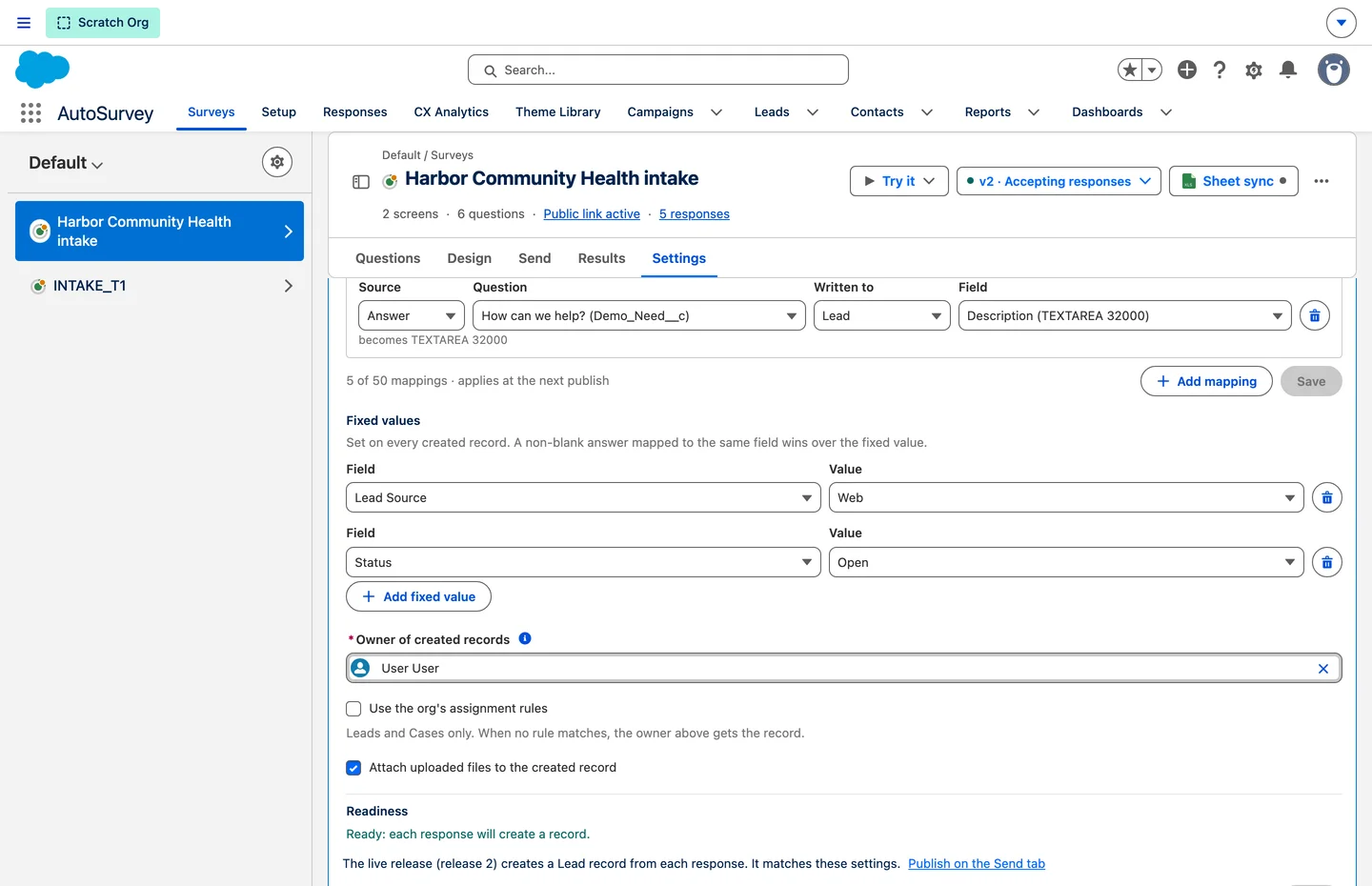
For the admin
What it does, and what it does not do
What it does
- Creates one new Lead, Case, Contact or custom-object record from each submitted response.
- Writes mapped answers and scores, fixed values, one record type and the owner you choose.
- Runs the default assignment rule of your org for Leads and Cases, when you turn it on.
- Applies the duplicate rules of your org, and keeps the response when a rule stops the record.
- Links the uploaded files of the person to the new record, visible to internal users only.
- Links the response to the new record, so it shows in the survey history of the record.
- Shows staff the result for each response, with Retry create, Re-link files and Create anyway.
- Lets you choose who can change the settings and use Create anyway, with one permission.
- Applies a change at the next publish. A response keeps the settings of the version it was answered on.
What it does not do
- Match or update an existing record. It only creates new records.
- Create related or child records.
- Choose the record type from an answer.
- Override a duplicate rule that is set to Block.
- Tell the person who filled in the form about the record, a duplicate or a failure.
- Show the uploaded files on the public site.
- Add spam protection of its own. Use the Captcha and the guest start limit of the form.
Requires AutoSurvey.
We are looking for a design partner.
Intake to Record is built with one organization that does this work today. You bring one program, one workflow and one person who knows the work. Before any test starts, we agree the scope, the staff time and the success criteria. If that is you, write to us.
Email us about being the design partnerEvery person and organization on these screens is fictional.