
Document Request · included in AutoSurvey
Ask for documents and consents with one link.
What it is
A case manager asks a client for a photo ID, a proof of address and a signed consent. Document Request puts that checklist behind one link the client opens on a phone, with no account. Each item is a short step: take a photo, answer a few questions, or sign. Your staff review each file inside Salesforce, accept it or ask for a replacement, and the files stay in your own org.
Fewer blurry photos
Before a photo leaves the phone, the page checks whether it is blurry, dark or cut off, and says so in plain words. The client retakes it, or sends it anyway and lets your staff decide. A large photo is shrunk on the device.
Review inside Salesforce
The request sits on the Contact, the Case or the Program Engagement. Each item shows its state. Accept locks the item and stops its reminders. Reject reopens only that item for the client, with your reason.
A signed consent in your own org
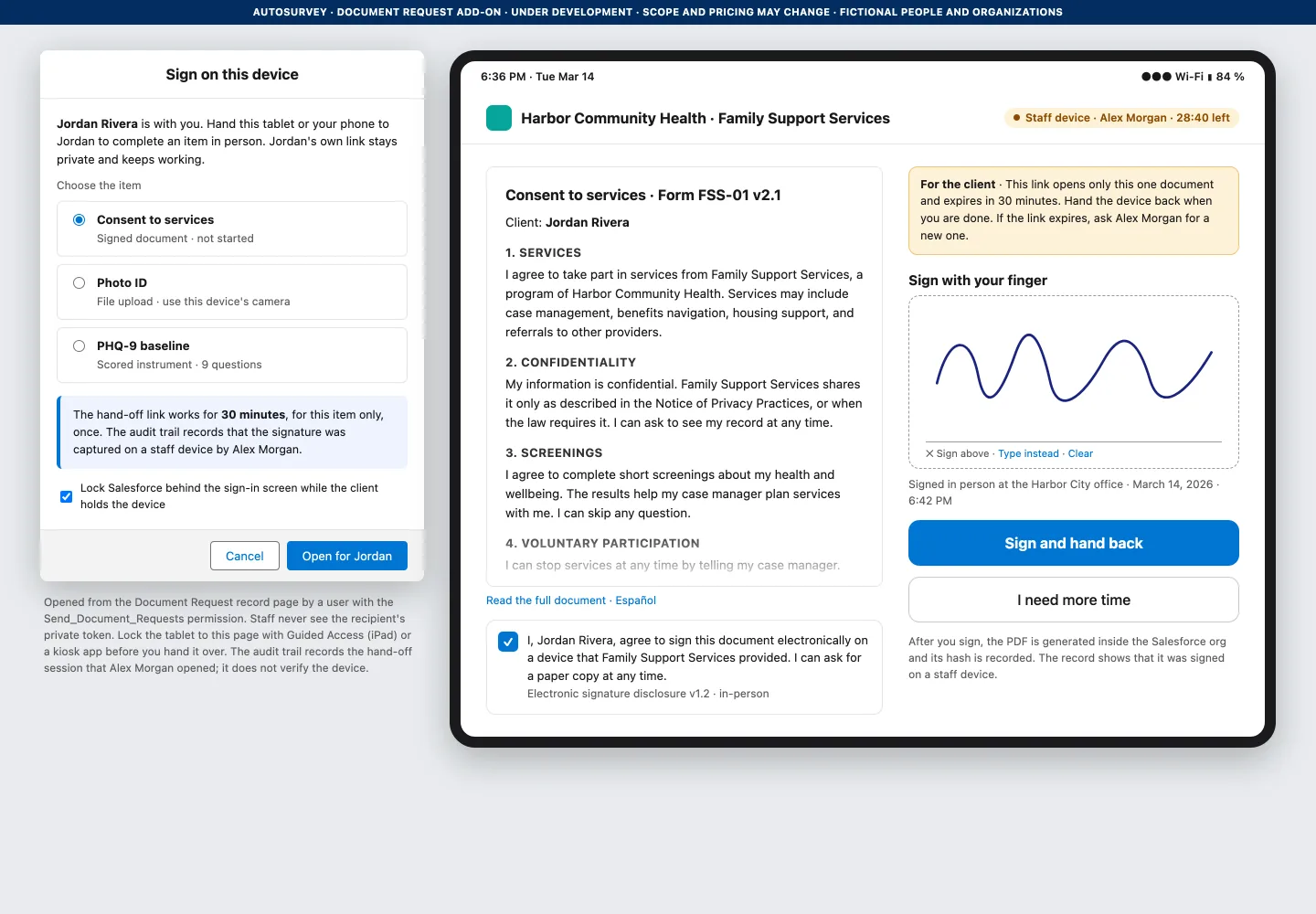
The client signs on a phone, or on a tablet your staff hand across the desk. The PDF is made inside your org, with a certificate page, a file hash on the record and an append-only signing log. No third-party e-signature service.
The screens
Every organization, person and number on these screens is fictional.
For the client
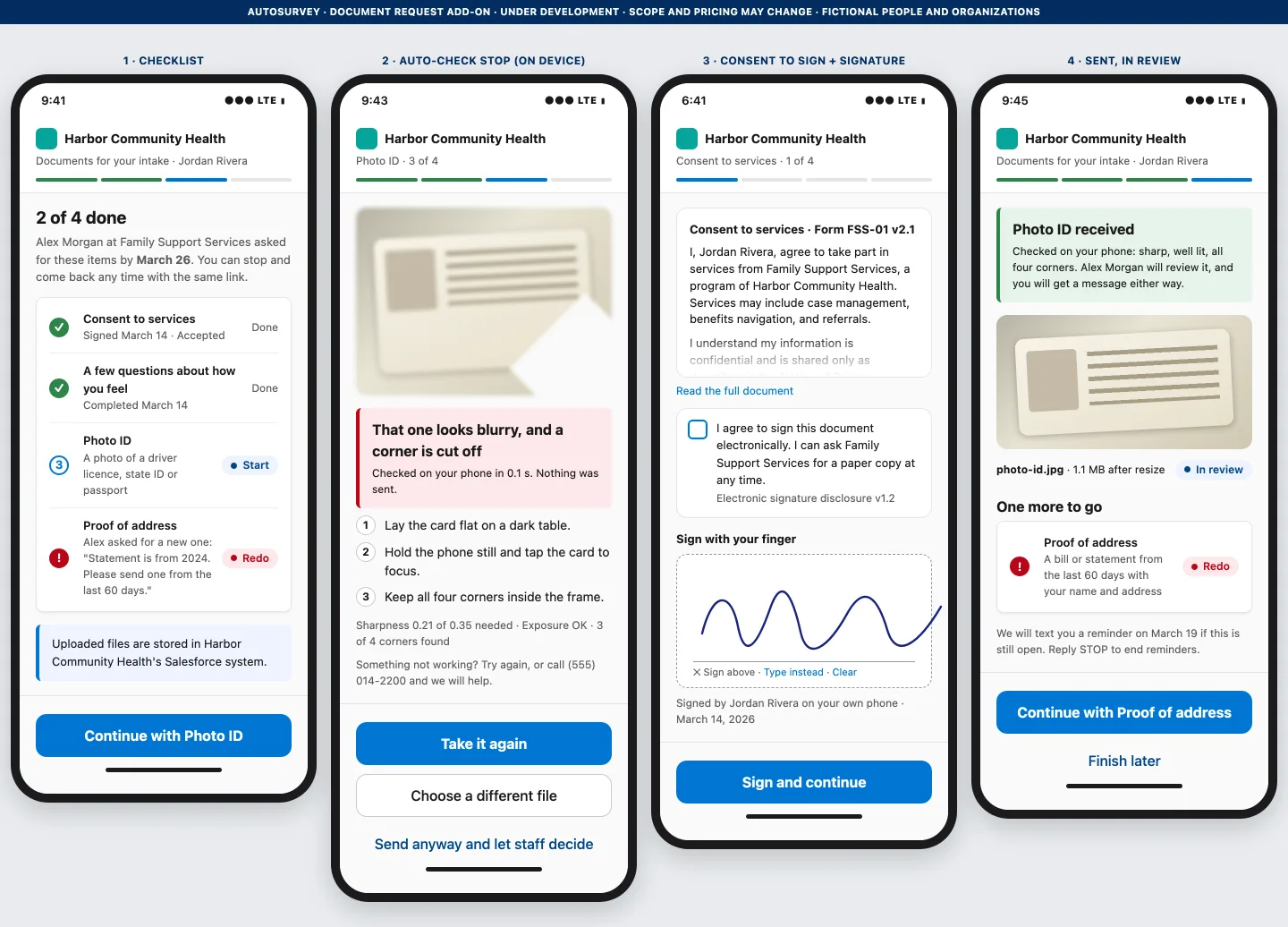
For the case manager
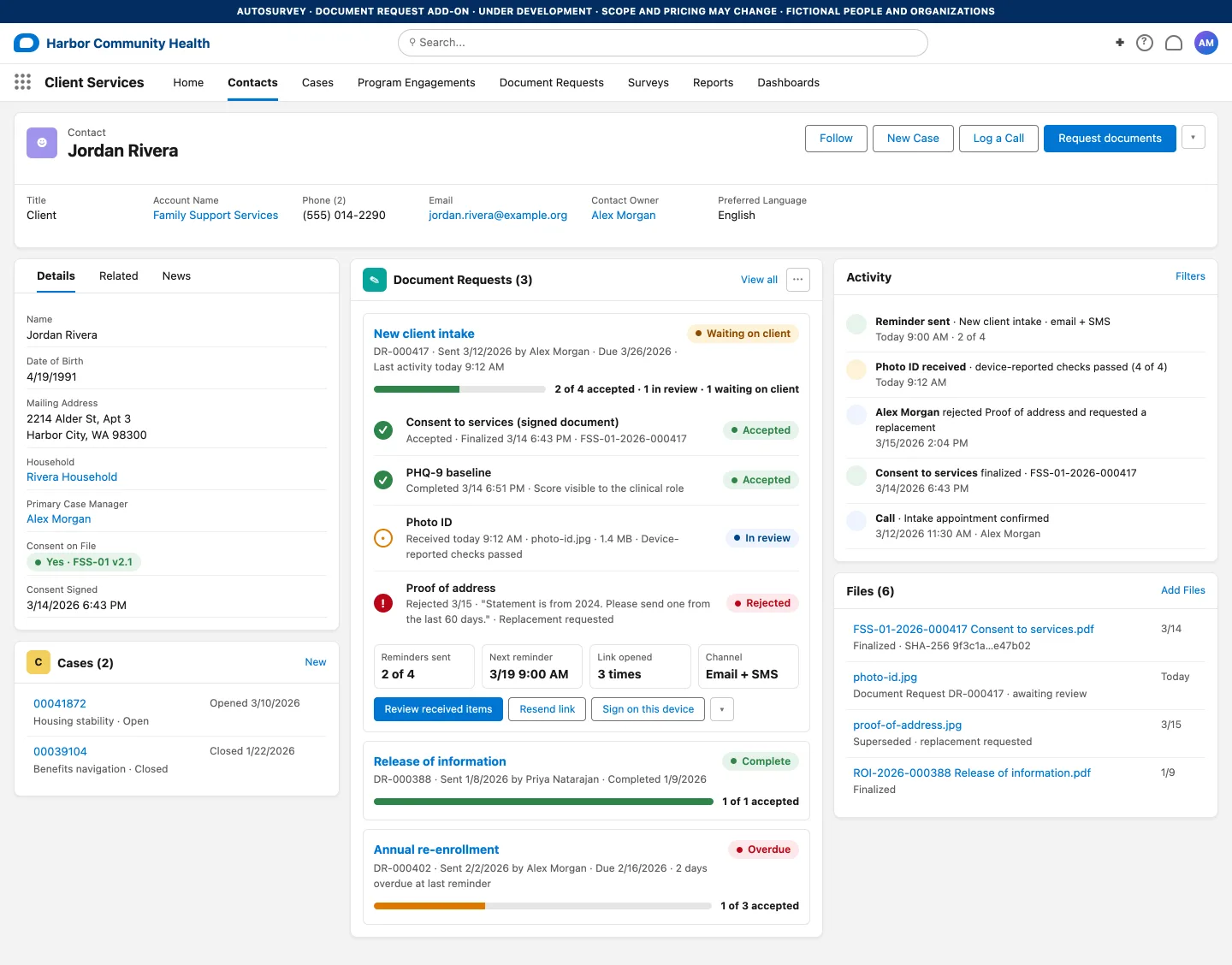
For the reviewer
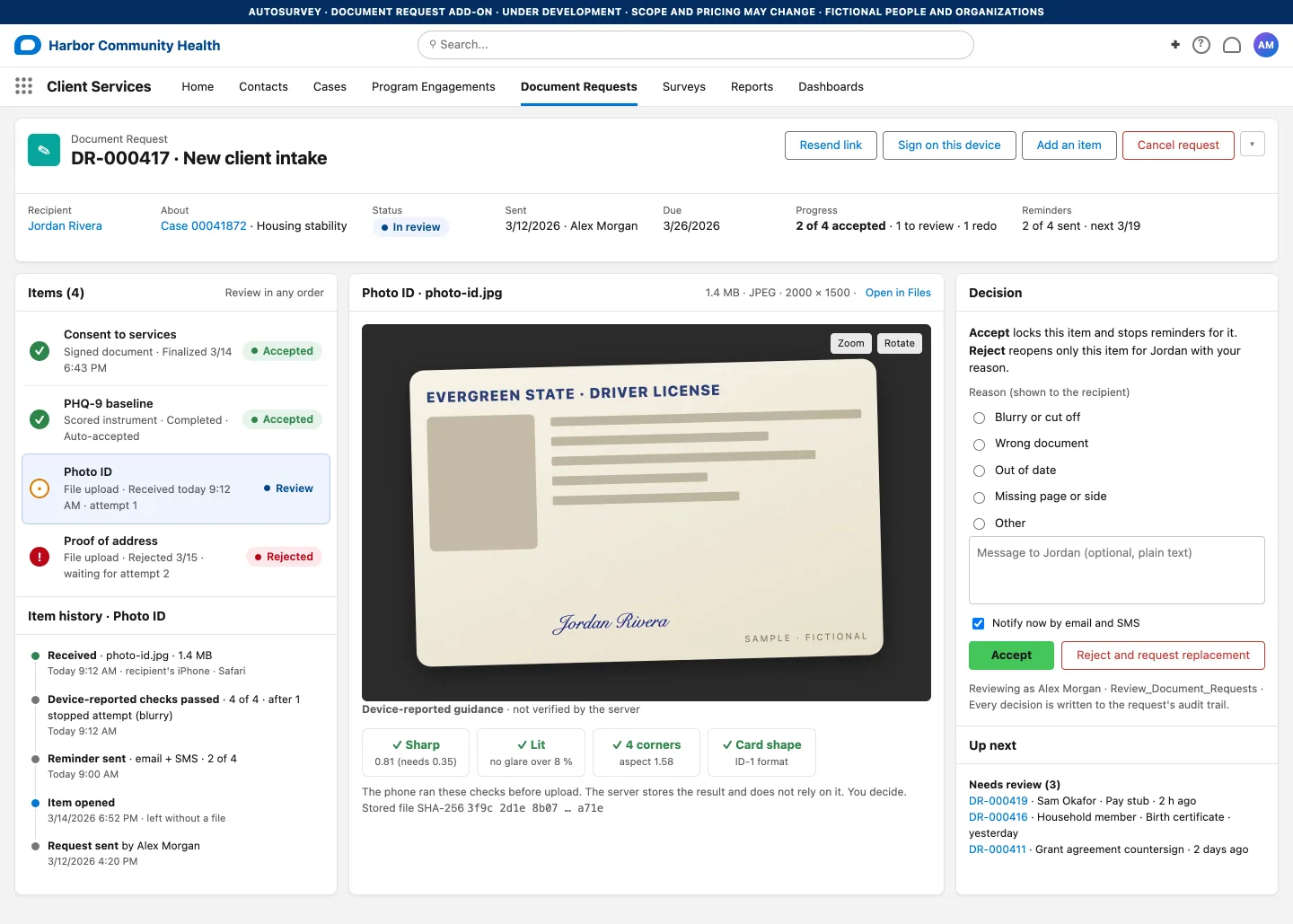
The signed consent
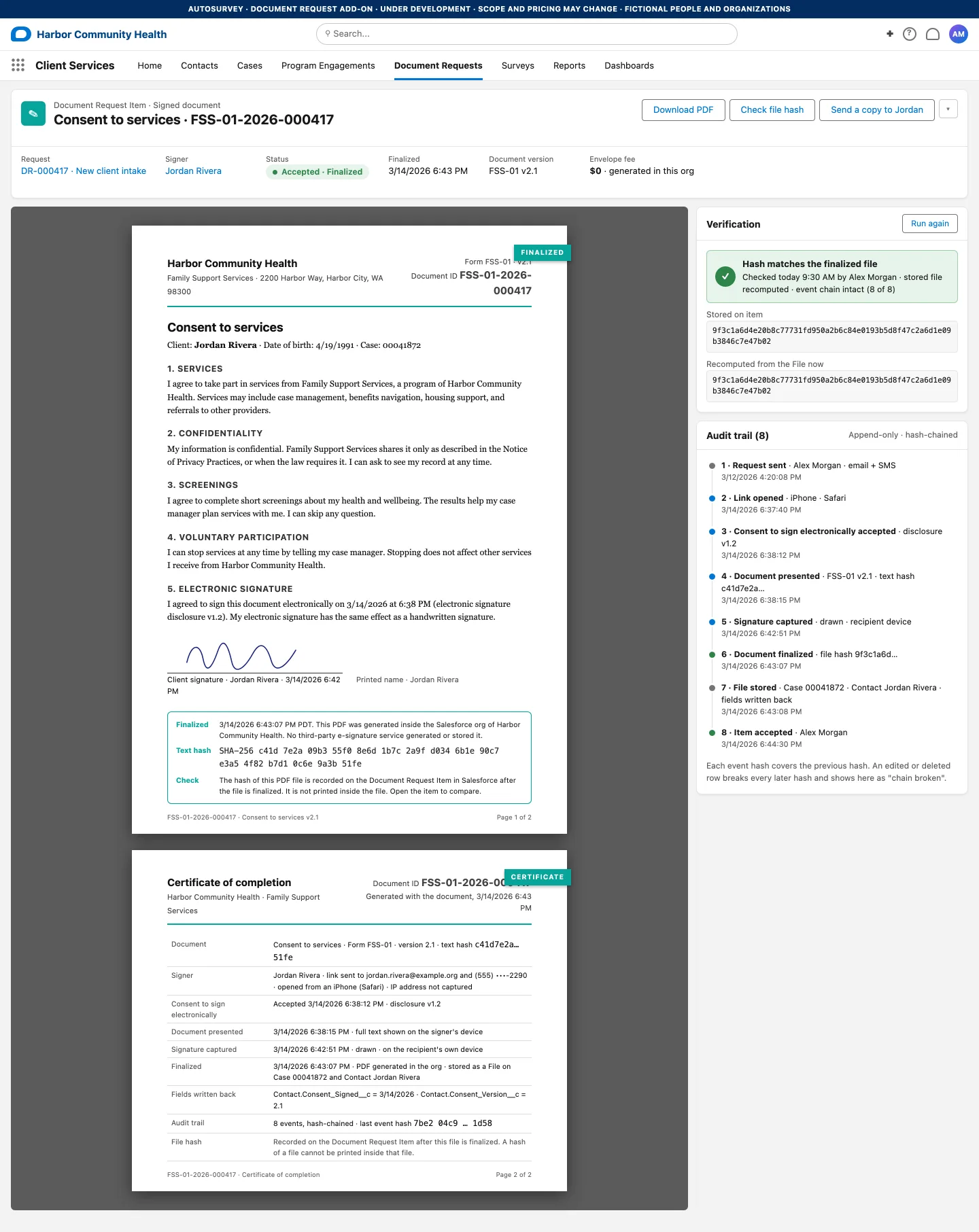
In the office
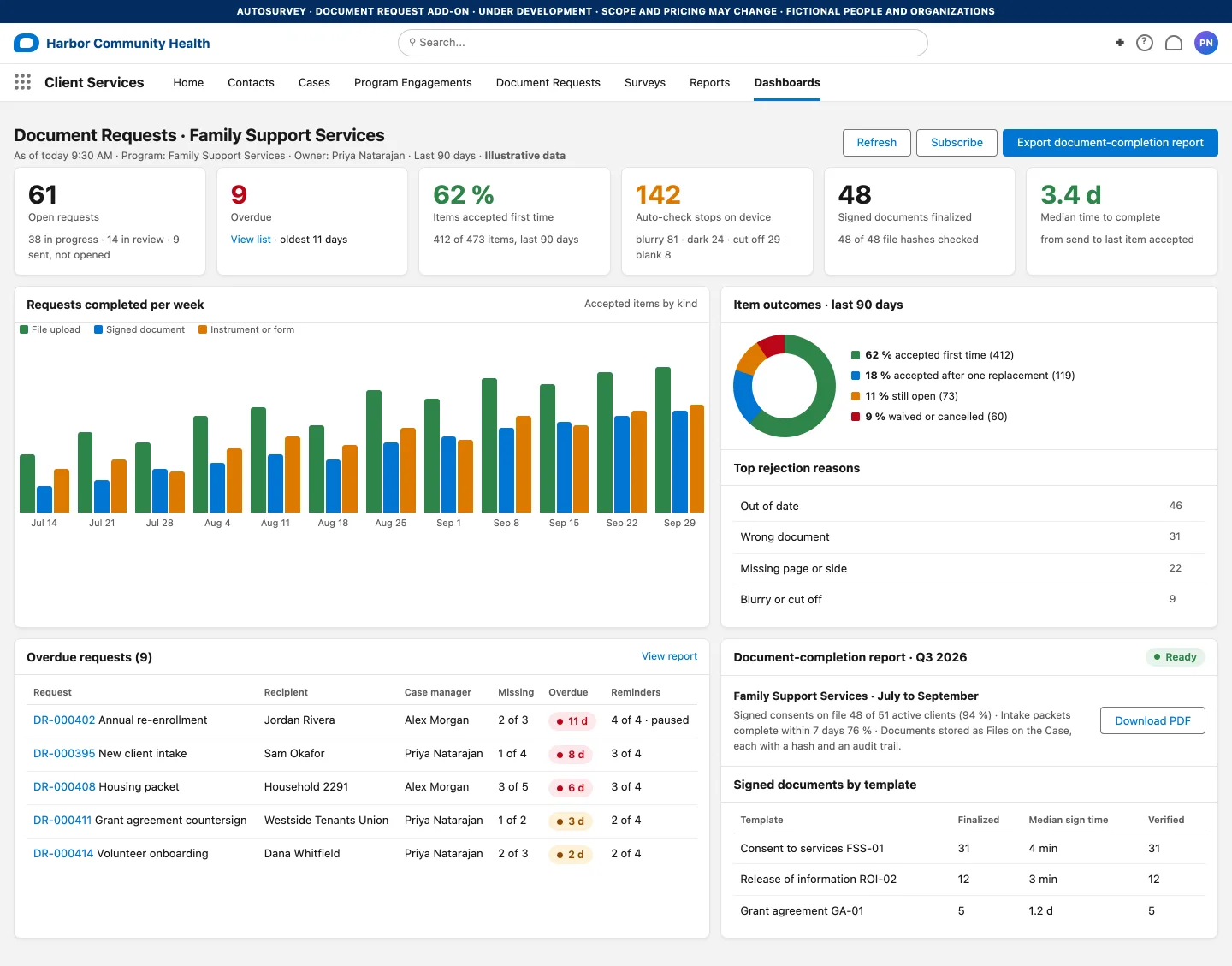
For the program director
What it does, and what it does not do
What it does
- Gives clients one checklist and one link, without an account.
- Collects uploads, forms and single-person signatures.
- Lets a client sign on a staff tablet through a time-limited, single-item link.
- Flags a blurry, dark or cut-off photo on the phone before upload, and shrinks a large photo on the device.
- Lets staff accept an item or ask for a replacement of that item only.
- Reminds clients about unfinished items, and stops when every required item is accepted.
- Stores files as Salesforce Files on the record, and the signing activity in an append-only log with a hash chain.
- Uses one random 64-character token per request, with an expiry you set, behind the same guest rate limits as AutoSurvey surveys.
- Splits who can send, who can review and who can see scored results with permission sets.
- Reports open and overdue requests, first-time acceptance and photo flags.
What it does not do
- Verify a person's identity or a document's authenticity.
- Guarantee legal validity.
- Support multiple signers, automatic renewals or public verification.
- Replace staff review, or guarantee that a file holds no malware.
- Read a received file with AI. We are studying an AI check that tells the reviewer whether a file looks like the item asked for. Staff still decide.
- Accept a PDF or other non-photo file larger than 3.5 MB. A photo of any size is shrunk on the device to fit.
- Send text messages itself. Your own SMS tool sends the link and the reminders from a Flow, under your vendor contract and your consent policy.
- Use a third-party document or e-signature service. The link runs on your AutoSurvey Experience Cloud site.
- Prevent every administrator change or deletion. The hash chain flags an inconsistency in retained history.
Requires AutoSurvey.
See it on your own work.
Bring one program and one workflow. We will walk through Document Request with you on that work and answer your questions.
Email usEvery person and organization on these screens is fictional.