
Record writes you can trust · Feature pack
Know when a survey answer does not update its Salesforce record.
AutoSurvey saves each survey response in your Salesforce org. Then it updates the linked Case, Lead or Contact. Sometimes that update fails. A picklist change or a validation rule can stop it. The response stays saved, but the record does not change. This pack adds a status line to each survey, a plain reason for each failed update, the next step to take, and a "Try again" button for after you fix the cause.
Scope: it updates one existing record per response. It does not create records.
One line tells you if anything needs you.
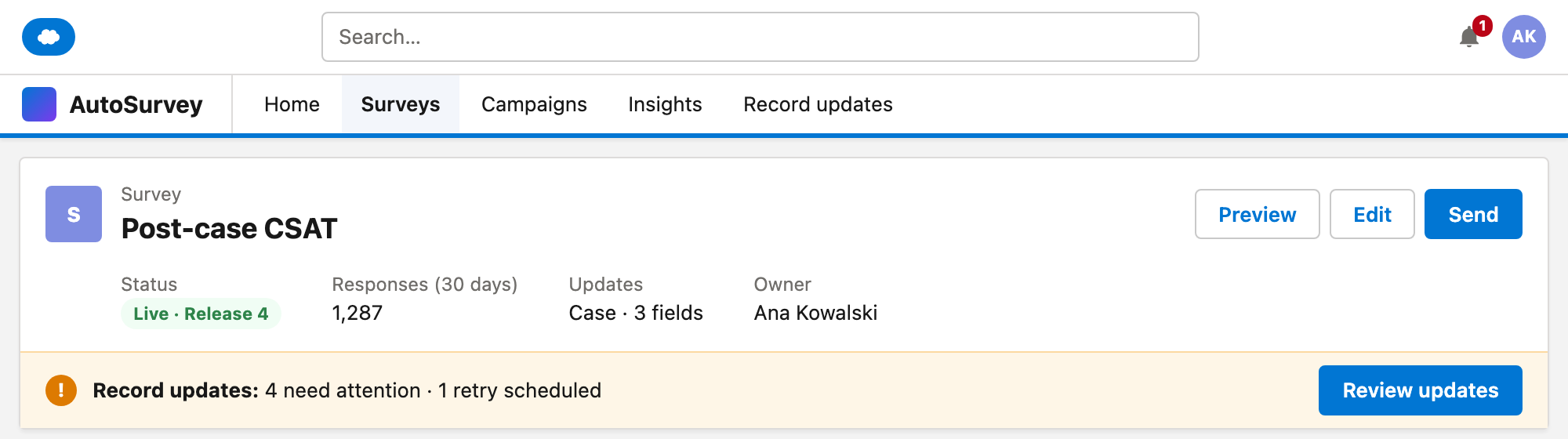
Each survey shows one status line. All updates are complete, a retry is scheduled, or some updates need attention. Green appears only for a known success.
A plain reason and a next step.
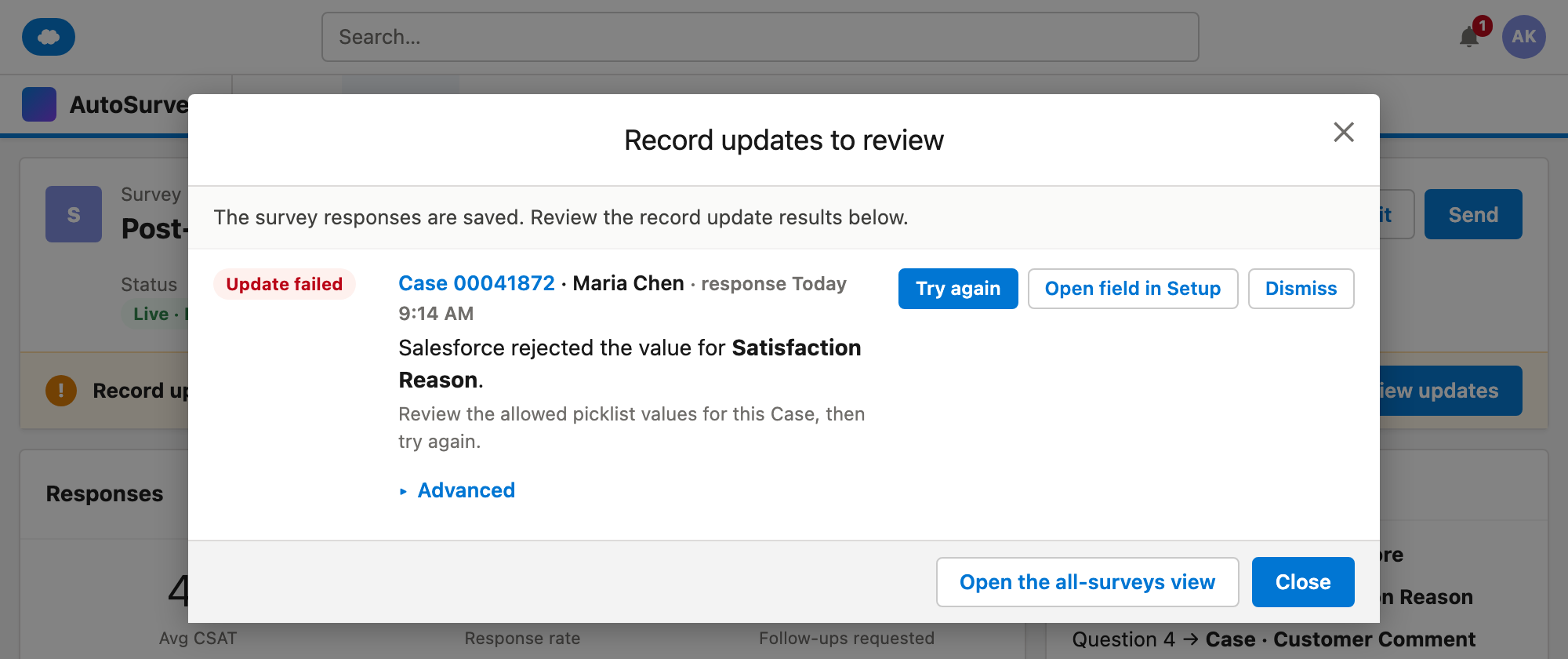
Each failed update names the field and the type of problem, for example a value that the picklist does not allow. It tells you what to check. It does not guess the cause.
Try again on the same record.
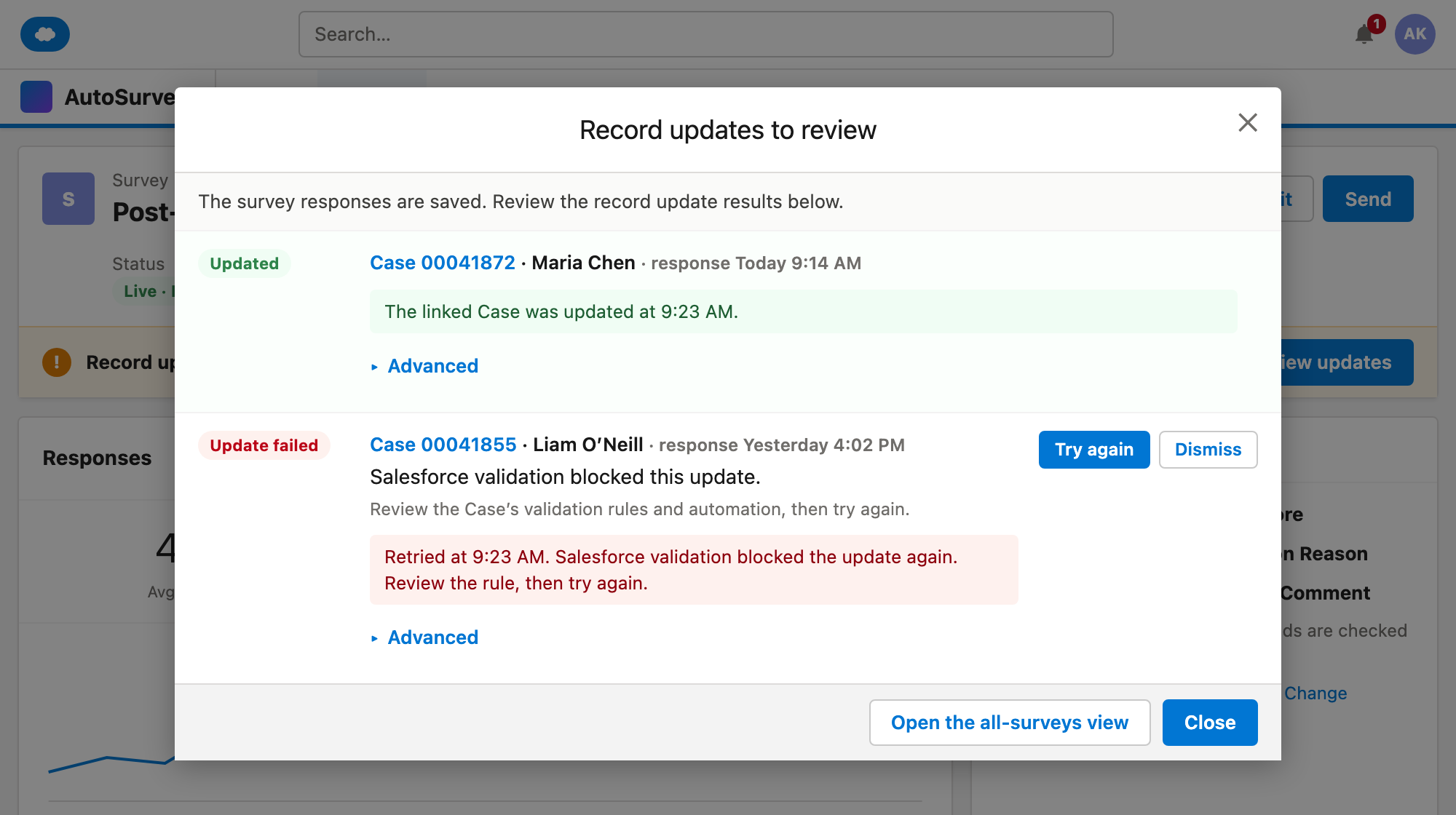
After you fix the cause, "Try again" reads the saved answers and updates the same linked record. If the record changed after the response, it asks you to review the record first.
The mockups
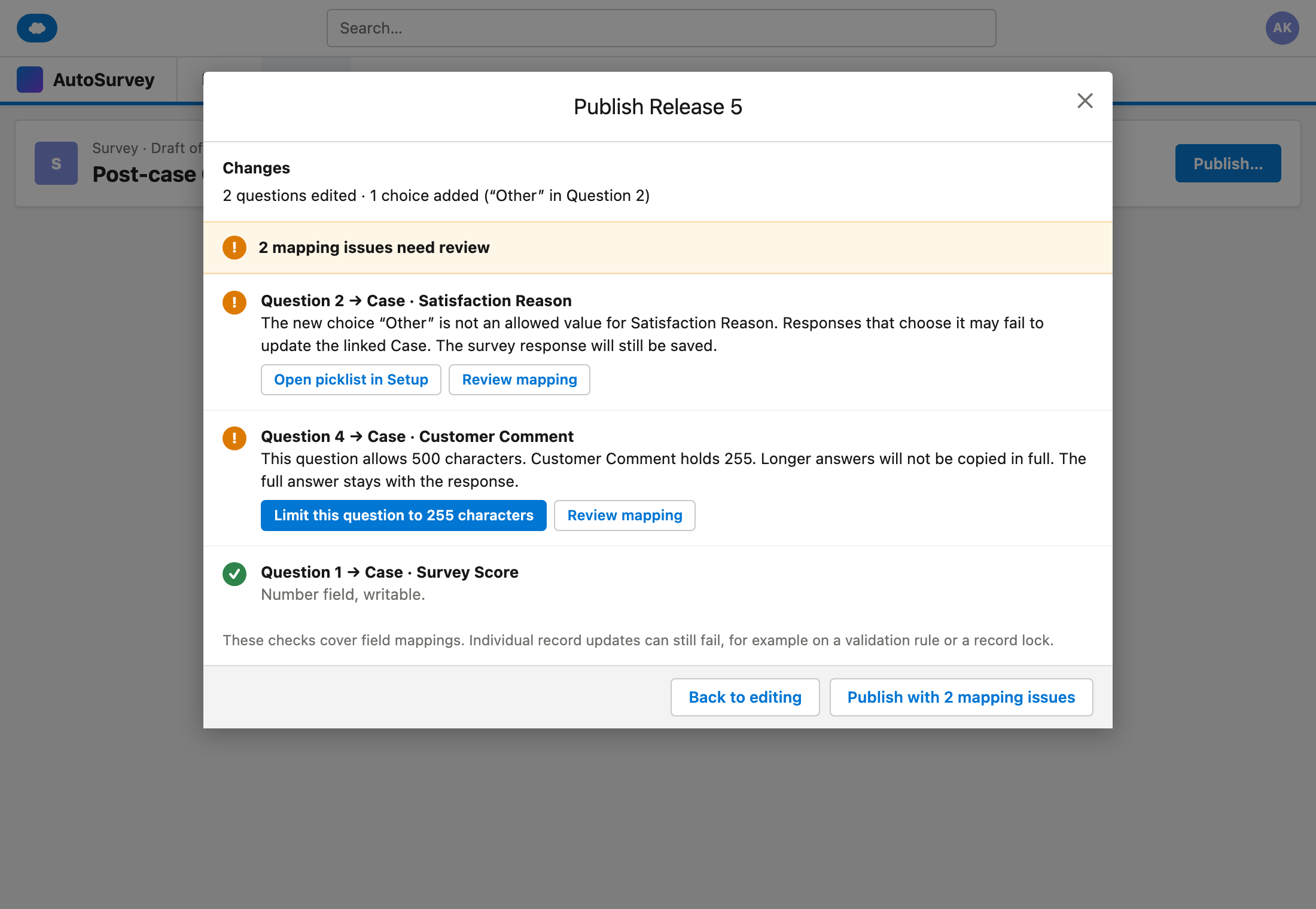
These are design mockups with sample data. Every name and number on them is fictional.
What it does, and what it does not do
What it does
- Shows one status line on each survey for its record updates.
- Lists each failed update with a plain reason and a next step.
- Retries on the same linked record after you fix the cause, and shows the result.
- Asks you to review a record that changed after the response, before it retries.
- Retries a temporary record lock automatically. After the last try, the update needs attention.
- Sends one Salesforce notification when an update first needs a person. A daily digest is optional and off by default.
- Checks the field mapping at publish and every night, and warns about problems.
- Lets you dismiss an issue and reopen it later. A dismissed update never counts as a success.
- Keeps the status code, field and attempts behind "Advanced".
What it does not do
- Does not fix the cause for you. Most fixes need a change in Salesforce first, such as a picklist value.
- Does not create records or make a second Contact. It updates the one linked record.
- Does not predict validation rules or record locks at publish. The check says so.
- Does not put answer text in notifications or digests.
- Does not store or show the full Salesforce error message, because it can contain a respondent's answer.
- Does not monitor integrations from other vendors. It tracks record updates made by AutoSurvey.
- Does not re-run past responses after a mapping change.
Spend less time checking record updates.
Tell us which records your surveys update and how you find failed updates today. Your answer helps us decide what to build.