
Anonymous surveys people believe · Feature pack
Track who finished. Keep names separate from answers.
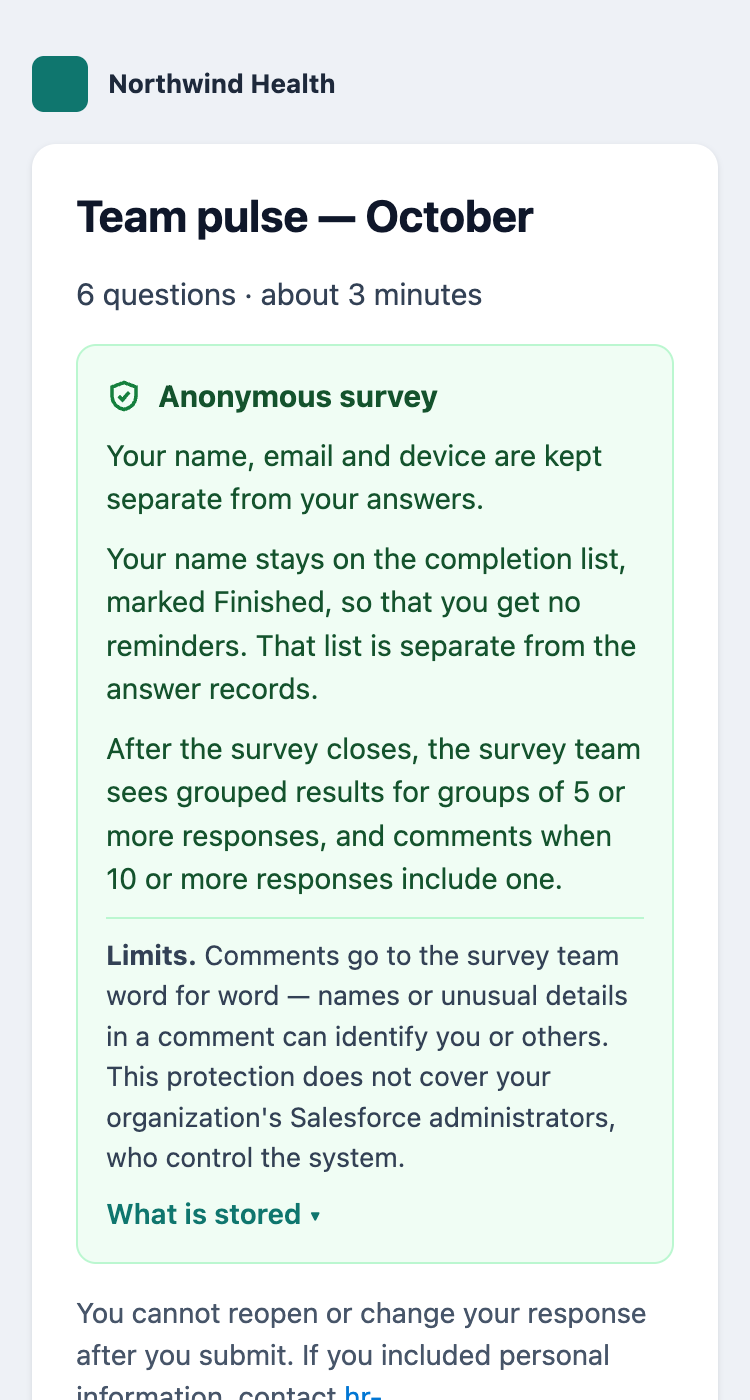
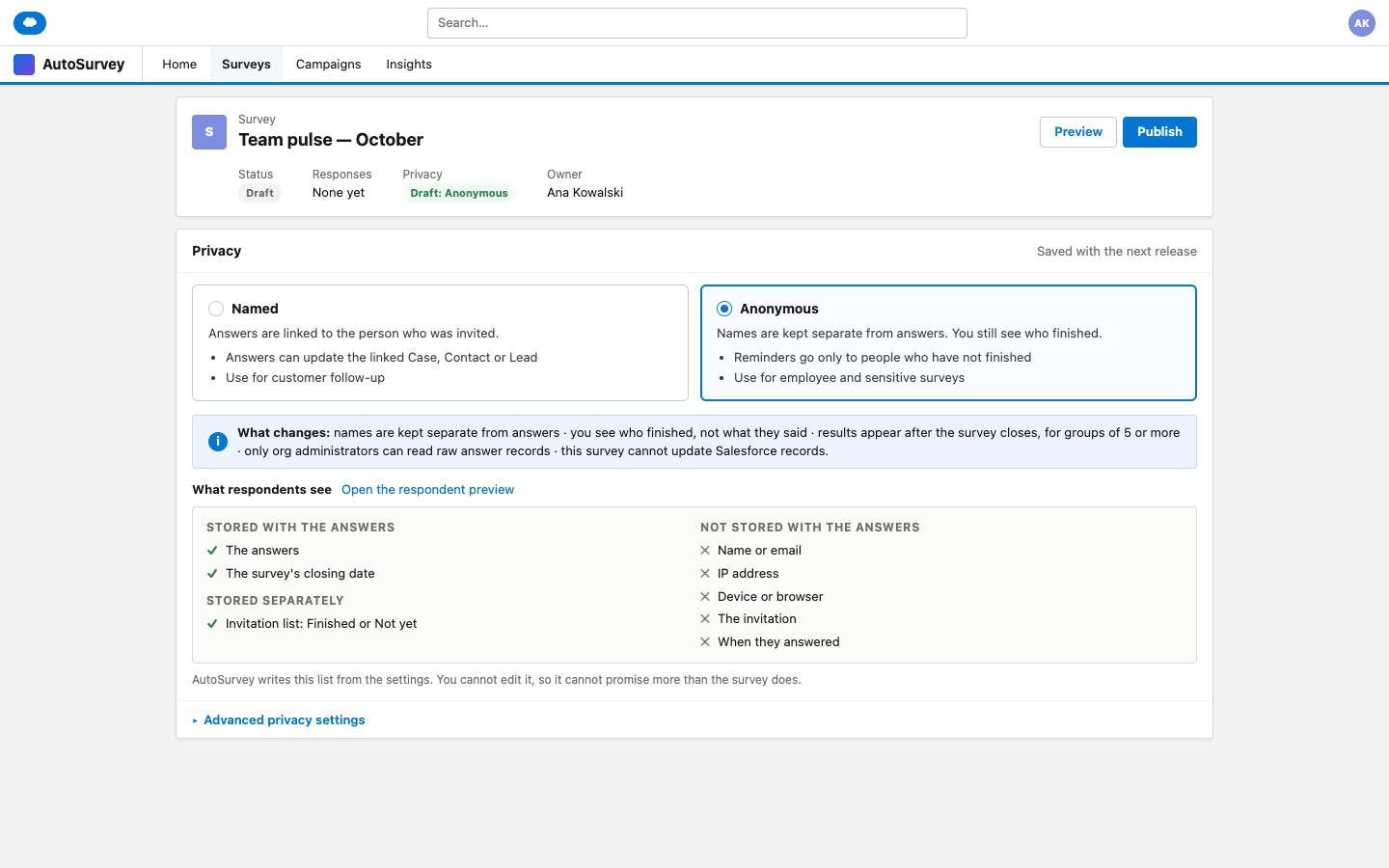
People give safe answers when they do not believe a survey is anonymous. The survey owner has a hard choice: track who finished and lose their trust, or keep the survey anonymous and lose the completion list. This pack adds an Anonymous mode to AutoSurvey surveys in Salesforce. You choose Named or Anonymous. In Anonymous mode, names stay on a completion list that is separate from the answers. Results appear once, after the survey closes, and only for groups that are large enough. Each respondent sees what is stored before the first question.
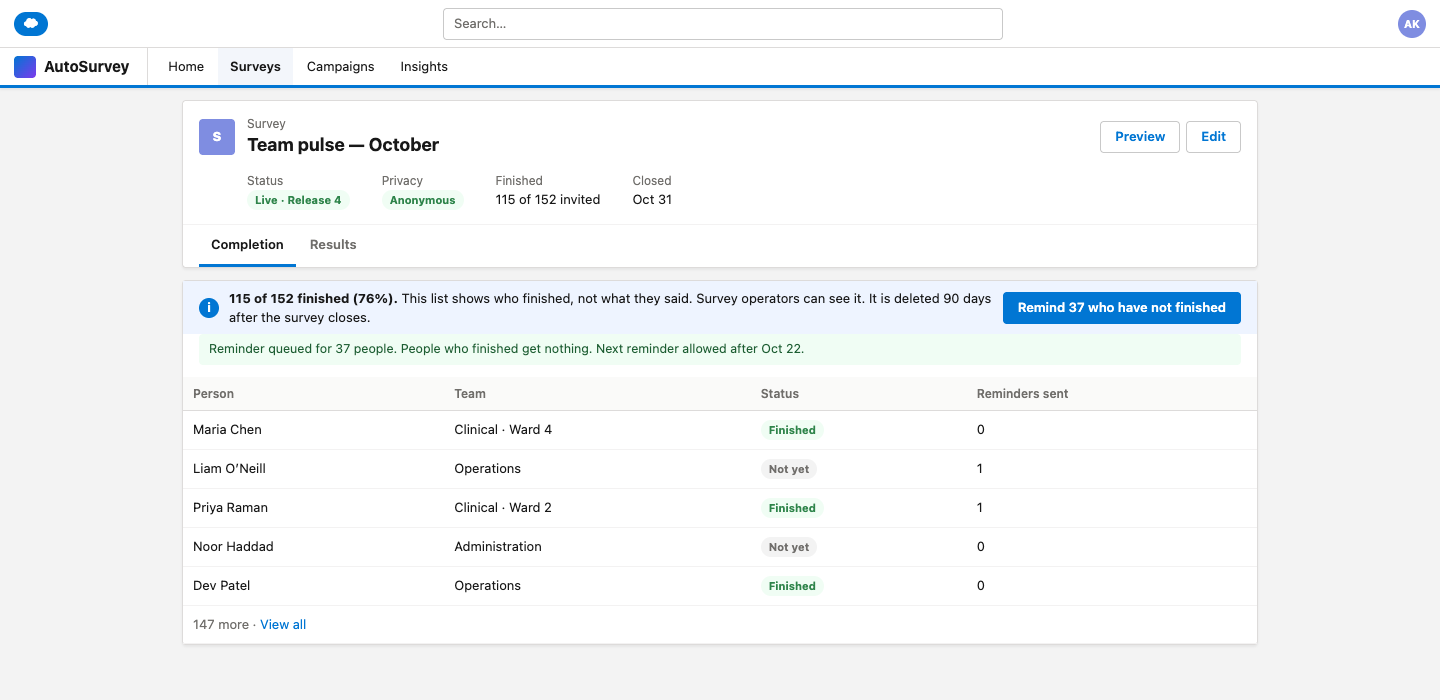
Remind only the people who have not finished.
The completion list shows "Finished" or "Not yet". It does not show what anyone said. Reminders go only to the people who have not finished.
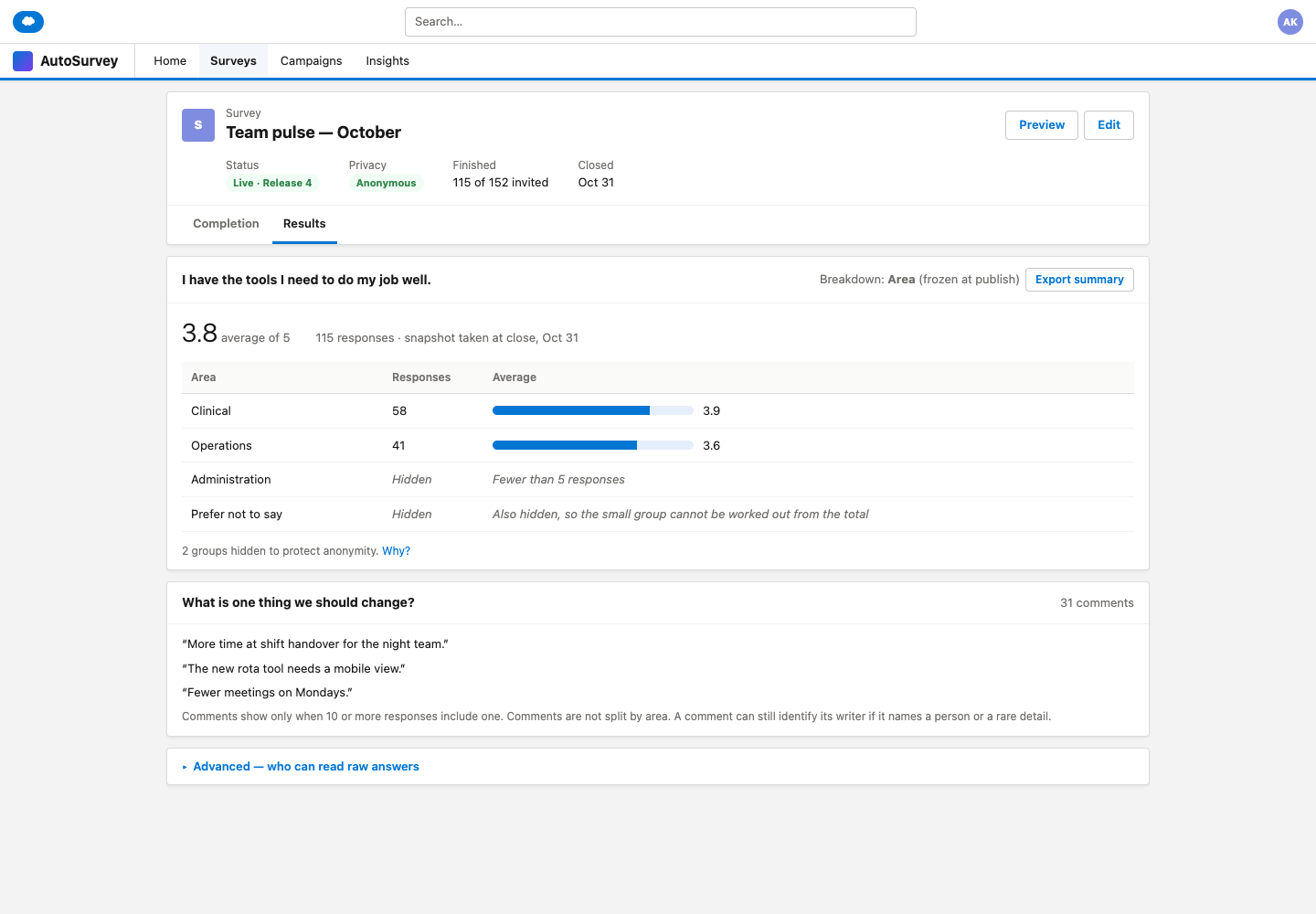
Small groups stay hidden.
Scores show only for groups of 5 or more responses. Comments show only for groups of 10 or more. If one group is too small, the next smallest group is hidden too, so nobody can work it out from the total.
Respondents read the real rules.
Before the first question, each respondent sees what is kept separate, who sees what, and the limits. AutoSurvey writes this text from the survey settings. The survey owner does not write it.
The mockups
These are design mockups with sample data. Every name and number on them is fictional.
What it does, and what it does not do
What it does
- Gives each survey one choice: Named or Anonymous.
- Keeps the completion list and reminders separate from the answers.
- Gives the same protection to respondents who are logged in to Salesforce.
- Shows one results snapshot when the survey closes, not while people still answer.
- Applies the minimum group sizes to results, exports and AI summaries.
- Lets only org administrators read the raw answer records.
- Stops a publish that would break the promise, for example a question that asks for an email or a record ID in the link.
- Lets optional questions about team or role offer "Prefer not to say".
What it does not do
- Does not hide answers from the people who administer your Salesforce org. They control the system and its logs. Respondents are told this.
- Cannot hide a comment, or a rare mix of answers, that identifies someone. It warns at publish and tells respondents.
- Cannot hide how each person answered when everyone in a group gives the same answer.
- Does not let a respondent change a response after submit.
- Does not update a Contact or a Case from an anonymous survey. Use a Named survey for follow-up.
- Does not make responses that you collected before the switch anonymous. They stay named.
Ask the hard questions. Get honest answers.
Tell us who you survey, how small your teams are, and what your people need to believe before they answer. Your answer helps us decide what to build.