
Outcome programs · Feature pack
Send a survey when a Case closes. Without building a Flow.
A survey after a Case closes needs five parts: a trigger, a delay that checks the Case is still closed, a rule so a customer does not get too many surveys, a reminder, and the score back on the Case with a follow-up for unhappy customers. Most teams build each part by hand, for each survey. This pack adds programs. You pick a program, confirm three choices and send yourself a test. AutoSurvey sets up the parts inside your Salesforce org. You can pause the program at any time.
The program creates one record-triggered Flow in your org. Your org owns it, and you can open it in Flow Builder. If you edit it, AutoSurvey stops changing it.
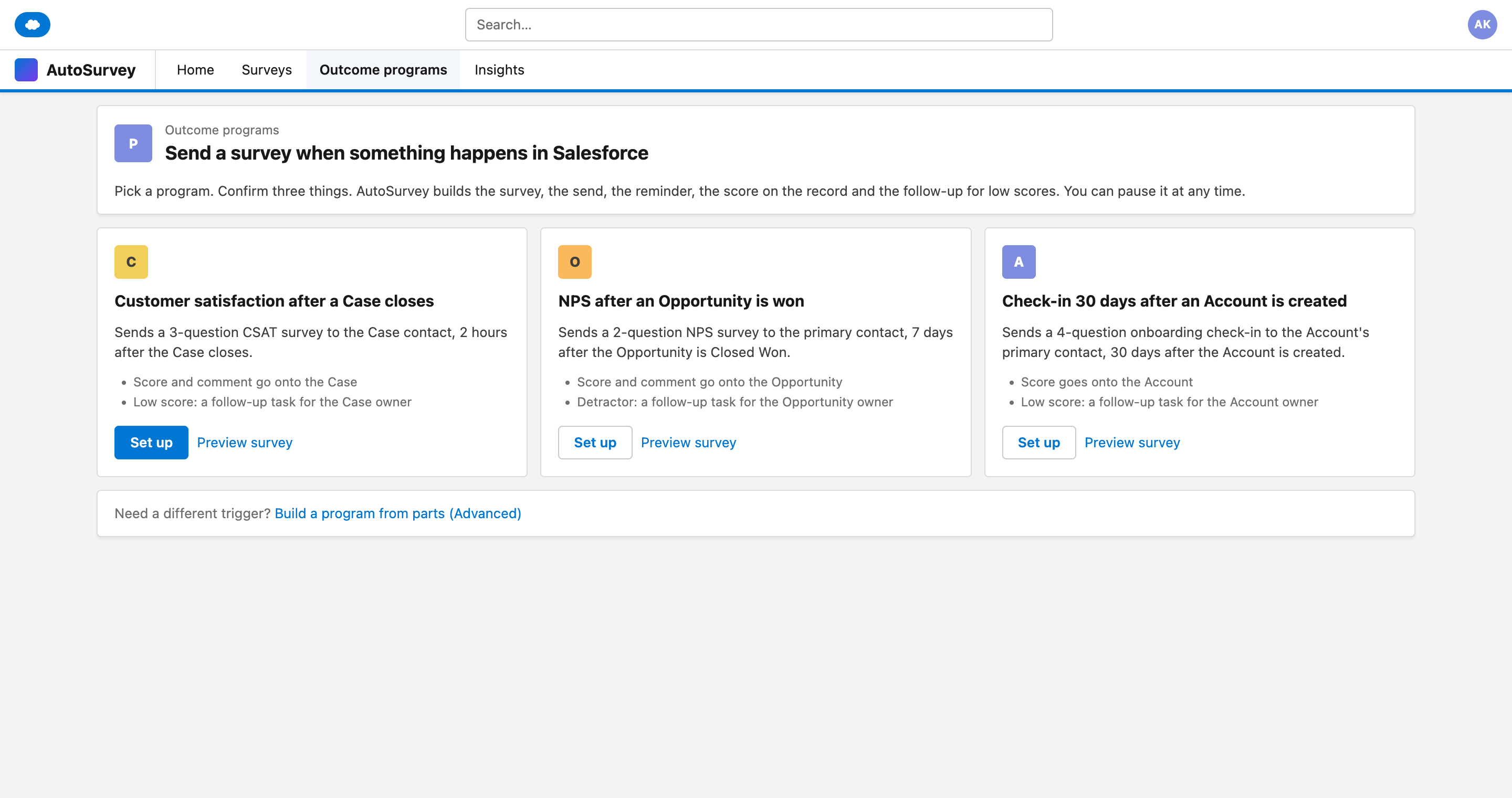
Three programs to start from.
Customer satisfaction after a Case closes. NPS after an Opportunity is won. A check-in 30 days after an Account is created. Each one opens one dialog with three choices.
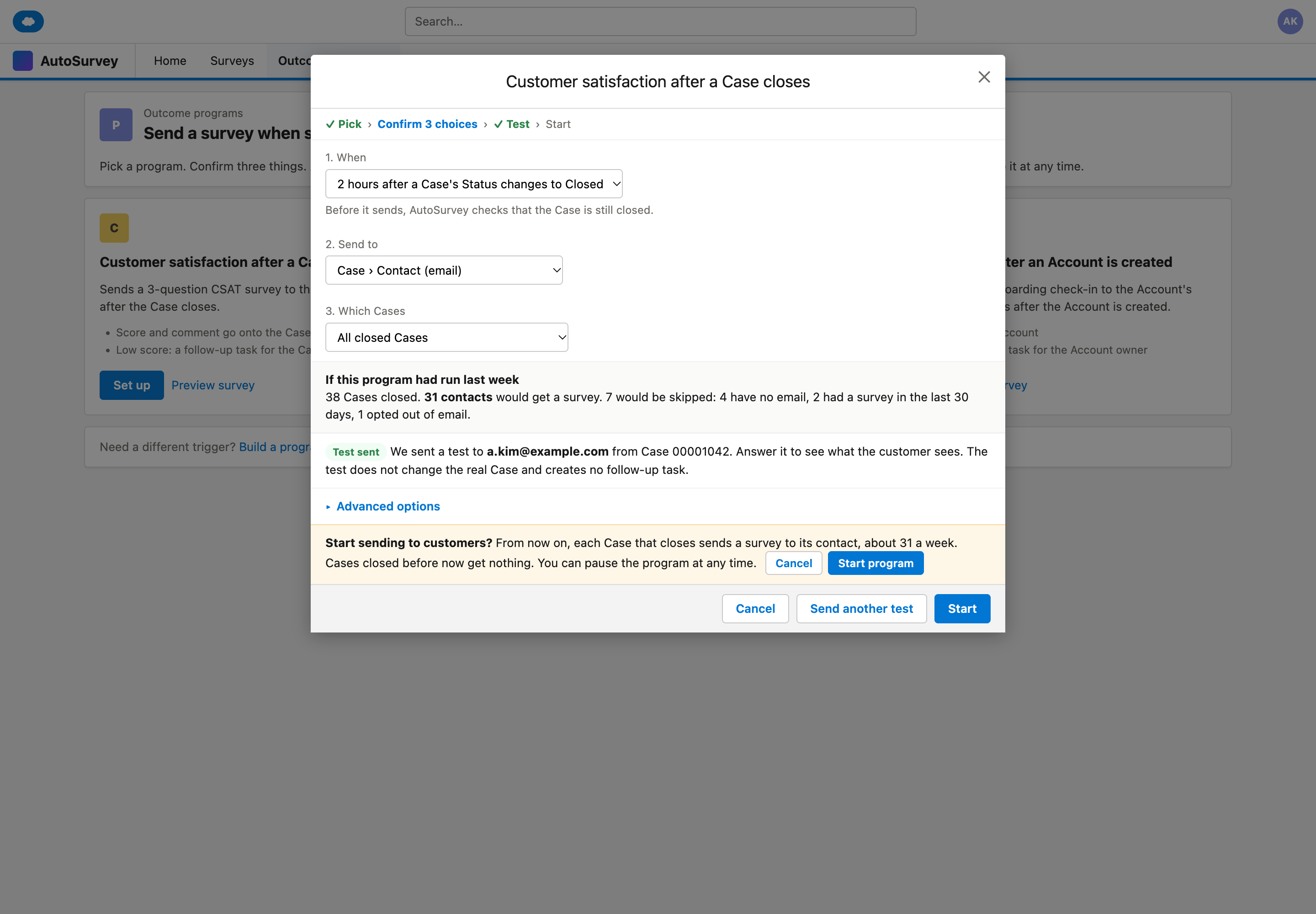
Nothing goes out before you click Start.
The dialog shows how many contacts would have got a survey last week. You send yourself a test first. Start asks once more and says who gets the survey. Cases closed before Start never get one.
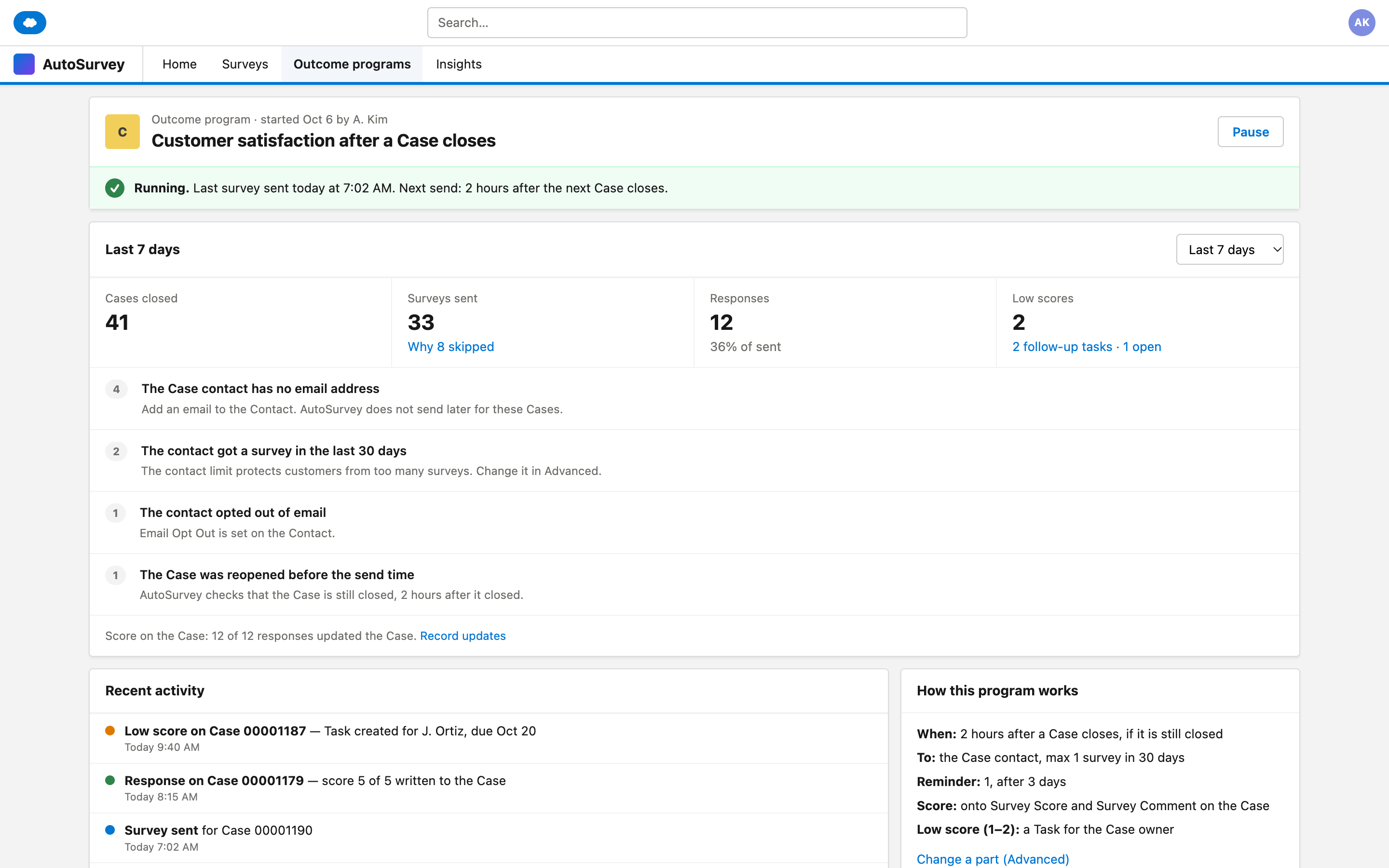
A reason for every skipped Case.
The program page shows what was sent and what was skipped. Each skip has a reason in words: no email address, contact limit, opted out, or the Case was reopened.
The mockups
These are design mockups with sample data. Every name and number on them is fictional.
What it does, and what it does not do
What it does
- Sets up the survey, the send, the reminder, the score on the record and a follow-up task for low scores.
- Waits, then checks that the Case is still closed before it sends.
- Applies one contact limit across all programs and send paths. The default is 1 survey per contact in 30 days.
- Puts an unsubscribe link in every program email and respects Email Opt Out.
- Pauses at once. A pause stops new sends and reminders. Cases that close during a pause never get a survey later.
- Tells you when someone turns off the program's Flow in Setup, and how many Cases got no survey.
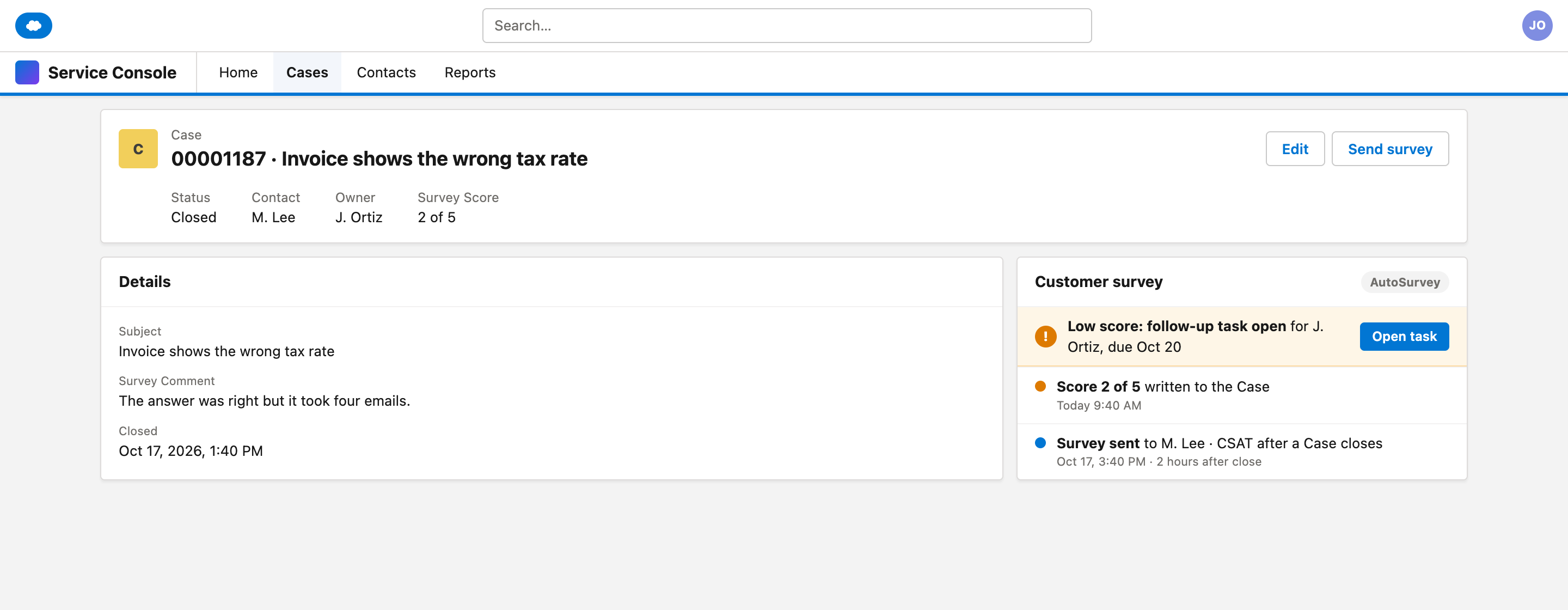
- Adds a survey card and a "Send survey" button to the record. The button obeys the same contact limit.
- Keeps each part, other send paths and the change history behind "Advanced".
What it does not do
- Does not hide its automation. It creates a real Flow in your org.
- Does not send surveys for Cases that closed before you clicked Start.
- Does not let a test response change the real Case or create a follow-up task.
- Does not go past Salesforce email limits. The email goes out from your org.
- Does not send by SMS, WhatsApp or in-app message. It uses email and copied links.
- Does not give your team a follow-up inbox. The follow-up is a task for the record owner.
- Does not repair a Flow that someone turned off. A person must turn it back on.
Run your first customer feedback program from three choices.
Tell us which records should start a survey in your org and how you send those surveys today. Your answer helps us decide what to build.