
Safe live edits · Feature pack
Change a live survey. Keep every answer you collected.
You found a mistake in a survey that already has answers. This pack lets you fix it. Before you publish, AutoSurvey tells you in plain words what changed. It asks you once when a change can alter what an answer means. You can bring back an older version as a draft.
For the Salesforce admin who builds and publishes surveys.
Fix the typo. Keep the data.
In many survey tools, an edit to a live survey can remove or change the answers you already have. So teams export a backup before each edit, or they leave a mistake live. AutoSurvey already keeps your edits in a draft until you publish. Each saved answer keeps the question text and choice it was given. This pack adds the parts that make an edit easy to check.
A summary on every publish
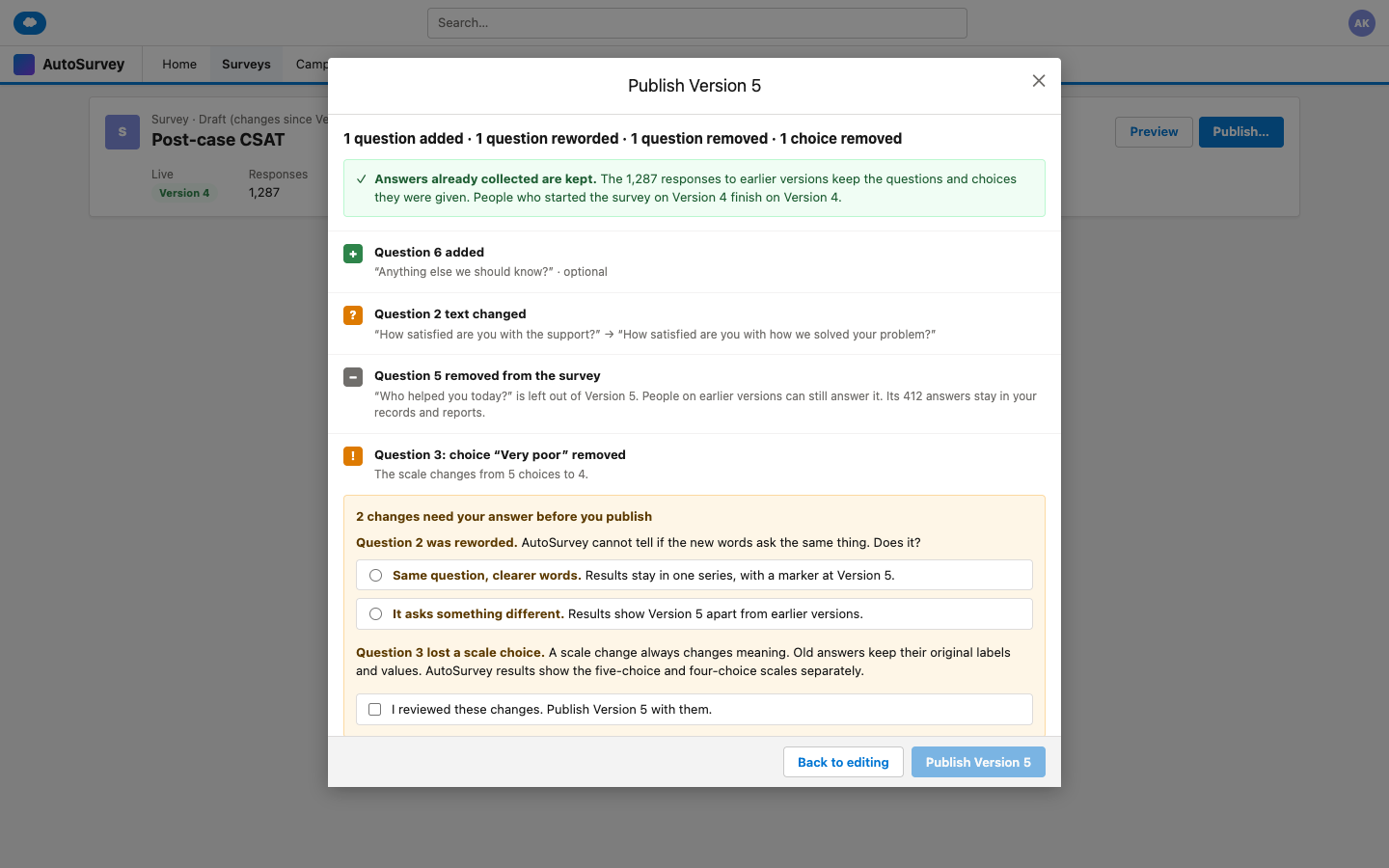
One line says what changed. One green line says that collected answers are kept. The full list is one click away.
One check for a change in meaning
A scale change or a new question type always counts as a change in meaning. For a reworded question, you say if it still asks the same thing. You confirm once.
Restore an older version
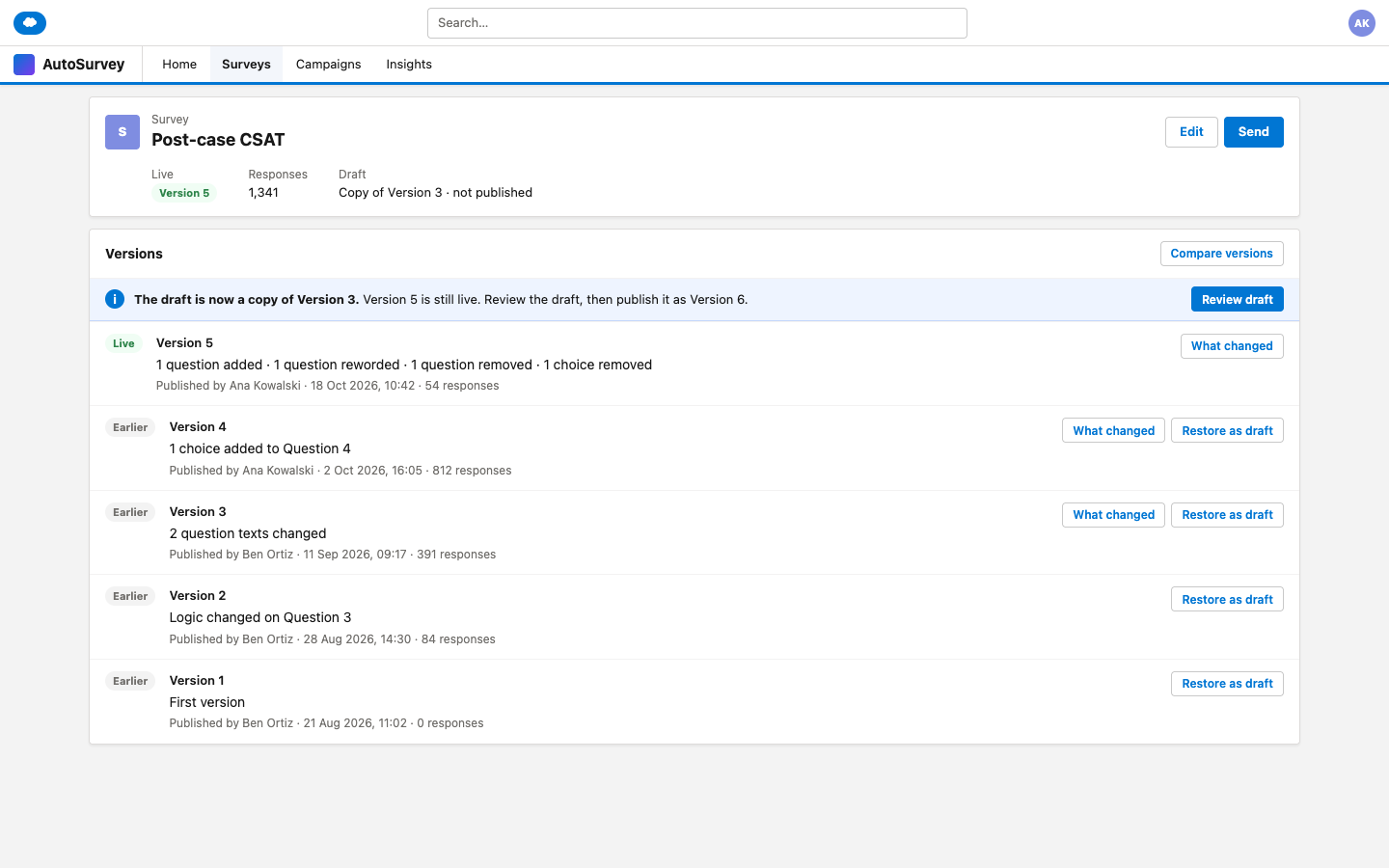
"Restore as draft" copies an older version into your draft. The live survey does not change until you publish again.
The screens
These are design mockups. Every name and number on them is fictional.
What it does, and what it does not do
What it does
- Shows a plain change summary each time you publish.
- Asks for one confirm when a change can alter what an answer means.
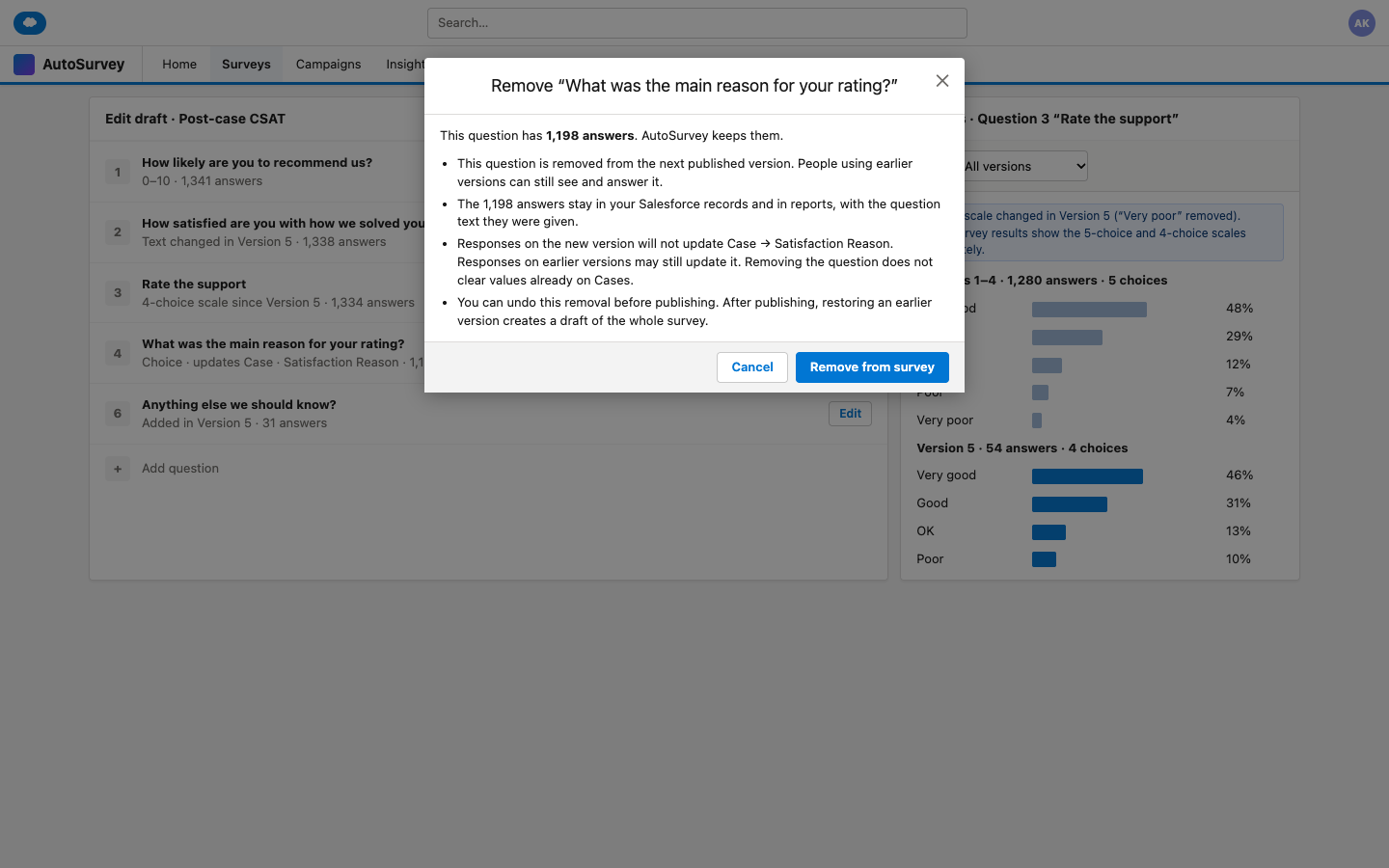
- Leaves a removed question out of the next version and keeps its answers.
- Lists every published version with who, when, what changed and its responses.
- Copies an older version into your draft for you to review and publish.
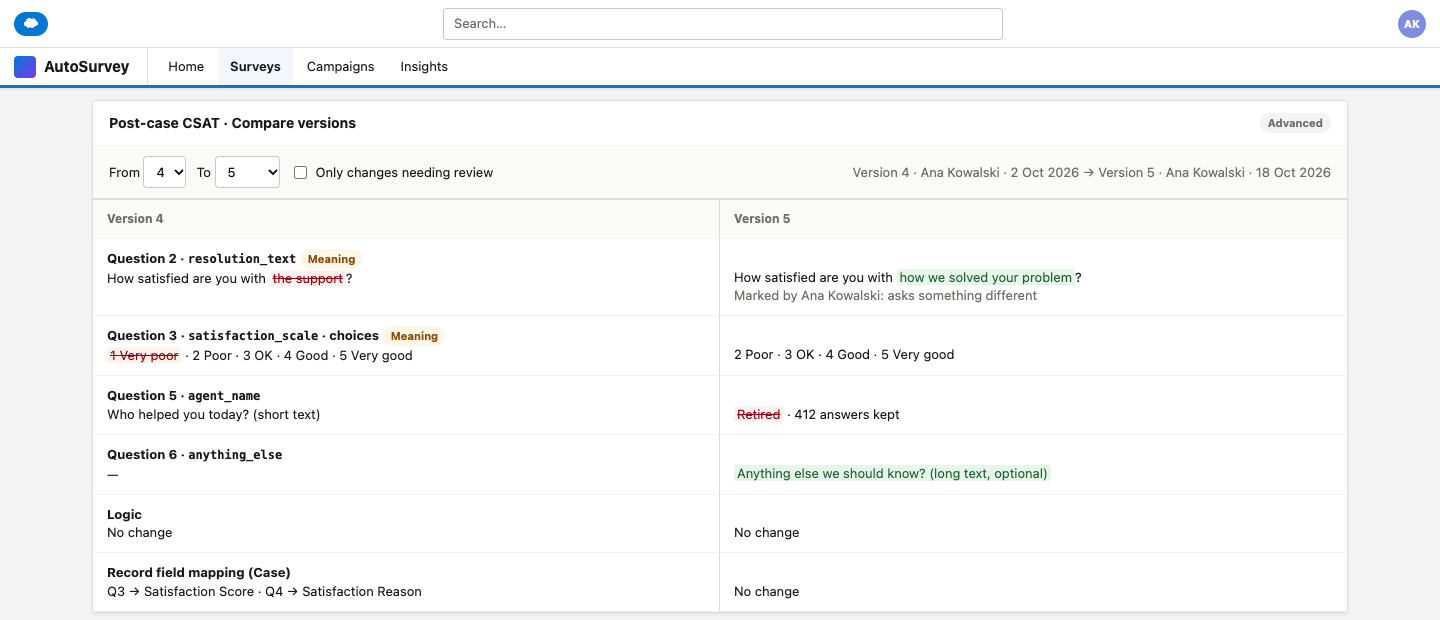
- Keeps incompatible versions apart in the AutoSurvey results view.
What it does not do
- Does not recode old answers. Old labels and values stay as they were.
- Does not erase versions. A restore makes a new version.
- Does not change your own Salesforce reports. Group or filter them by version.
- Does not add an approval step before publish.
- Does not let two people edit one draft at the same time.
People who start a survey finish on the version they started. Other steps in your own automation can still depend on questions you change.
Do you edit surveys that are already live?
Tell us how you change live surveys today, and what you need to see before you publish.