
Follow-up work · Feature pack
Give low-score responses an owner and a due time.
AutoSurvey already marks low-score responses inside Salesforce, with the score rule you set. This pack adds the next step. Each low-score response goes to one named person, with a first-contact due time and one reminder if it is late. That person works it in Salesforce.
For surveys linked to a Case, Contact, Lead or Account. Only recommendation, satisfaction and effort questions (NPS, CSAT, CES) count. Written comments do not start a follow-up. Anonymous surveys cannot create follow-ups.
The score came in. Who calls them back?
Collecting a low score is the easy part. Then one person must own the call, know when it is due, and hear about it when it is late. In a shared inbox or a separate tool, that work gets lost. In this pack, each follow-up is a Salesforce record. Ownership, list views, reports and Flow work on it.
One switch for the admin
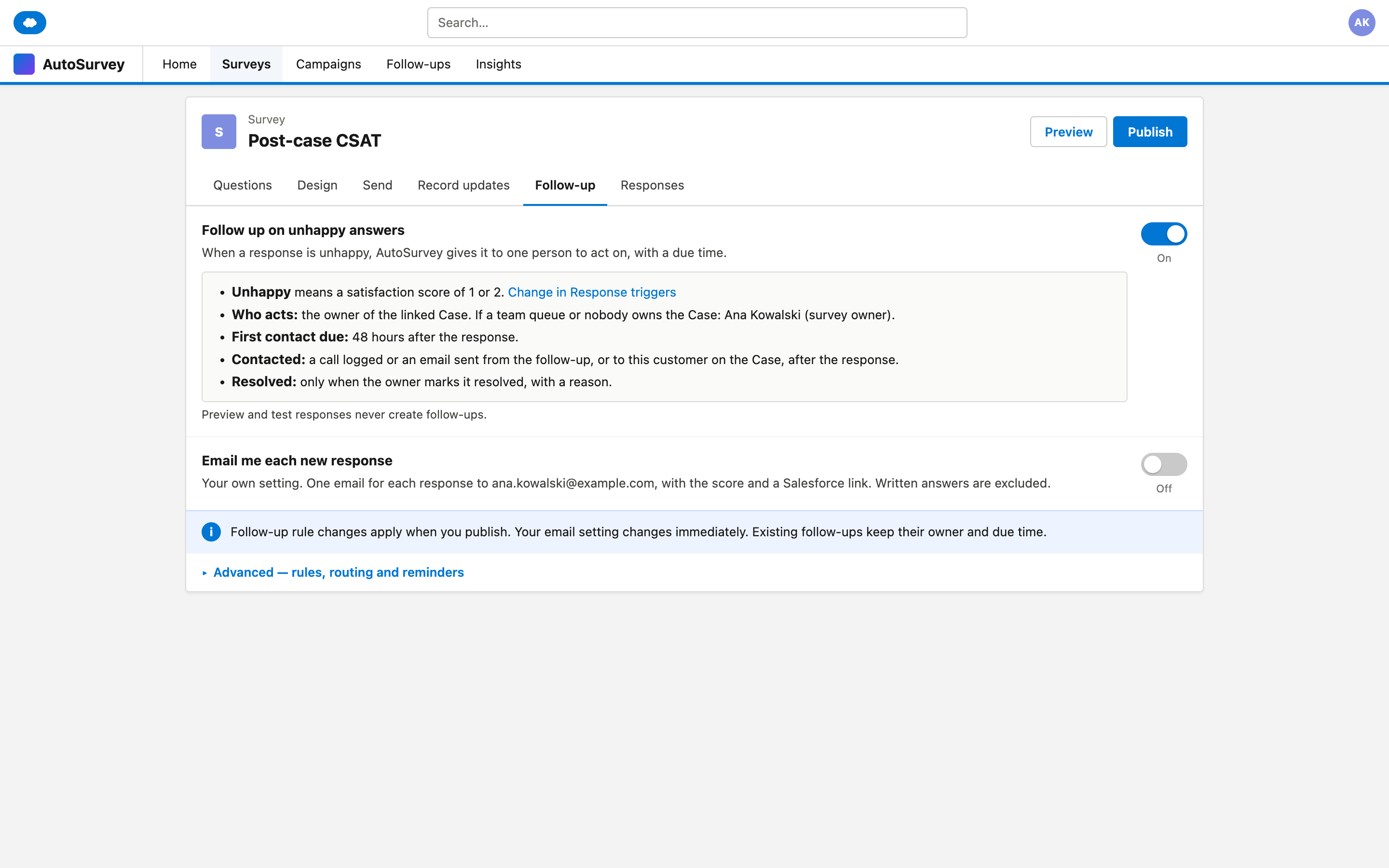
Turn on "Follow up on unhappy answers" on the survey. A plain summary says what counts, who acts and when it is due. You do not build a Flow.
One owner, one due time
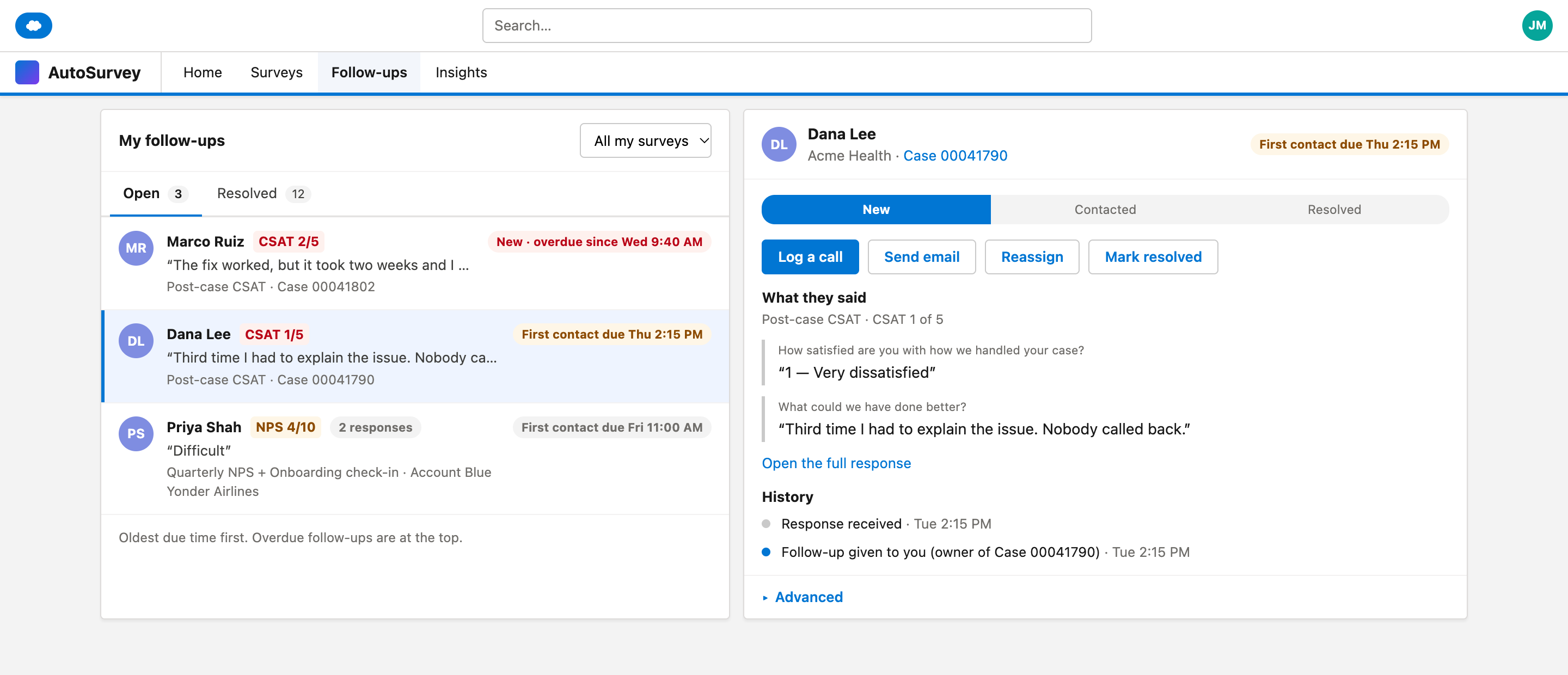
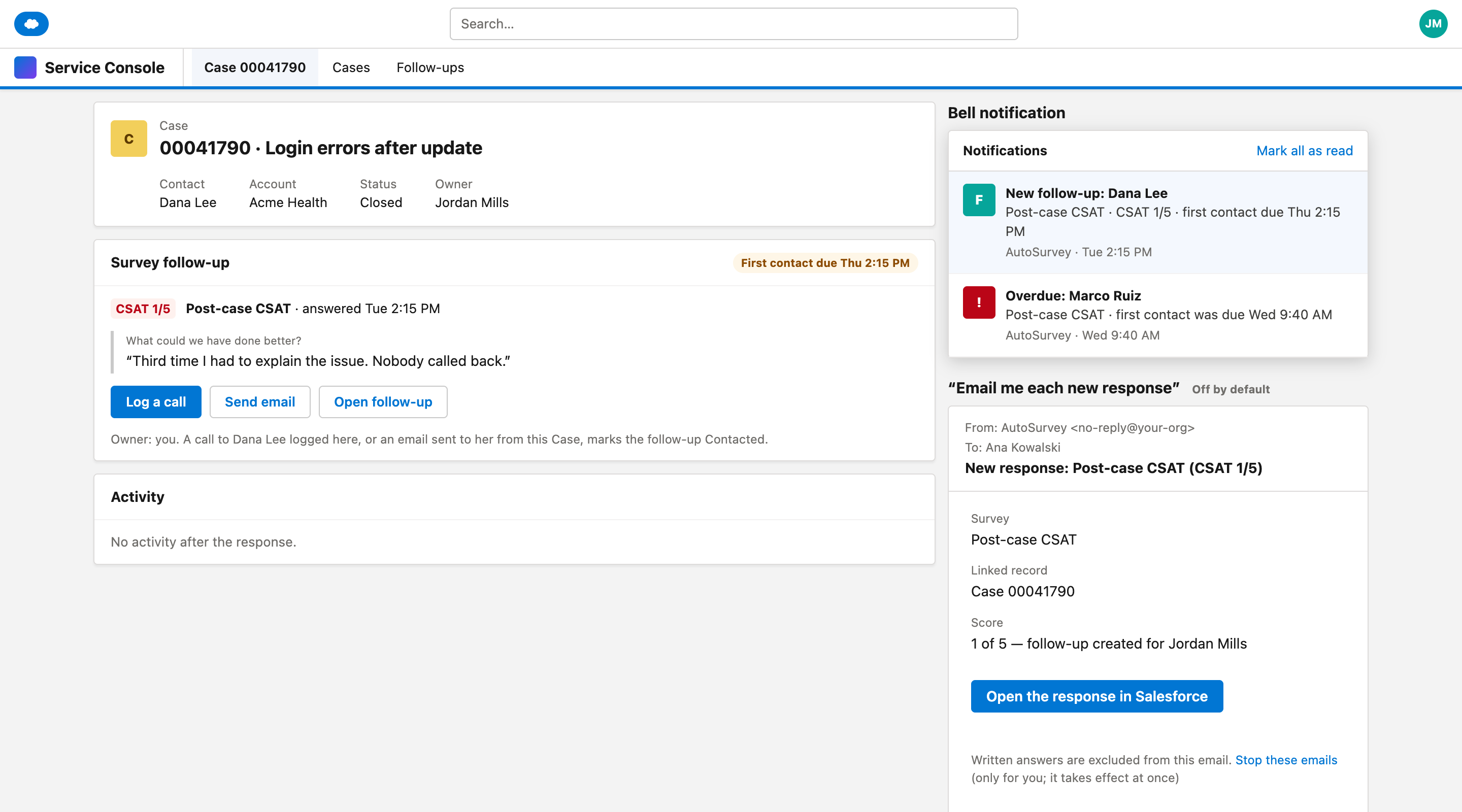
The owner of the linked record gets the follow-up. If a queue or nobody owns it, the survey owner gets it. A logged call or sent email to the customer marks it Contacted.
Close reasons in a report
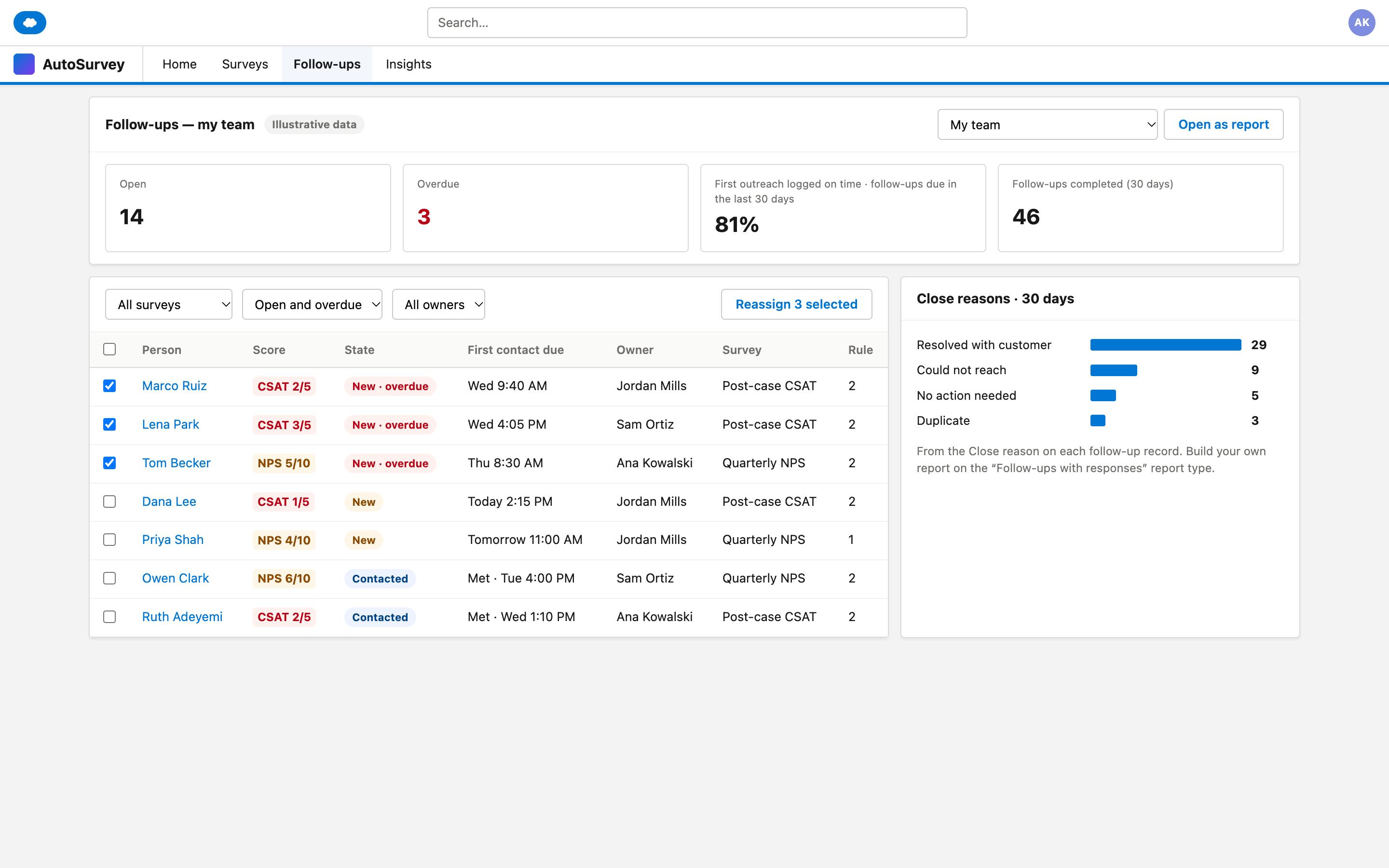
The owner closes each follow-up with one reason: resolved with the customer, could not reach, no action needed, or duplicate. The team lead sees what is open and what is late.
The screens
These are design mockups. Every name and number on them is fictional.
What it does, and what it does not do
What it does
- Makes a follow-up record for each low-score response, with one named owner.
- Sets a first-contact due time and sends at most one overdue reminder.
- Moves the reminders to the new owner when you reassign. The due time stays.
- Joins a repeat response from the same person on the same record within 7 days, before first contact.
- Offers "Email me each new response" as a personal setting. It is off by default.
- Skips preview and test responses.
What it does not do
- Does not email your customers. "Send email" opens the Salesforce email window, and a person clicks Send.
- Does not make the call. A person still follows up.
- Does not start a follow-up from written comments in this version.
- Does not put written answers in notifications.
- Does not add a second helpdesk. The work stays in Salesforce.
You can still build your own Flow on the follow-up record.
Make low-score feedback someone's next action.
Tell us who follows up on low scores in your team today, and where that work lives.