
Salesforce-aware authoring · Feature pack
Build the question from the Salesforce field. The answer goes back to the same field.
Pick a field on the record that the survey is about. AutoSurvey makes a question of the right type, uses the field's own choices, and maps the answer back to the field.
This pack works on the record that the survey is about. It does not create records.
Today you type the choices of a question by hand. Then you map the answer to a Salesforce field in a second step. If a choice does not match a picklist value, the write to the record fails, and the answer stays only on the response. This pack makes the Salesforce field the starting point. It adds a From Contact section to "+ Add question" and a Choices switch with three sources: type them, from a picklist field, or from records.
One step from field to question.
A picklist becomes a choice question with the picklist values. A date, a checkbox and a number get the matching question type. The answer is mapped back to the field.
Choices that stay correct.
The choices are frozen at each release. When Setup adds or removes a value, AutoSurvey tells you, and you decide in the release review. Answers already collected do not change.
Do not ask what you already know.
Start a question with the record's current value. Let the person change it, lock it, or skip the question. Write the answer back always, only when the field is blank, or never.
The screens
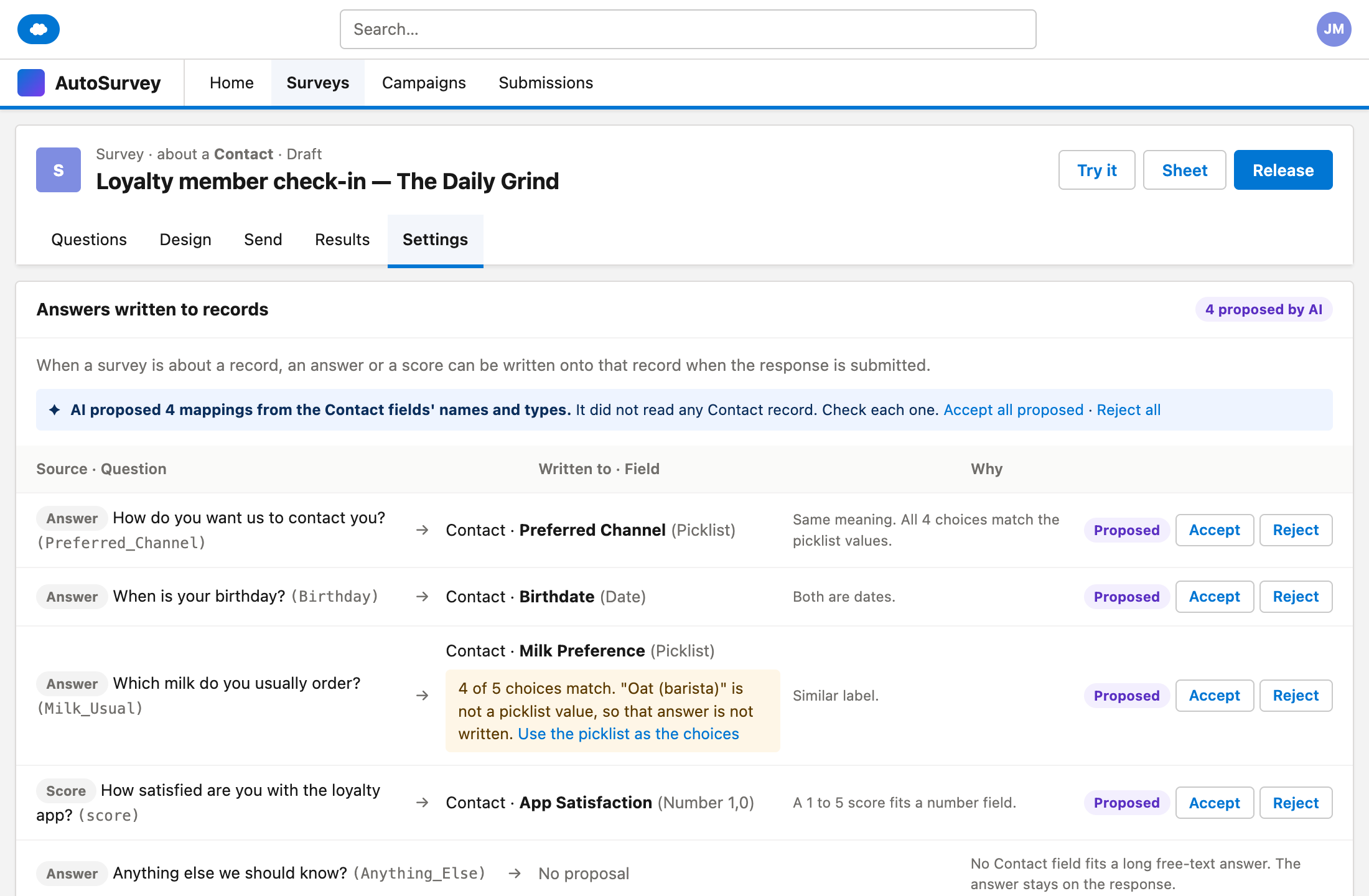
These are design mockups. They use sample data for The Daily Grind, a fictional coffee shop.
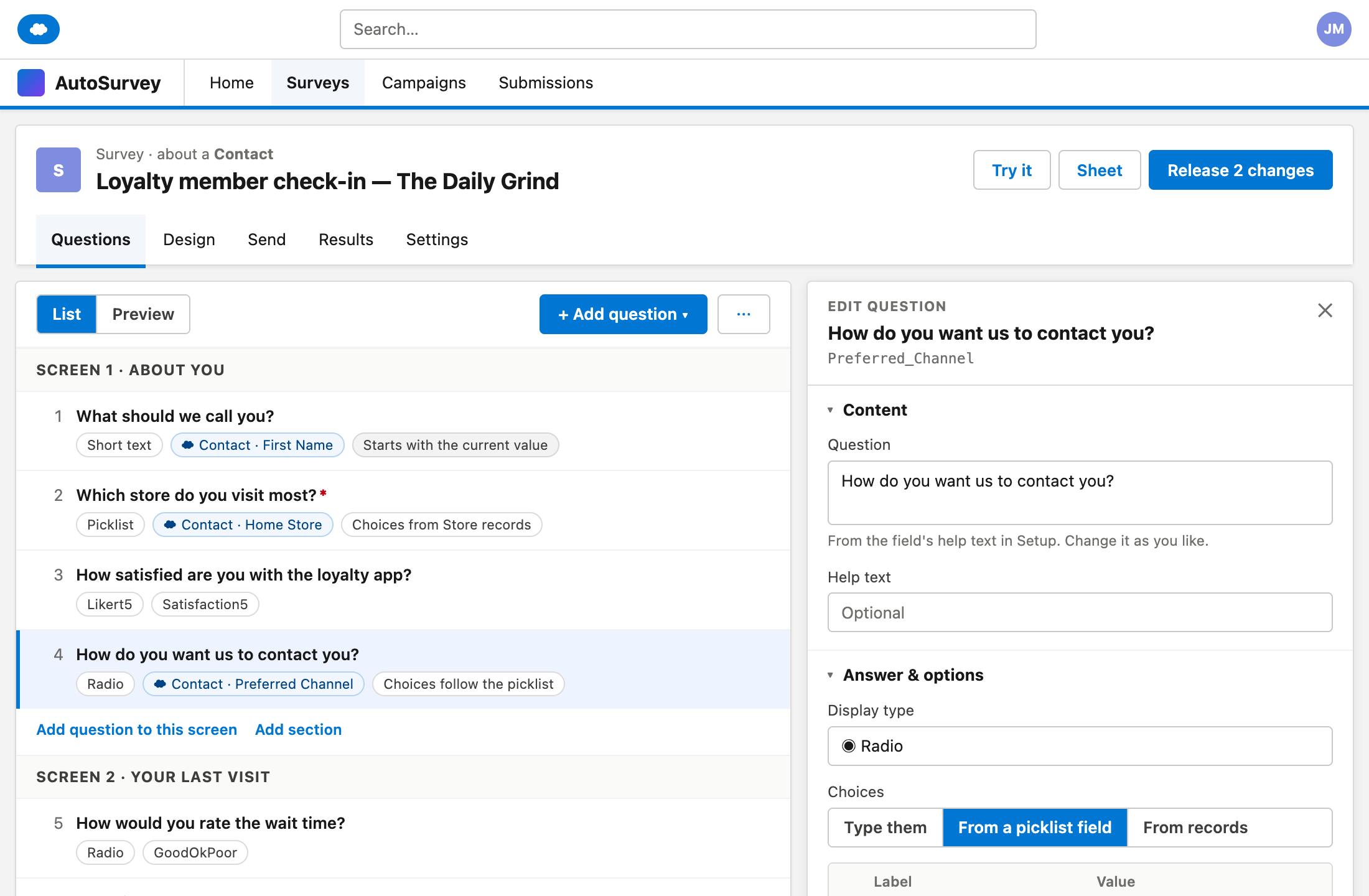
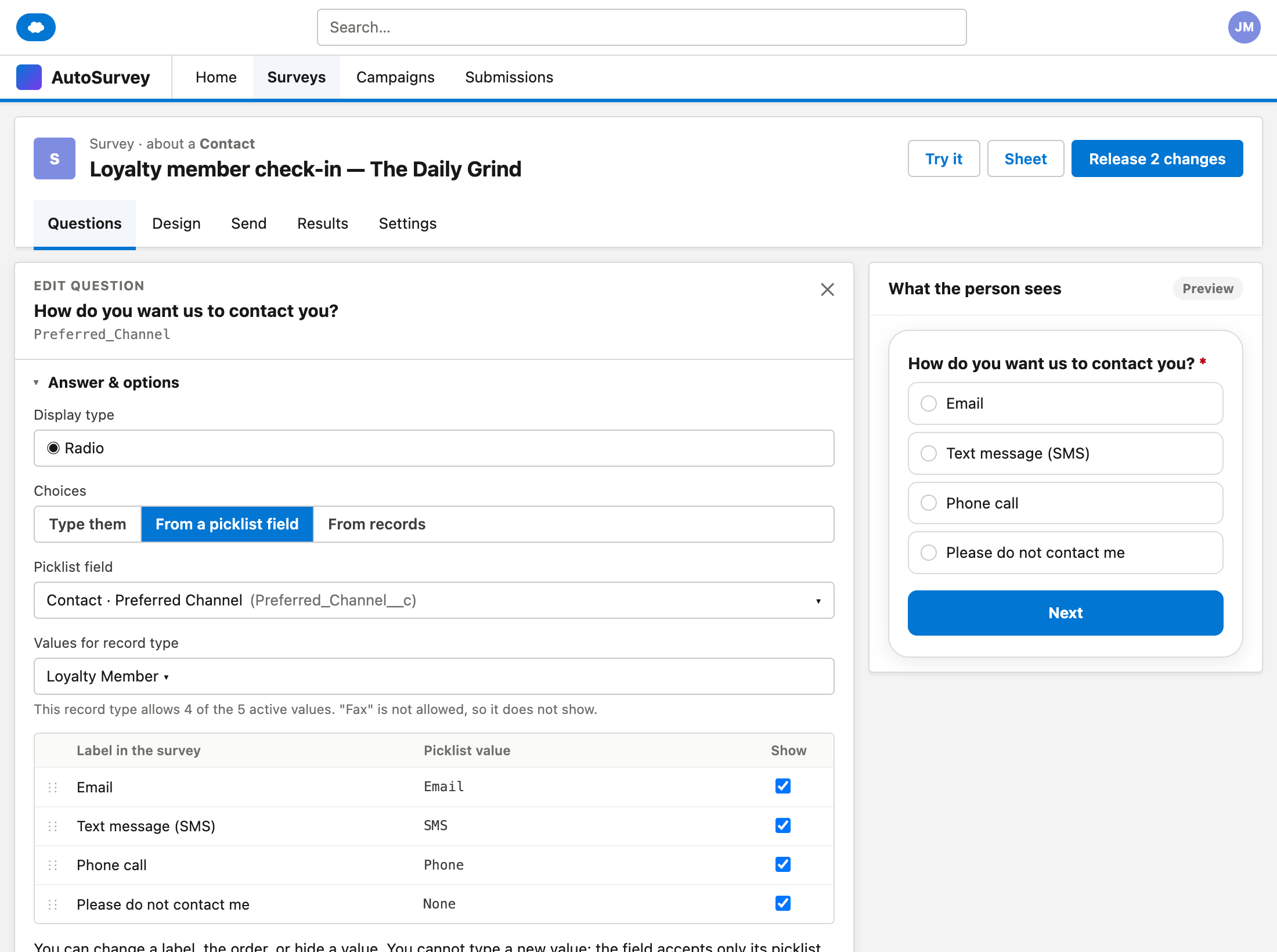
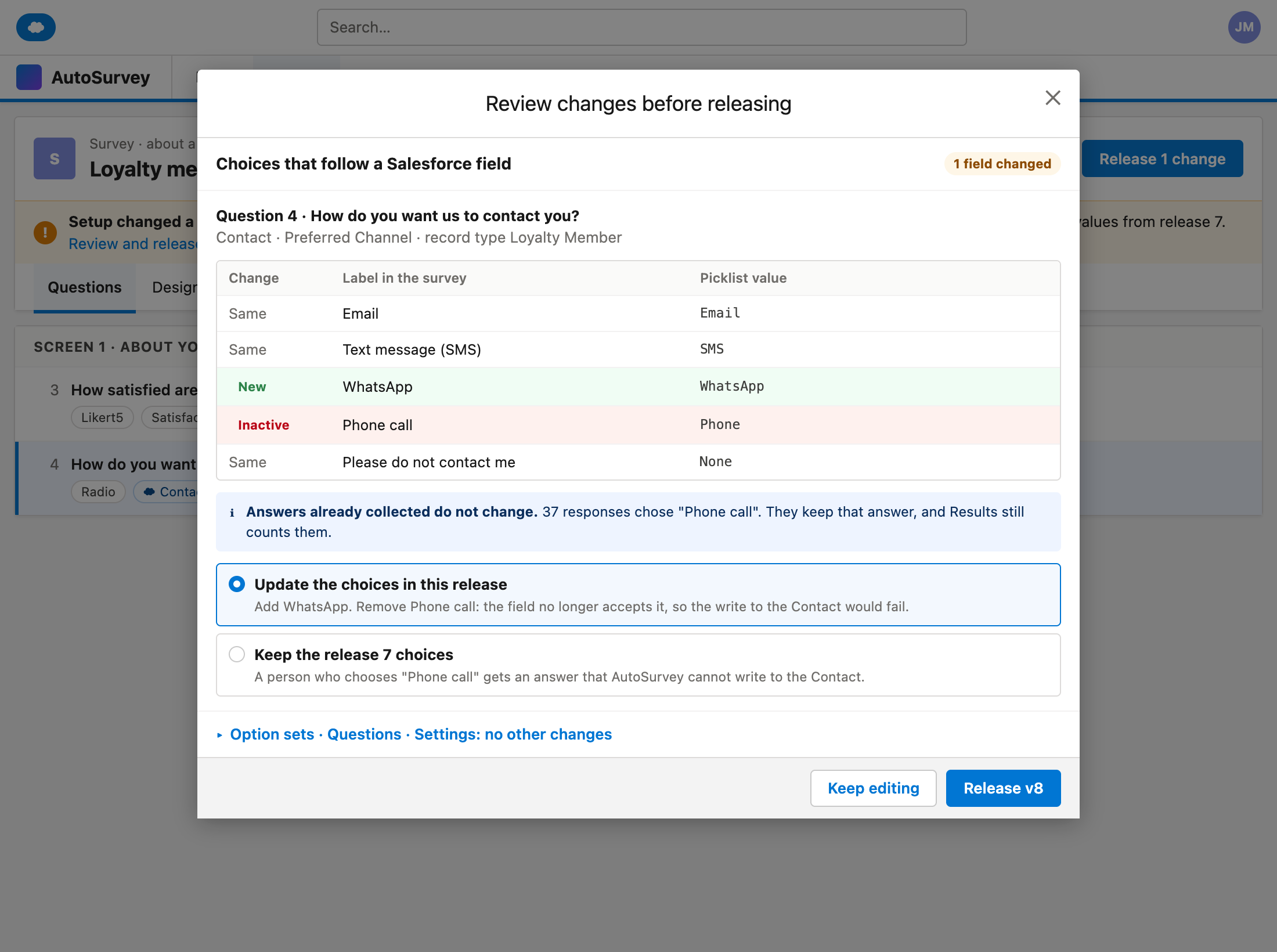
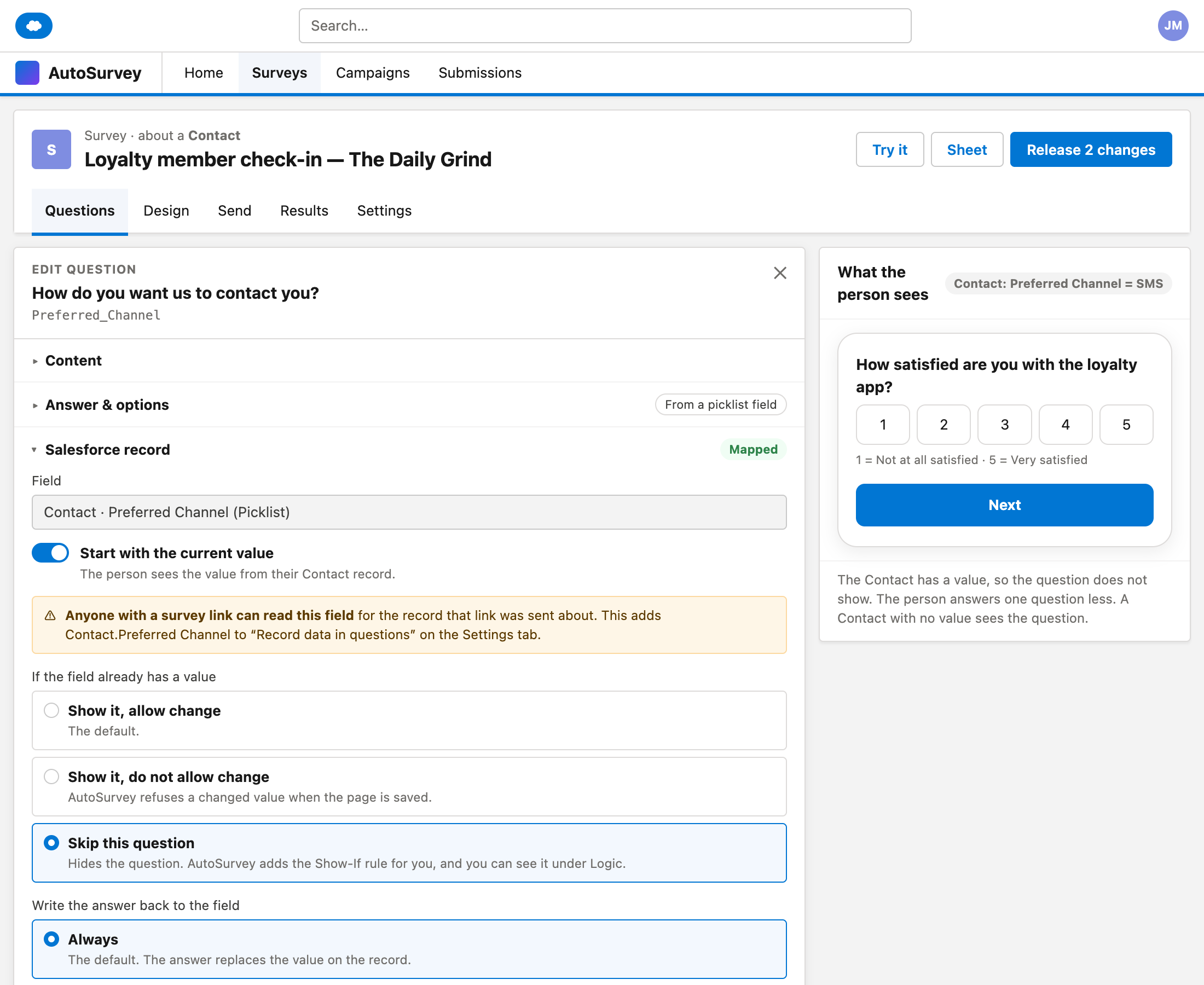
What it does, and what it does not do
What the pack does
- Adds a question from a field of the record that the survey is about, with the answer mapped back.
- Takes choices from a picklist field, for the record type that you choose.
- Takes choices from records, with a filter, the field the person sees and the field the answer stores.
- Copies a list of records into the survey at each release, so a survey link cannot search your records.
- Shows a picklist change in Setup and lets you decide at the next release.
- In Advanced: prefill, read-only, skip if known, and write-back rules per question, with no Flow.
What it does not do
- AI does not read your records. It reads field names, types and picklist values, and a person accepts each mapping.
- Does not change a live survey by itself. Changes go live only at a release.
- Does not add a choice that the picklist field does not accept.
- Does not create records or write to child records.
- Does not support dependent picklists in the first build.
What AutoSurvey does today
AutoSurvey runs inside your Salesforce org. It can write an answer or a score onto the record that a survey is about when the response is submitted, with up to 50 mappings per survey. It warns when a number, date or long-text answer may not fit the field. A question can show a value from the record, for the fields that you allow. Choices from records and prefill work today through two Salesforce Flow actions. Today the choices are typed by hand, and AutoSurvey does not compare them with the picklist values. This pack adds that.
Field
One piece of data on a Salesforce record, for example the preferred channel of a contact.
Picklist
A field with a fixed list of values that your Salesforce admin sets in Setup.
Release
The step that makes your edited survey live. The choices are frozen at each release.
Stop typing choices that Salesforce already has.
If your surveys must match your picklists, tell us which object and which fields. Your answer helps us decide what to build.
All data on these mockups is sample data for a fictional coffee shop.