
Fast question entry · Survey builder
Type a question. Press Enter. Type the next one.
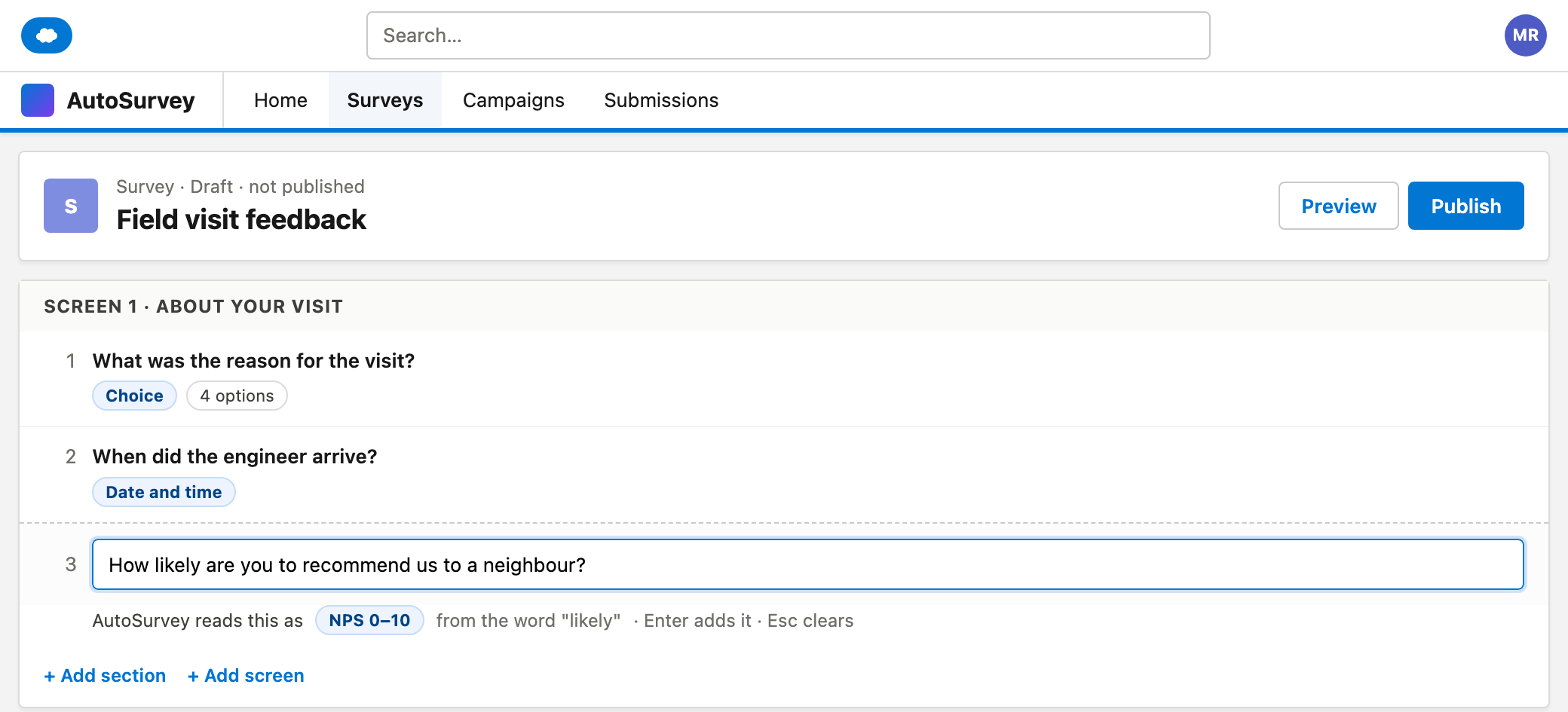
Each screen in the survey editor ends in an empty row. Type a question and press Enter. AutoSurvey adds the question, guesses its type from the words, and saves the draft. The cursor stays in the row for the next question.
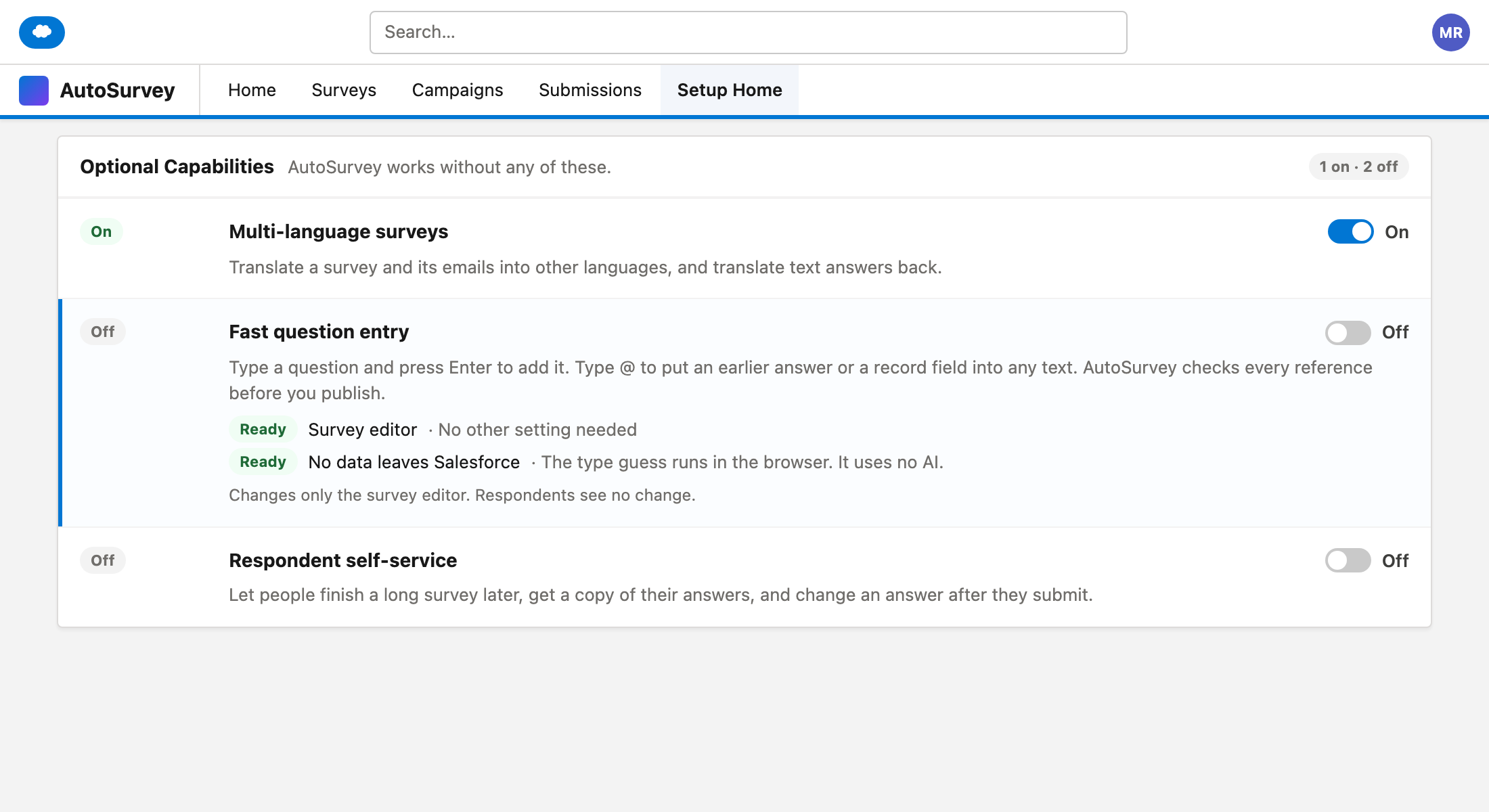
An admin turns it on in Setup Home with the "Fast question entry" card. Respondents see no change.
Most authors already have the questions in their head or in a document. Fast question entry lets them type the questions into the editor with no clicks between them.
The type guess uses a fixed list of English words in the browser. No AI is used, and no question text leaves your org. For example, "recommend" or "likely" gives NPS 0–10, and "rate" or "stars" gives Star rating. Anything else gives Short text.
Keys, not clicks.
Enter adds the question. Esc clears the row. Press / in an empty row to choose one of 14 question types. Press ? to see the shortcuts.
Earlier answers with @.
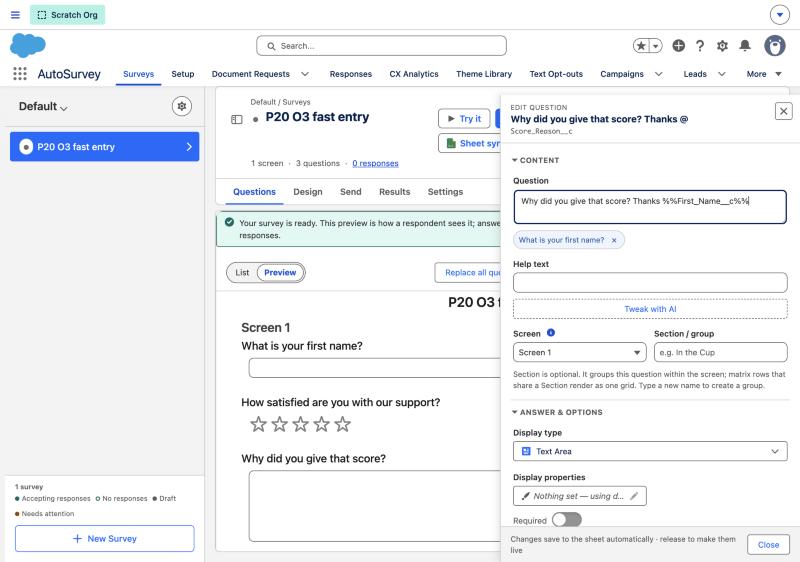
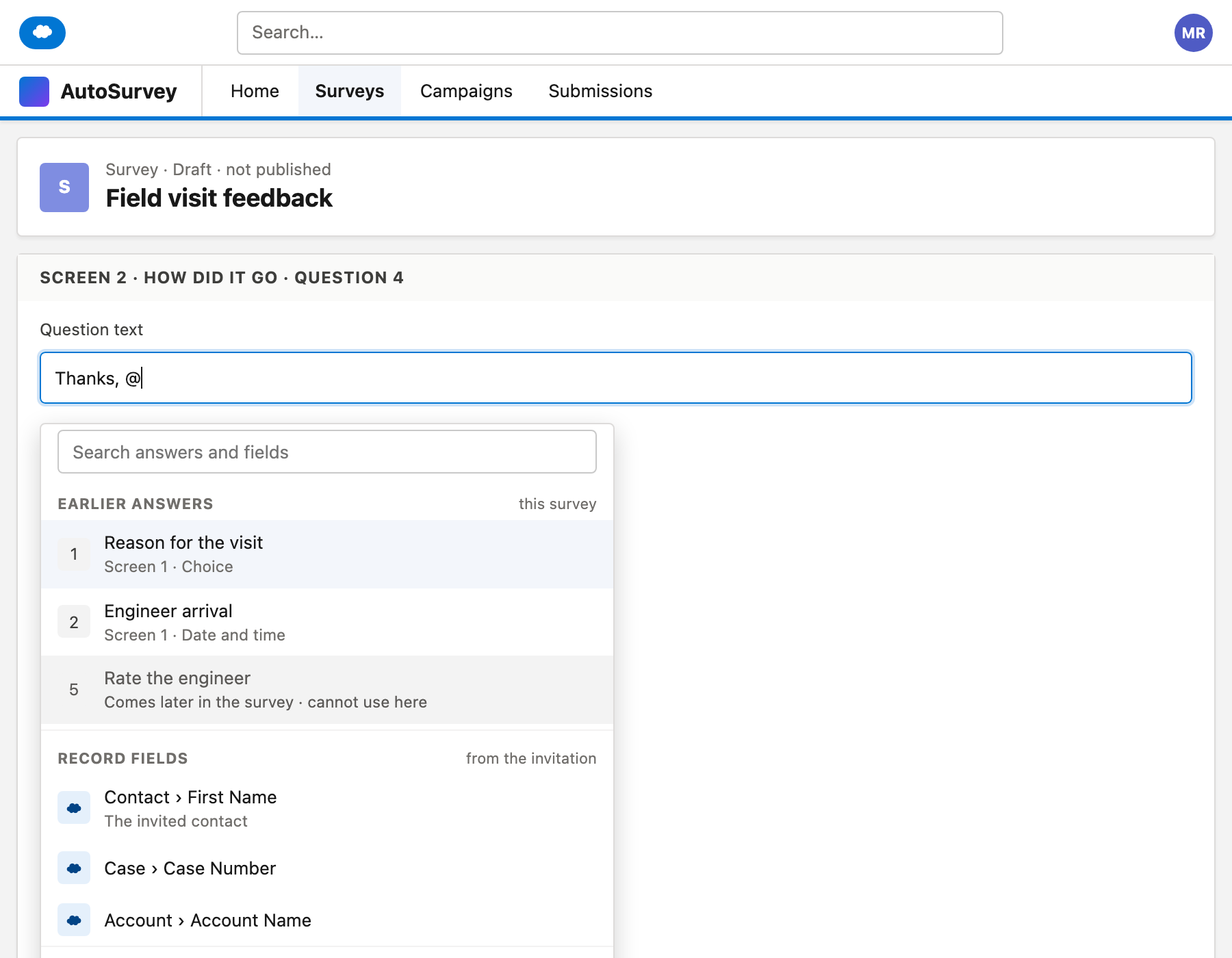
Type @ in a question, help text or option label. Pick an earlier answer or a record field. It shows as a chip with its label.
Options from a list.
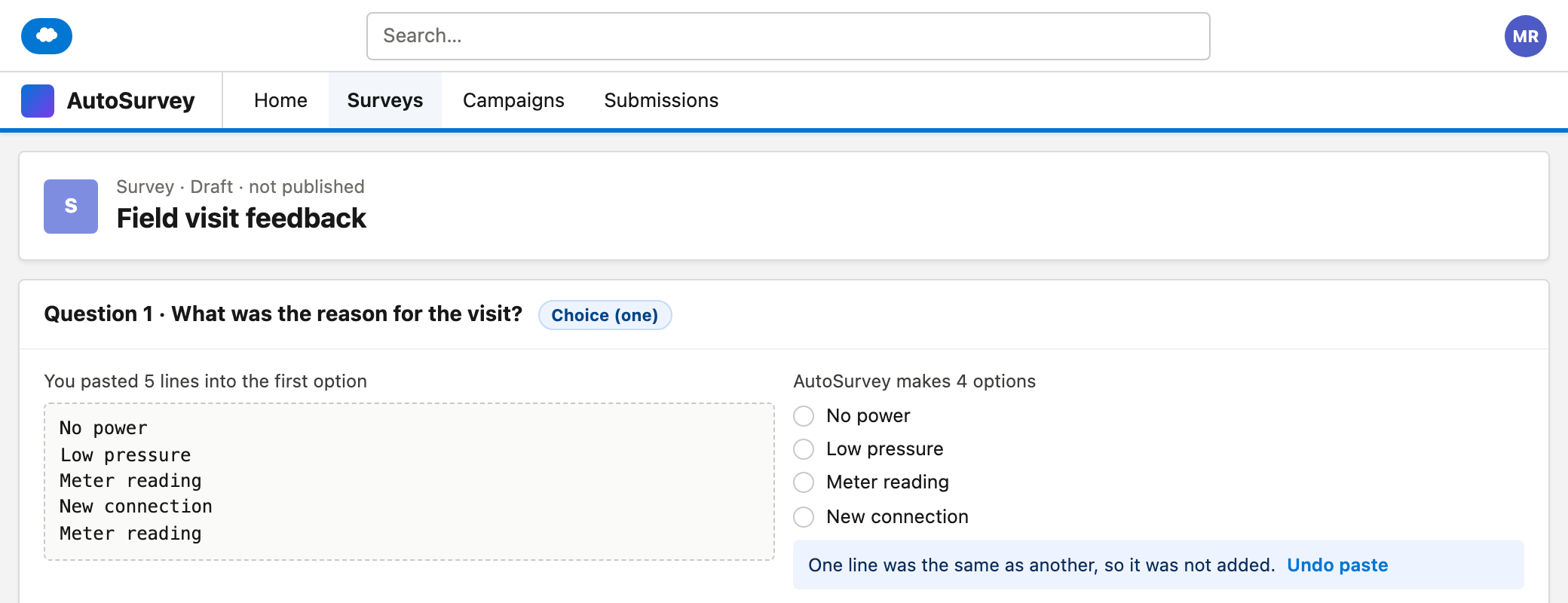
Paste several lines into an option label. Each line becomes one option. AutoSurvey removes empty lines and repeats, and tells you. "Undo paste" puts it back.
The screens
These are design mockups, and one screen from a test org. The mockups use sample data for a fictional utility company.
What it does, and what it does not do
What fast question entry does
- Adds one question for each Enter, on the current screen, and saves the draft.
- Guesses the type from English words: NPS, Star rating, Date, Choice, Long text or Short text.
- Makes the field name from the question text, for example Rate_The_Engineer__c.
- Lets you tick several questions and set Required on or off, move them to another screen, or remove them. A Required or Move change is one undo step.
- Searches question text, field names, help text and option labels.
- Stops publish when a token points to a deleted answer, a later answer, the question itself or a record field that is not allowed.
What it does not do
- It does not turn a pasted list into many questions. Paste makes options in one choice question.
- It does not use AI.
- It does not guess types in other languages. Other languages get Short text. Use / to pick the type.
- It does not make an Email type. A question with "email" gets Short text.
- It does not add Show If rules to many questions at once.
- It does not show @ in Display Text rows.
Empty row
The last row on each screen in the editor. Its placeholder reads "Type a question, or press /".
Chip
A small box in the question text that shows the label of an earlier answer or a record field.
Token
The text that AutoSurvey stores for a chip, for example %%Api_Name__c%%. The respondent sees the answer in its place.
Do your authors build surveys one click at a time?
Bring the questions for one survey. We will walk through fast question entry with you on those questions and answer your questions.
All data on these mockups is sample data for a fictional utility company.