
Participant Request Center · included in AutoSurvey
Give each participant one link to the documents you ask for.
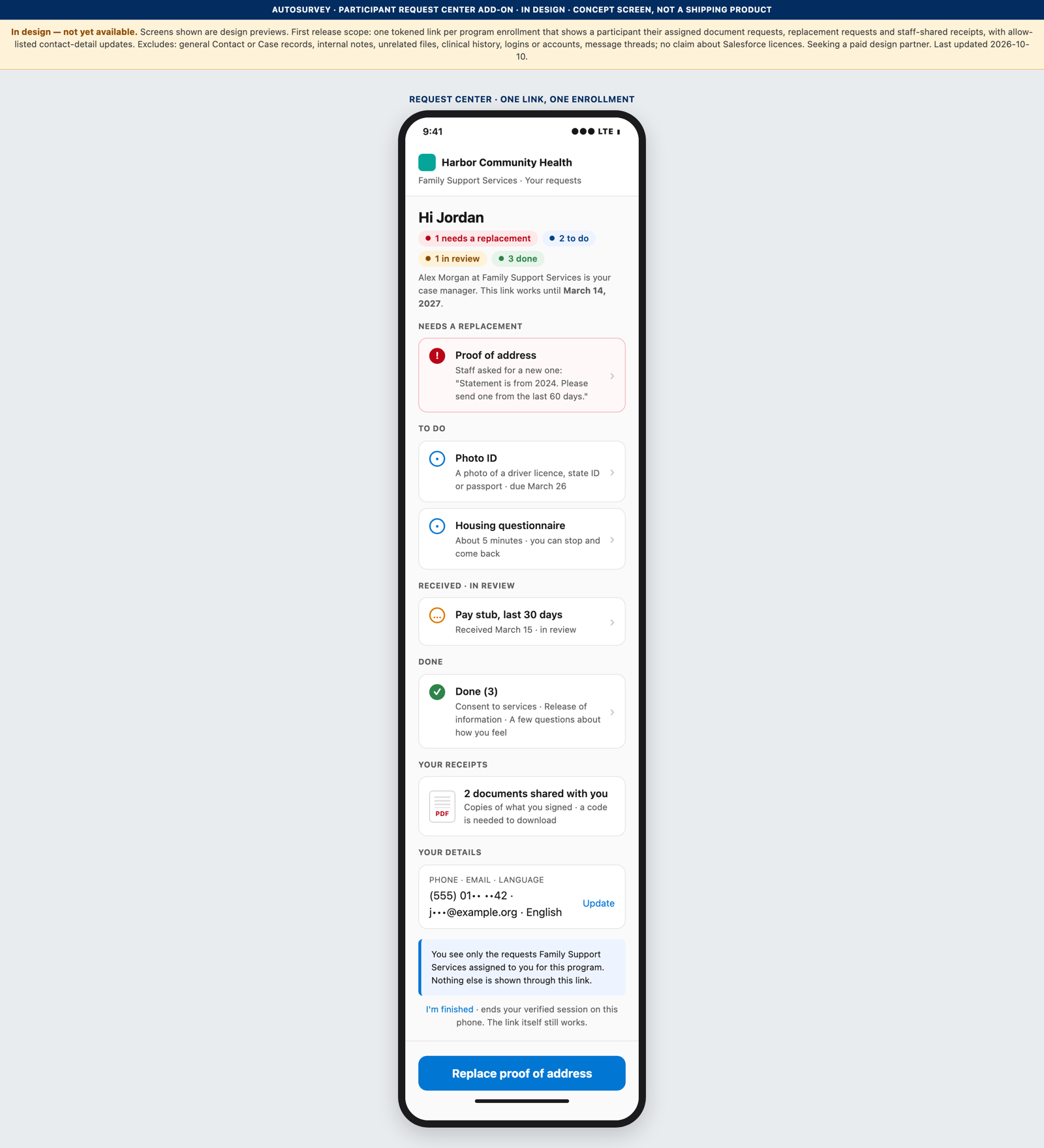
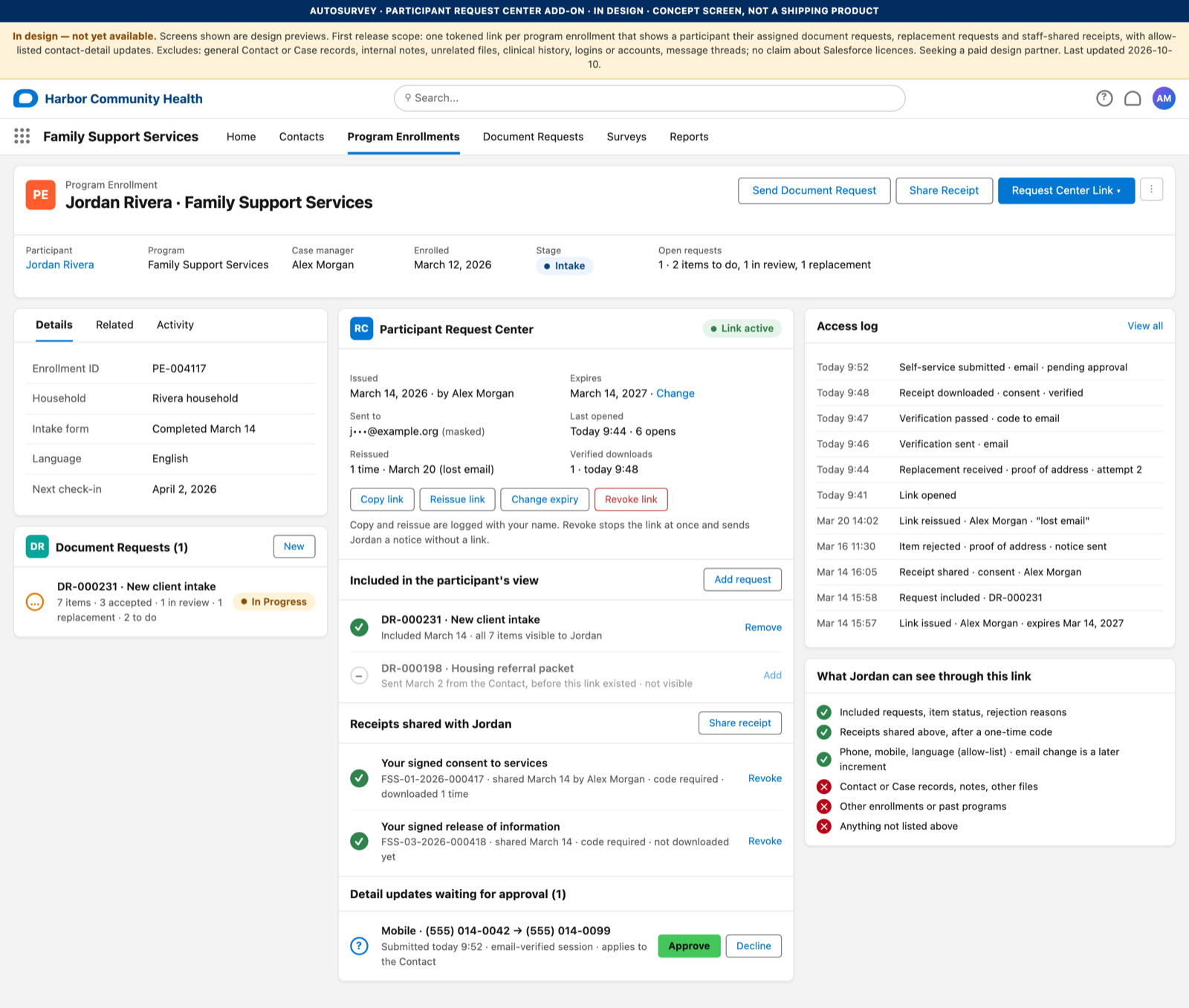
The Participant Request Center gives a participant one link, on a phone, to the document requests your staff assign to one program enrollment. The participant sees what is still needed, why an item came back, and the receipts your staff choose to share. Your staff see the same list on the enrollment record and control what the link shows. It runs inside Salesforce, on top of the AutoSurvey Document Request feature, for case-managed programs such as housing, benefits navigation, workforce and family support.
No login, no app, no account.
The participant taps a link in an email. The link covers one program enrollment and expires on a date your staff set. Your staff revoke or reissue it in one click when a phone is lost.
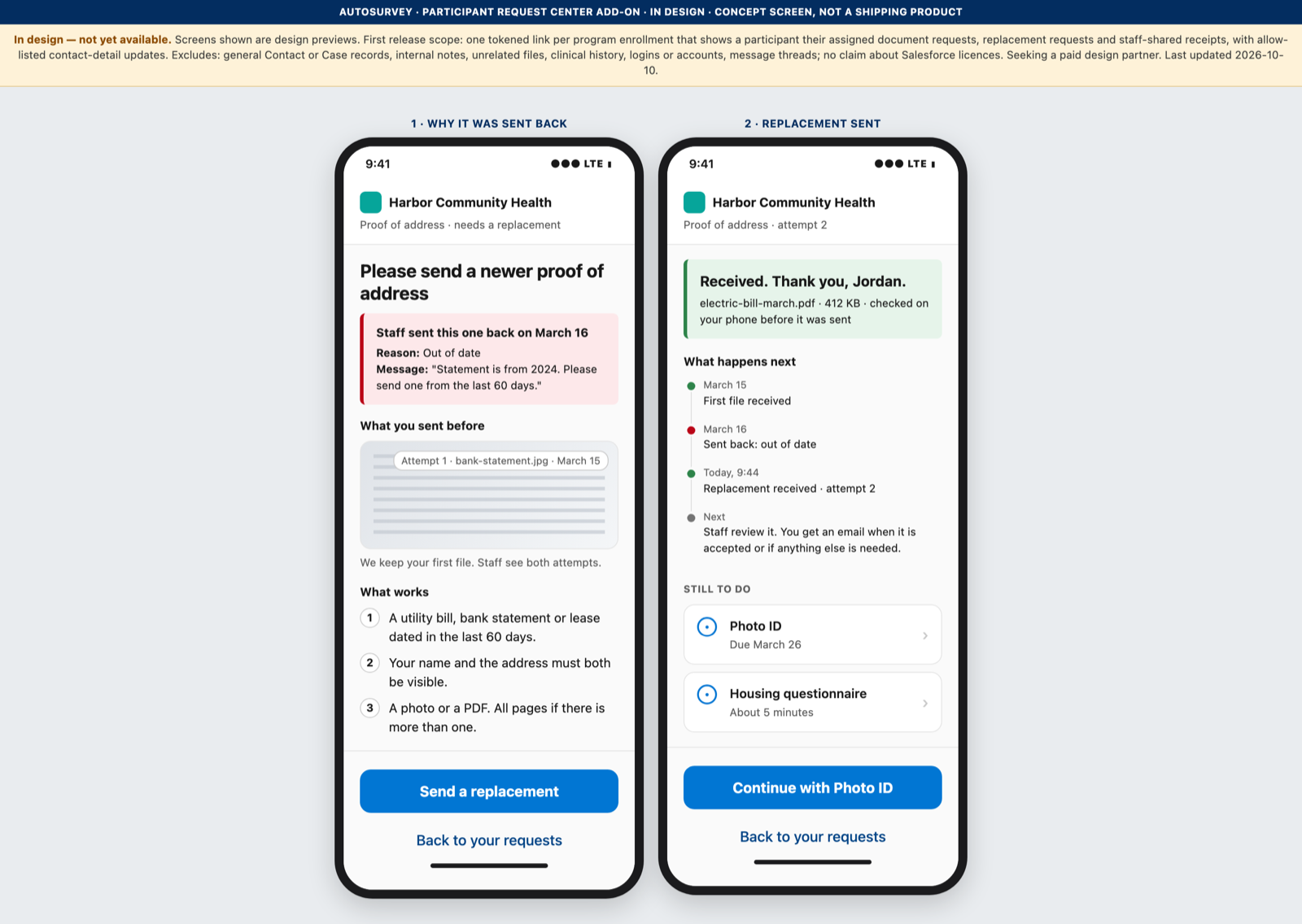
A rejection reopens one item, not the whole packet.
When your staff reject a pay stub as out of date, the participant sees that reason on that item and sends a replacement. Accepted items stay accepted. The attempt history stays with the item.
Receipts the participant can keep.
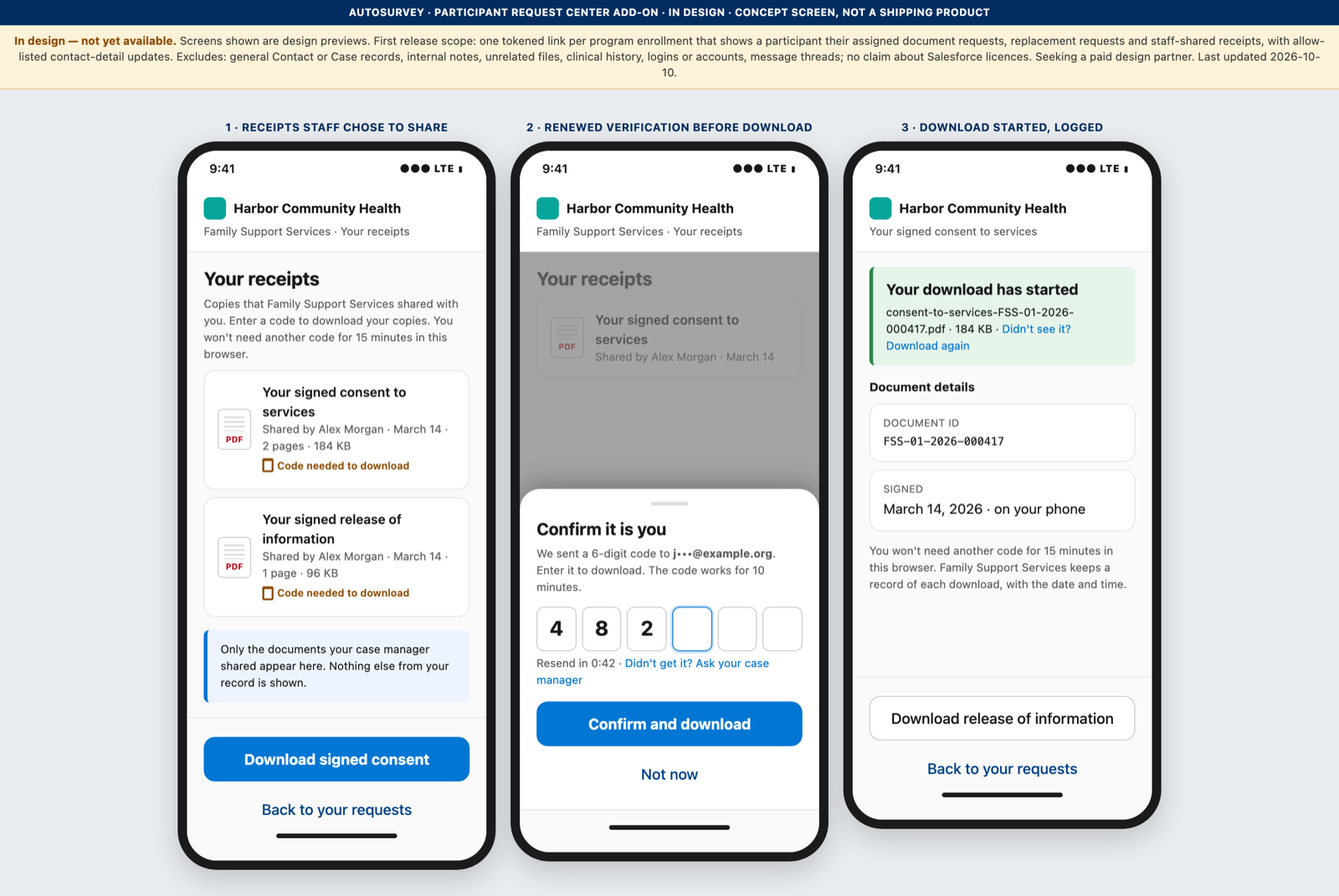
Your staff choose which receipts to share, such as a signed consent or a release of information. Nothing is shared by default. Every download asks for a one-time code sent to the email on file.
The screens
Every organization, person and number on these screens is fictional.
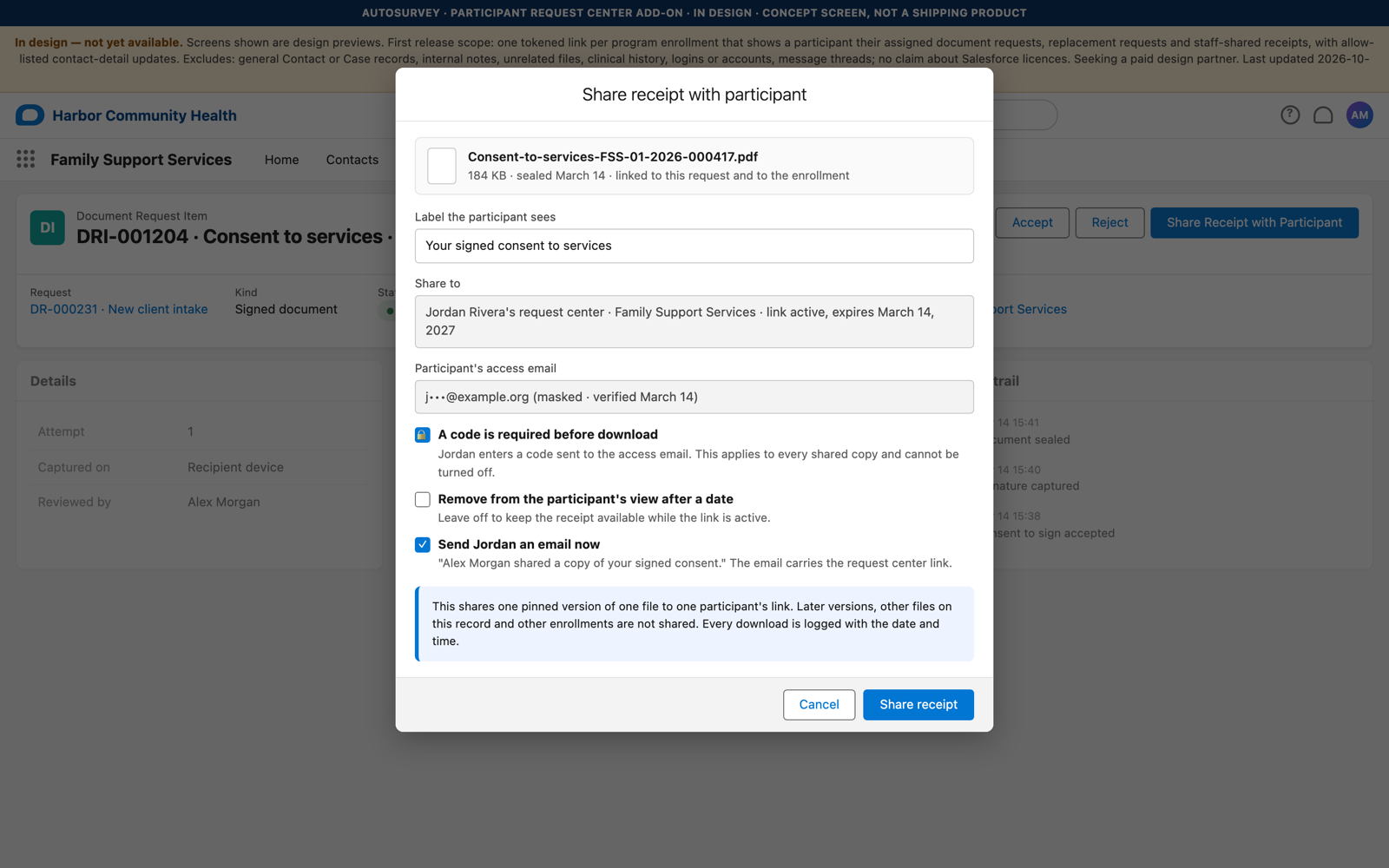
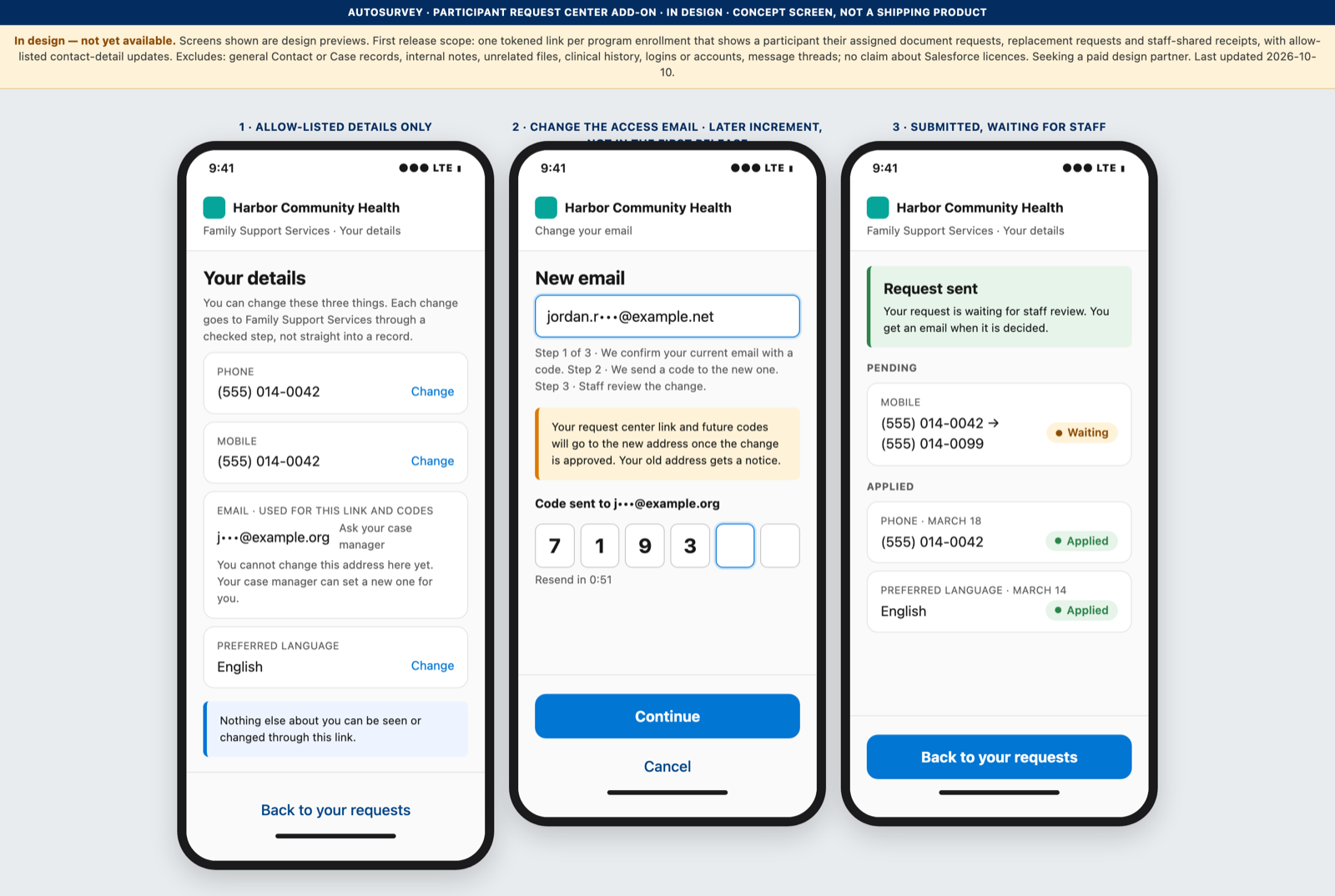
What it does, and what it does not do
What it does
- Gives one link per program enrollment, with an expiry date your staff set and issue, reissue, change-expiry and revoke controls.
- Shows only the document requests your staff add to the link.
- Shows each item in one of four states: to do, in review, needs a replacement, done.
- Reopens one item when your staff reject it, with the reason in plain words.
- Shares receipts one at a time, each with a label and an optional remove-after date.
- Asks for a one-time code to the email on file before every download of a shared receipt.
- Lets the participant update phone, mobile and preferred language, and your staff review each change.
- Writes every open, code, download and change to an access log on the enrollment.
What it does not do
- Does not show Contact or Case records, internal notes, unrelated files or clinical history.
- Does not show other enrollments or past programs.
- Does not show the reviewer's name on a rejection.
- Does not create a login or an account for the participant.
- Does not send codes by SMS. Codes go to the email on file.
- Does not let the participant change the email the link is sent to. Your staff set it.
- Does not carry message threads or appointments.
- Makes no statement about Salesforce licences.
Included in AutoSurvey. Uses the Document Request feature.
See it on your own work.
Bring one program and one workflow. We will walk through the Participant Request Center with you on that work and answer your questions.
Every person and organization on these screens is fictional.